
iExplorer — Mac download
Ticked
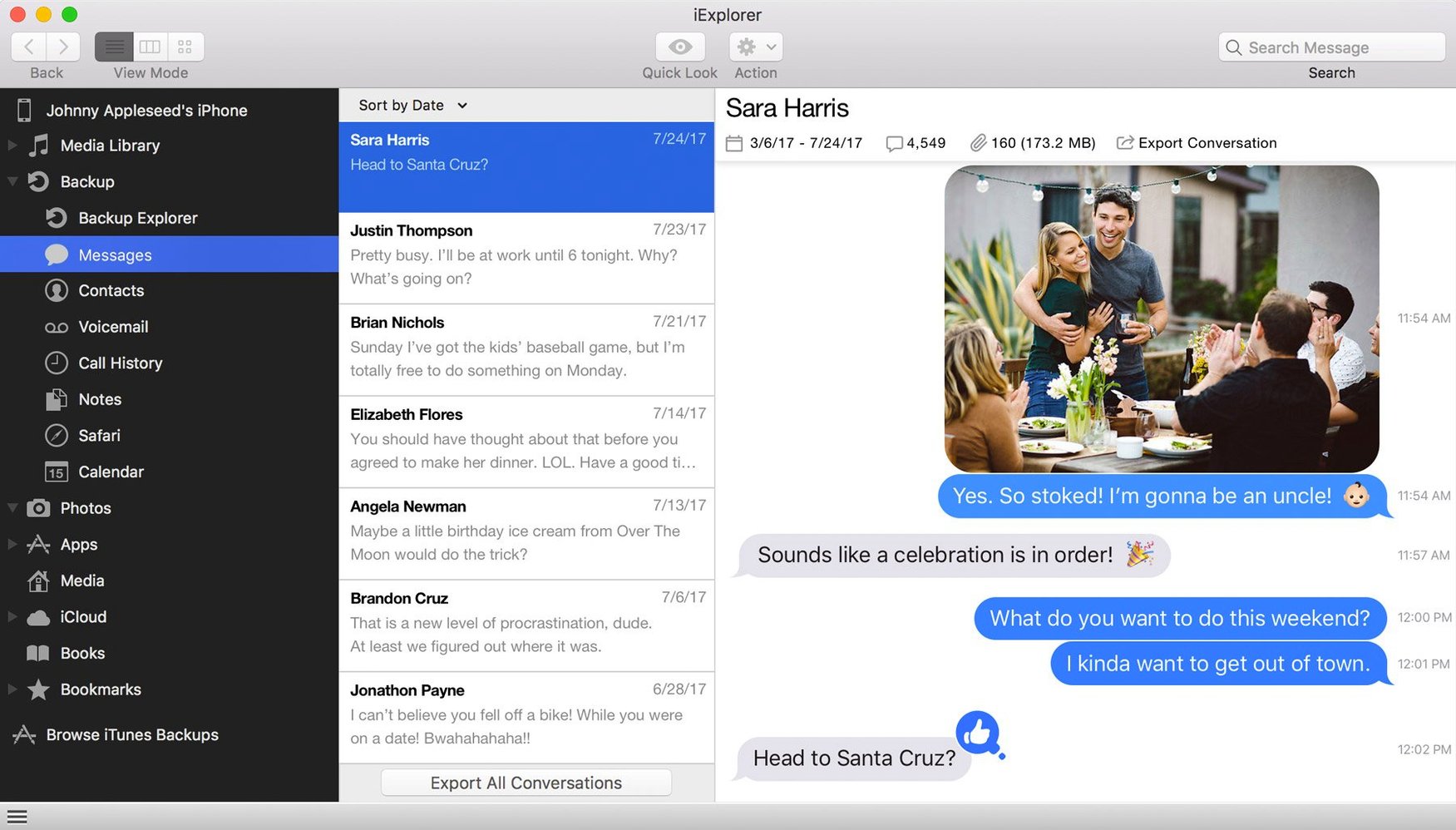
iExplorer runs on any Intel Mac with macOS 10.10 (Yosemite) or later. iTunes needs to be installed. Apple Silicon Macs run the app through Rosetta 2. No jailbreak required for the connected device.
- Mount an iPhone or iPad as a disk in Finder
- Export messages, contacts, notes and call history to your Mac
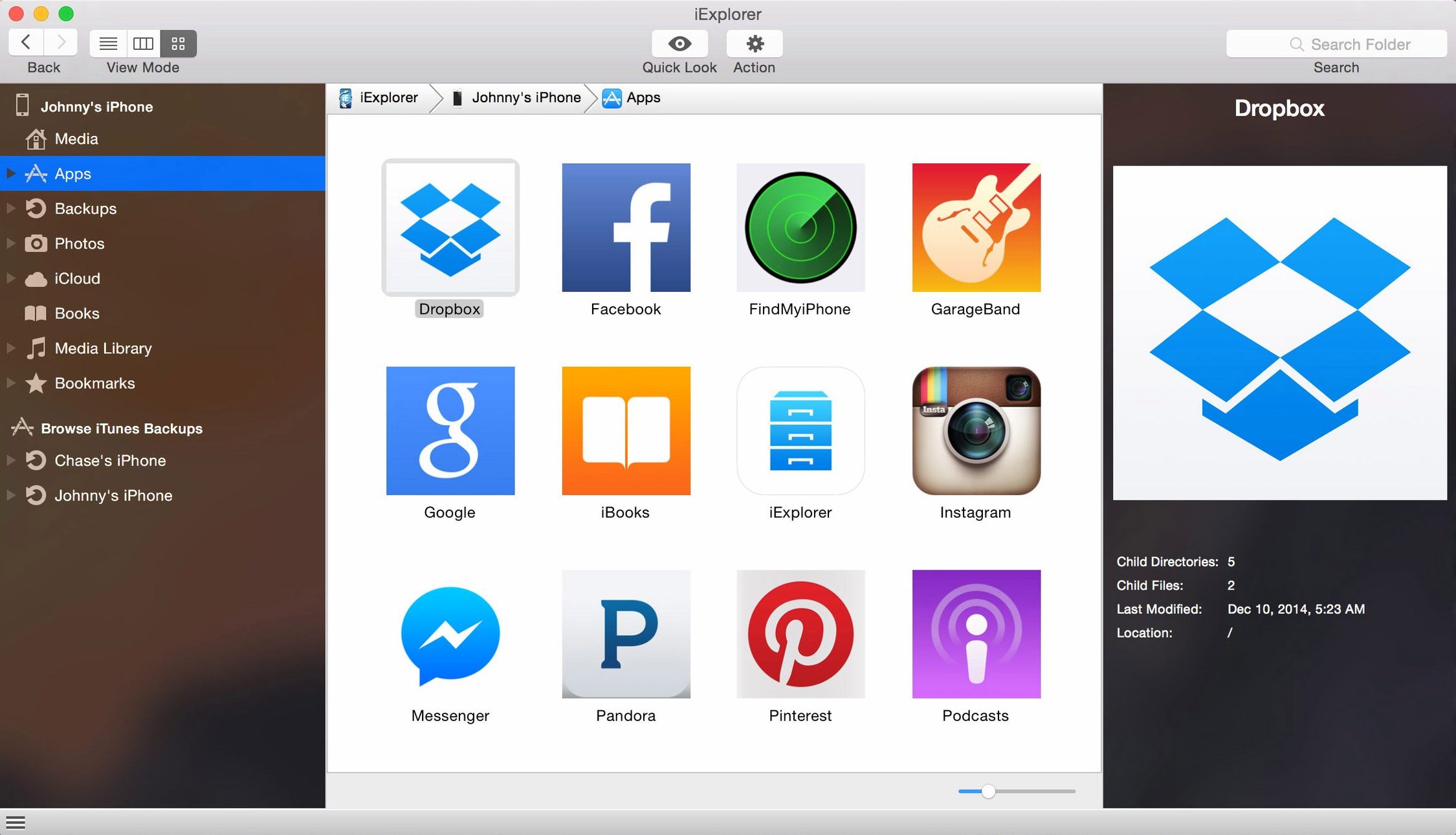
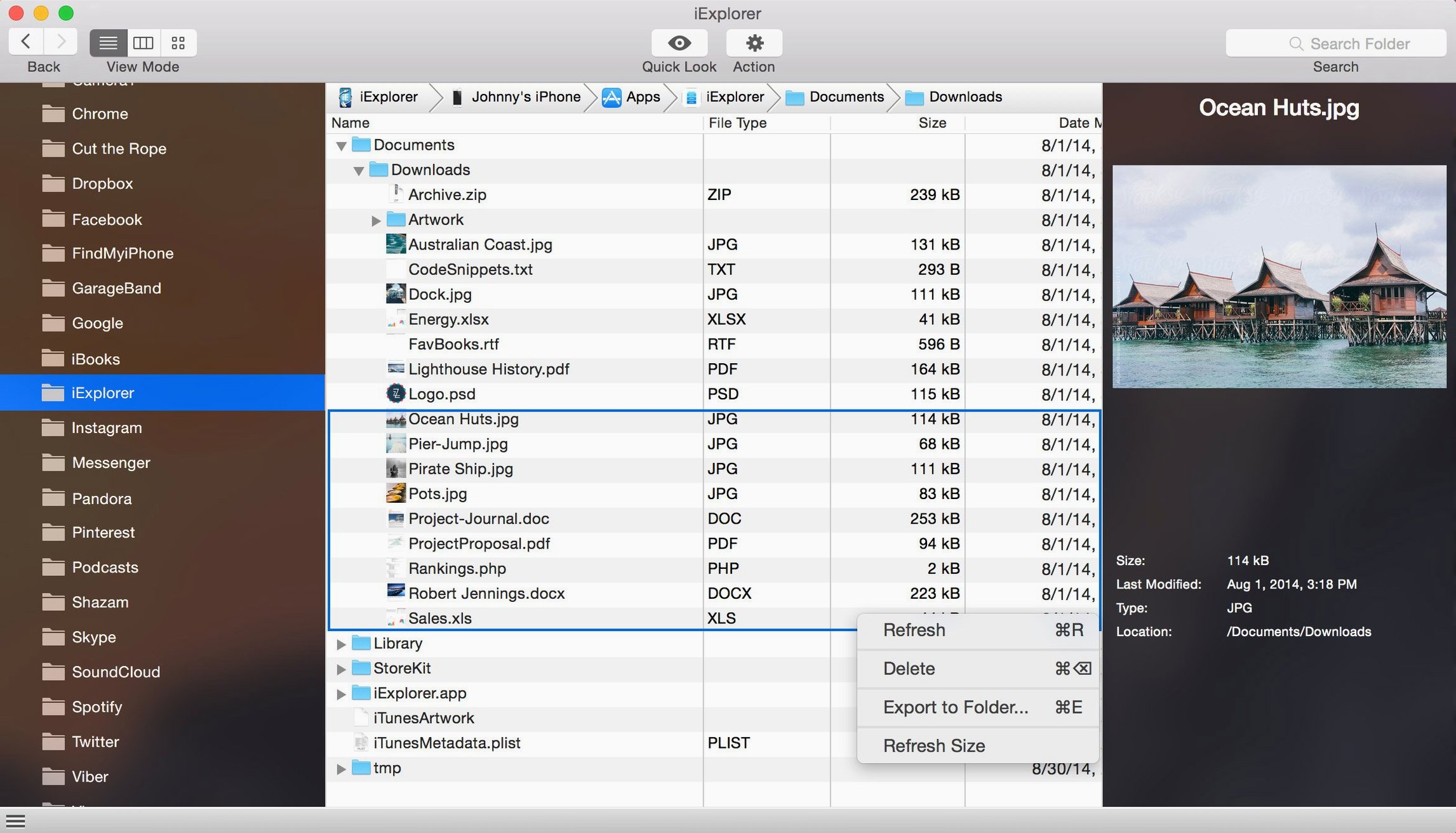
- Browse app data — files, icons and documents inside individual apps
- Add files to a device without opening iTunes
- Access iCloud storage directly from the app window
- Back up a device independently of Finder or iTunes
Photo and text message transfers work for both viewing and saving. The app shows you what is on the device, organised by data type, and lets you drag items out or drop new ones in. All interface text is in English.
Skip the three most repeated early stumbles
New users often dive in and hit the same three snags. Avoid them from the start.
- Unlocking the device after connecting it. Plug the cable in, then unlock the iPhone or iPad straight away. If the screen locks again, iExplorer loses the handshake and shows an empty window. Unlock it, wait for the device to appear, then tick "Trust this computer" if prompted.
- Skipping the iTunes check. iExplorer needs iTunes installed — not running, just present. If the app opens to a blank grey pane, iTunes is either missing or too old. Grab the latest build from Apple's site, not the Microsoft Store version if you are on a Mac.
- Dragging folders instead of files into app data. Most app sandboxes accept individual files, not whole folder structures. Dragging a folder into an app's Documents section often does nothing. Open the folder, select its contents, then drag those.
When the device stays invisible after plugging in
Things go sideways sometimes. Here is what to check.
Device not showing up at all. First, swap the USB cable. Cheap third-party cables often charge fine but drop data. Second, check the device's Lightning port for lint — a wooden toothpick sorts that. Third, restart both the Mac and the iPhone before trying again.
Messages export stuck on "Loading." This happens with large message histories. Leave the window alone for a few minutes. Switching to another tab and back resets the progress, so stay put.
Backup option greyed out. iExplorer cannot back up if a Finder sync is already running. Eject the device from Finder first, then try the backup button inside the app.
People searching for an iexplorer full version sometimes grab older builds that predate iOS 16. Those crash on launch with newer iPhones. Version 4.6.0 handles the current iOS file structure without fuss. Similarly, an iexplorer torrent from an unknown source may bundle an outdated iTunes framework — delete it and get iTunes separately.
Press Space to preview any file without leaving the app
- Quick Look inside the app. Select any photo, document or audio file in iExplorer and press the Space bar. A preview pops up without opening another program. Works for voice memos, PDFs stashed inside apps, and message attachments.
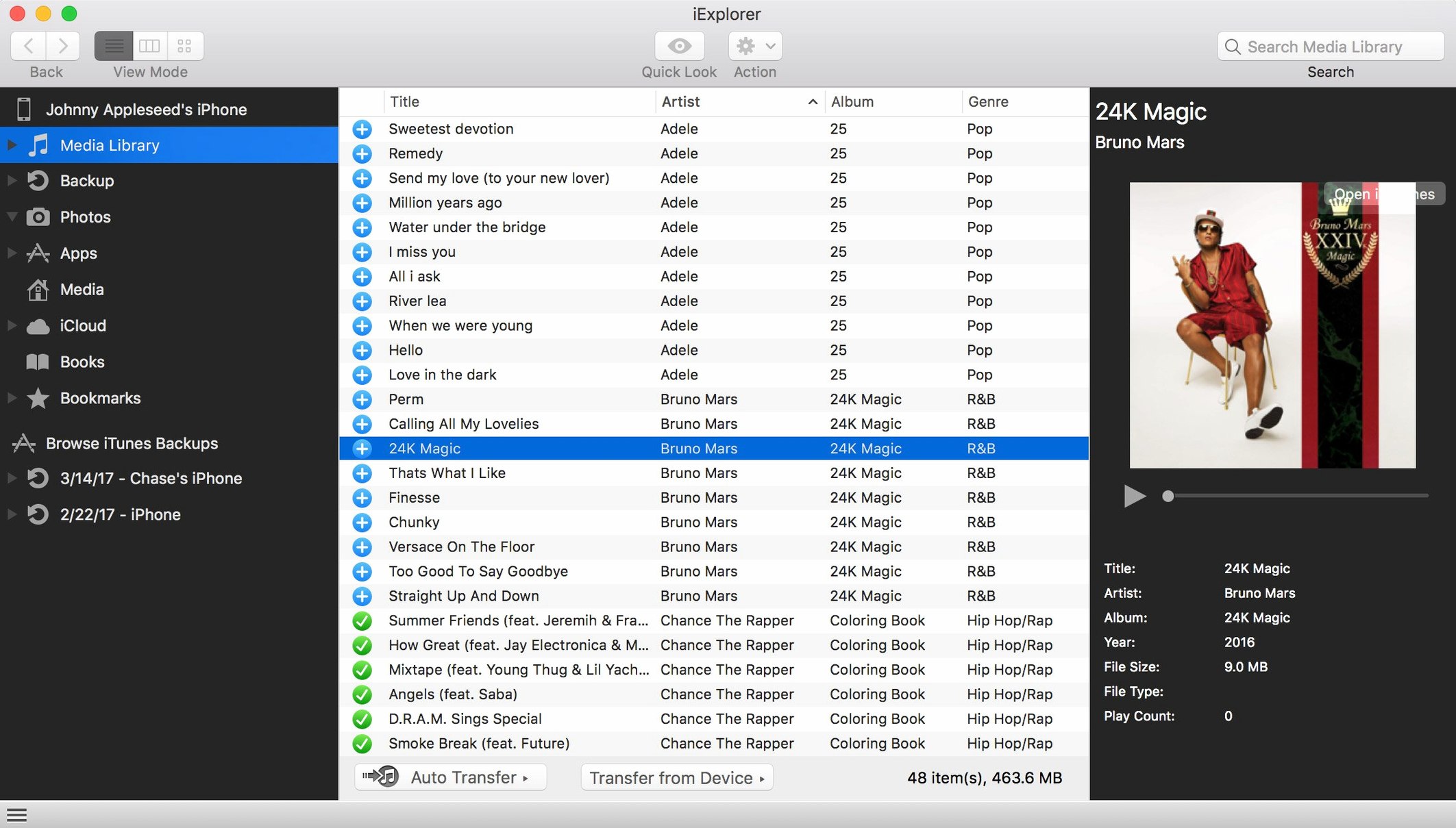
- Direct playlist transfer to Music. In the Music section, select a playlist, right-click, and choose "Export to Music app." It lands as a standard playlist, not a flat folder of tracks. Faster than exporting songs one by one.
- Mount as disk for drag-and-drop. Under the Device menu, pick "Mount as Disk." The iPhone or iPad appears in Finder as an external drive. Drop files onto it from anywhere on your Mac. Unmount from Finder when done — iExplorer handles the rest.
- Call history as a CSV. When exporting call history, hold the Option key while clicking Export. The app offers CSV instead of the default text file. Spreadsheets open it cleanly, with columns for date, duration and contact.
- Copy text from messages without exporting. Open a conversation, select a bubble, press Cmd+C. Paste it anywhere. No need to export the whole thread for a single address or note.
An iexplorer mac crack that requires the Gatekeeper bypass step runs smoothly once you complete it — the app bounces once in the Dock and quits if you skip it. Run the terminal command from the disk image's readme, then launch it. That one-liner saves more support emails than any other trick.
- Improved compatibility with iOS 16
- macOS 10.10 or later
- Intel 64-bit processor (Apple Silicon via Rosetta 2)
- iTunes installed
Questions the team asks
No. It works with standard, non-jailbroken iPhones, iPads and iPods connected via USB.
Yes. You can create a backup of the connected device directly within the app, separate from Finder or iTunes.
You can export contacts, messages, notes, call history, photos, files and app data to your Mac.








Comments 0
Sign in or create an account to add a comment.
No comments yet. They go up after moderation.