

Klack — Mac download
Download (18 MB) Earlier builds
Ticked
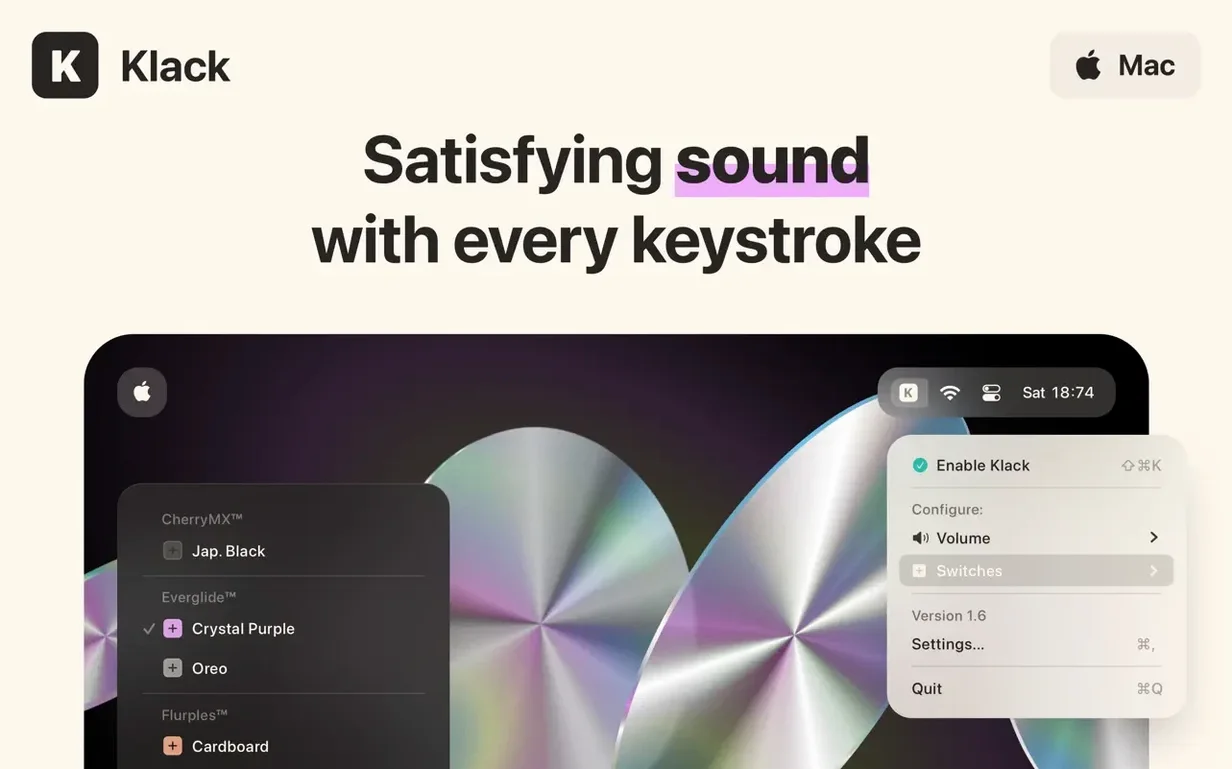
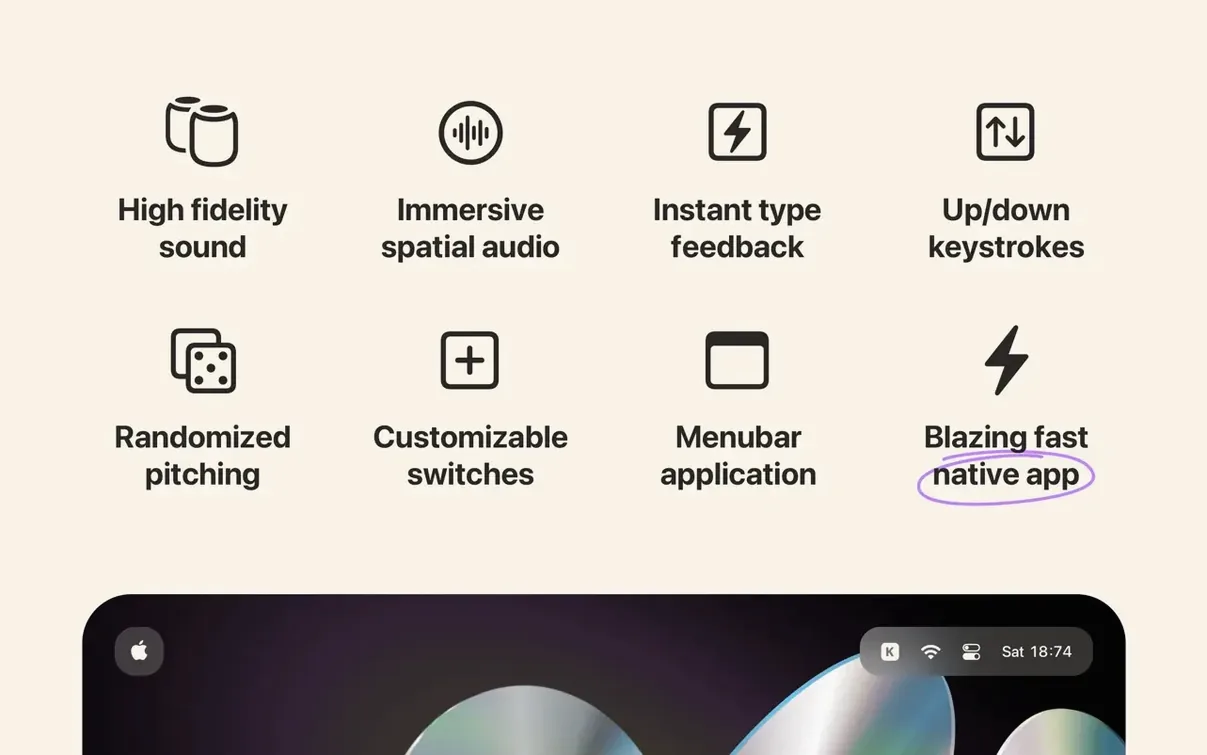
Klack is a menu bar utility that gives every keystroke on your Mac the crisp, satisfying sound of a mechanical keyboard.
Slim keyboard, mechanical sound
- People who miss the audible feedback of a mechanical board but prefer a slimmer laptop keyboard.
- Adding a layer of sound customisation to your typing, with adjustable switches and spatial audio playback.
- Getting instant, high-fidelity type feedback without external peripherals.
Purely auditory, no haptics
- Requires macOS 13.1 or later.
- The experience is purely auditory — no haptic component.
- Built natively, so it runs efficiently, but playback is limited to the sounds included.
Morning routine: a copywriter’s setup
A freelance copywriter starts at 07:30. Laptop open, flat white to the left, first brief of the day on screen. The built-in keyboard feels fine — quiet enough not to wake the flat — but the silence makes every sentence feel provisional. She opens Klack from the menu bar, switches to a low-profile clicky switch preset, and starts typing. The sound lands somewhere between a vintage IBM and a dampened Cherry MX Blue, with spatial audio making it feel like the keyboard itself is generating the noise. Ten minutes in, she’s found her rhythm. The audible key-down and key-up events give each word a start and a finish. She keeps it on for the morning drafting block, then pauses playback during a client call.
It’s not about nostalgia. It’s about pace. The sound becomes a metronome for her writing — faster clicks on confident stretches, slower on tricky phrasing. By midday she’s exported three drafts and barely noticed the keyboard underneath her fingers.
Where Klack fits in your Mac workflow
Klack sits in the menu bar alongside utilities like Magnet and CopyClip, complementing rather than competing. It doesn’t intercept keyboard events — it listens for them — so it coexists with text expanders, snippet managers, and custom keyboard layouts without conflict.
- Focus modes: Use Shortcuts to toggle Klack on when entering a writing focus mode and off when switching to reading or meeting mode. A simple automation keeps the sound exactly where you want it.
- Spotlight and Quick Look: Typing in Spotlight or renaming files in Finder triggers the same sound profile. It makes every text field feel equally substantial.
- External displays and docks: When a MacBook is closed and connected to a monitor, the spatial audio still projects from the Mac’s speakers — or your chosen output device — giving the illusion that the external keyboard has mechanical switches.
- Screen recording and demos: Some users pair Klack with screen recording tools to add subtle typing audio to tutorials. The randomised playback stops the sound from feeling repetitive over a five-minute capture.
If you’ve grabbed a klack free download mac build to try it out, the menu bar icon gives you one-click access to switch profiles or mute. It stays out of the Dock entirely. A klack mac torrent copy works the same way — just drag the app to Applications and launch from Launchpad. The utility picks up your default sound output, so it routes through headphones, studio monitors, or the built-in speakers without extra configuration.
- macOS 13.1 or later
- Apple Silicon and Intel Macs
Questions the team asks
Yes, Klack includes spatial audio to make the typing sounds feel more present and dimensional as you work.








Comments 0
Sign in or create an account to add a comment.
No comments yet. They go up after moderation.