

LanScan — Mac download
Ticked
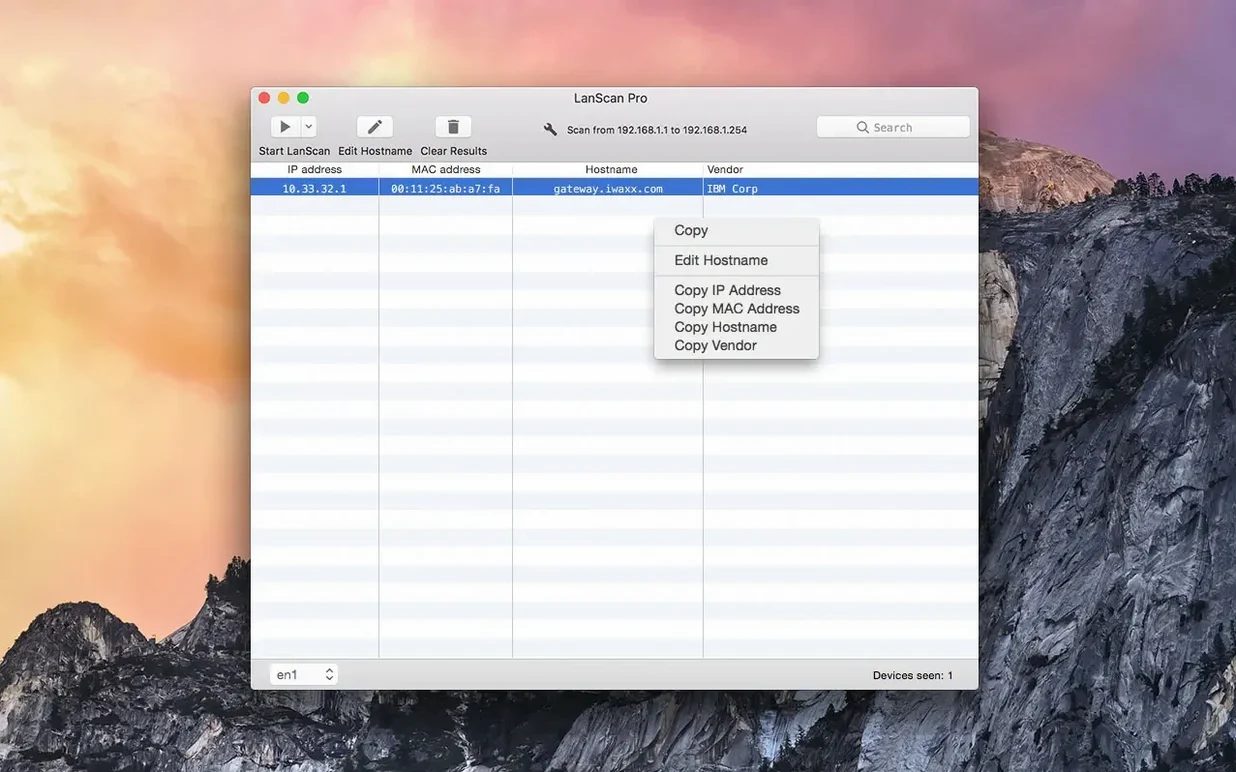
Find a rogue device on the office subnet
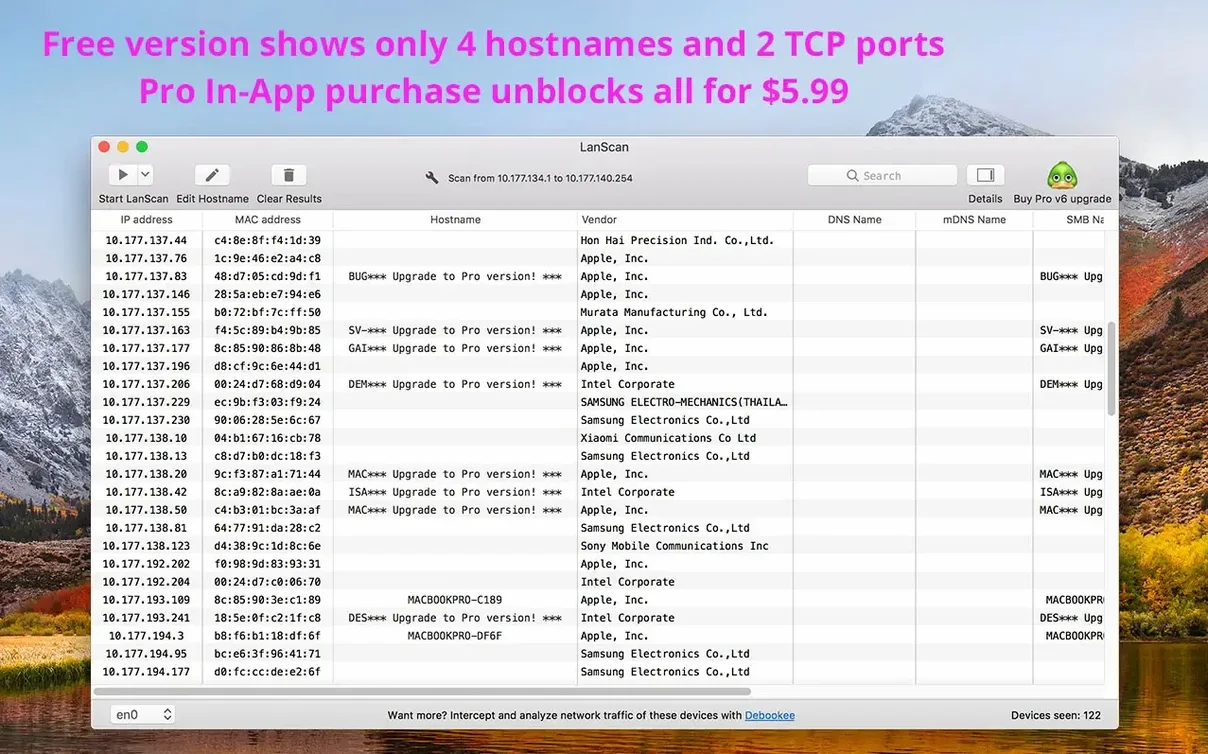
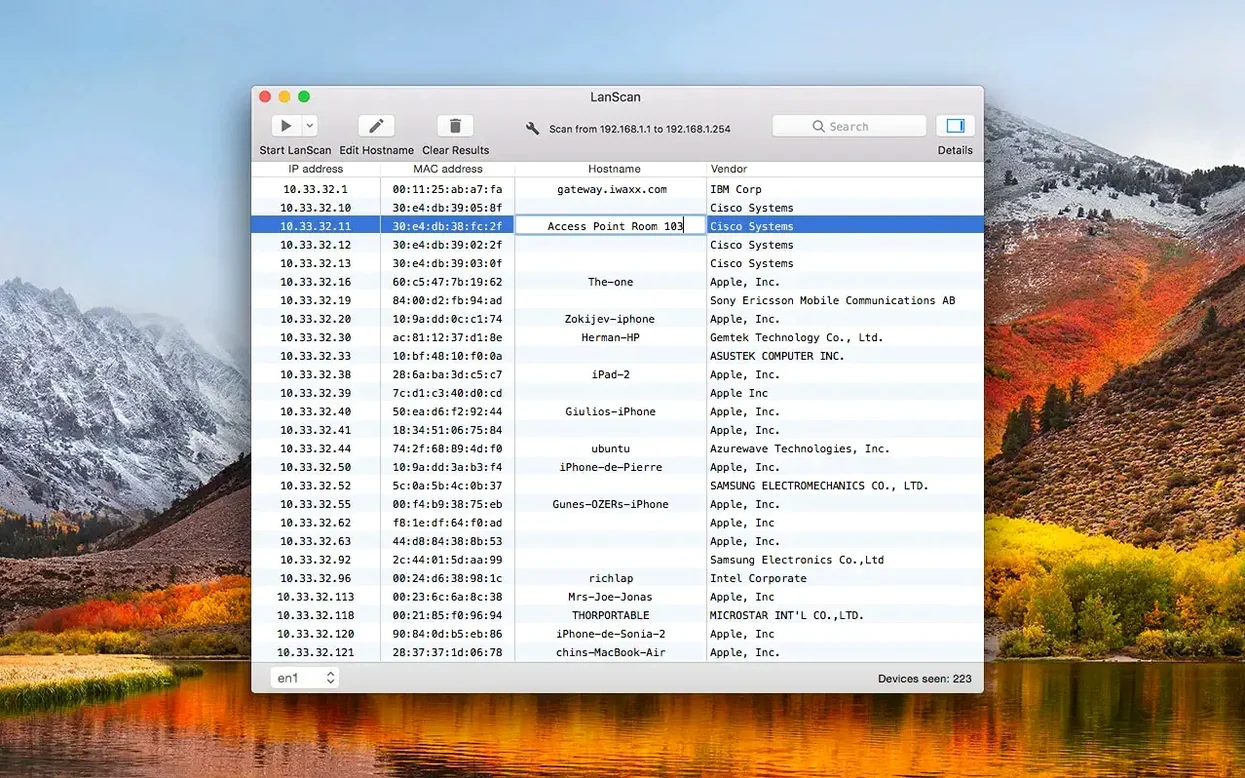
You notice unusual traffic and need to identify every connected device fast. LanScan scans the configured range and returns a table of IP addresses, MAC addresses, host names and vendor names. Sort by vendor to spot the odd one out.
Label everything for the next audit
Default host names tell you nothing. Edit them manually in the results table so 'unknown-eth' becomes 'reception-printer' and the list makes sense when you export it to CSV for the asset register.
Check what’s live across both IPv4 and IPv6
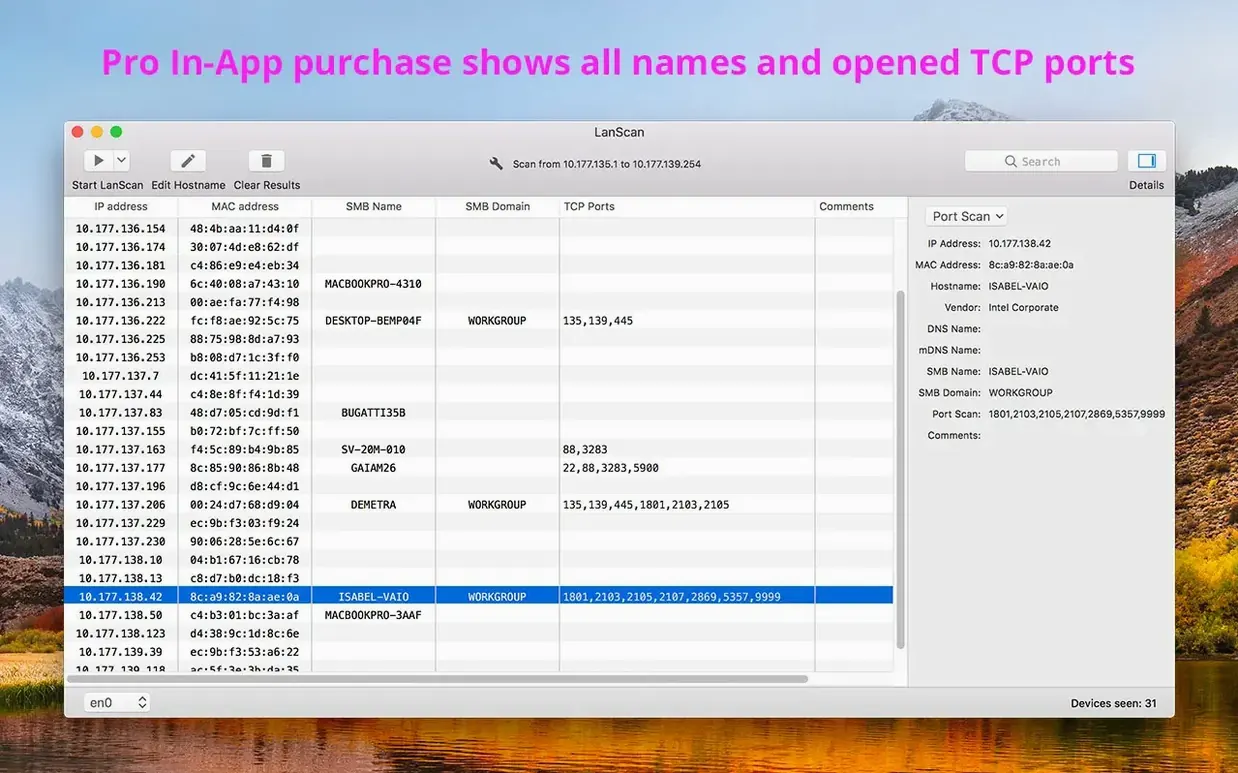
Switch between an IPv4 and an IPv6 scan without changing tools. LanScan picks up configured interfaces—Ethernet, AirPort, virtual—and shows up to four host names per device, so you see the full picture from one window.
One-click MAC copy and keyboard rescan
- Right-click a row to copy the MAC address — no need to select, press Cmd+C, then trim the cell. One click, straight to clipboard.
- Cmd+R rescans without touching the mouse. Useful when you're checking whether a device has come back online after a reboot.
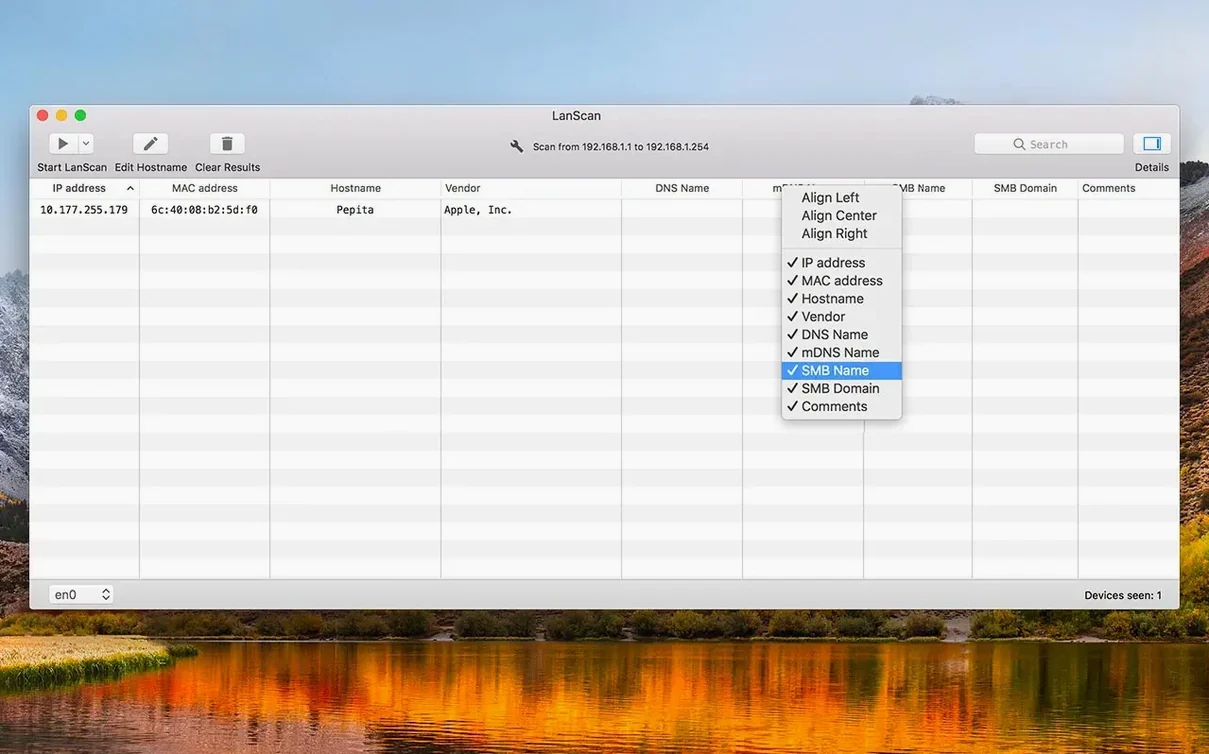
- Column alignment is per-column, not global. Right-click any column header and pick left, centre or right. Makes scanning long IP lists quicker on the eye.
- The custom URL field accepts
%IP%and%MAC%as placeholders. Set it to your switch's web interface template and open any device's management page straight from the results. - Vendor lookup works offline for locally scanned devices. LanScan ships with a built-in OUI database, so you get manufacturer names even when the internet is down.
Why half the office vanishes from your scan
Scanning the wrong interface. If you have both Ethernet and Wi-Fi active, LanScan defaults to whichever interface macOS prioritises. Check the dropdown at the top before hitting scan, or you'll wonder why half the office is missing from the results.
Expecting ping to work everywhere. Public-range scans use ping, SMB and mDNS — but many firewalls block ICMP. A 'no response' doesn't mean the device is offline, it means the chosen method didn't reach it.
Editing host names and forgetting they're local. Changes you make in LanScan stay in LanScan. They don't push back to DNS or the device. Good for your own audit, invisible to the rest of the team.
Exporting before hiding irrelevant columns. The CSV includes whatever's visible. Collapse columns you don't need first, otherwise your spreadsheet lands with eight columns of empty cells.
How the last few releases changed daily use
Version 8.2.x tidied up IPv6 scanning behaviour. Earlier builds would sometimes show link-local addresses cluttering the table when you only wanted global unicast. The current release filters these more sensibly by default.
Apple Silicon support arrived well before 8.x, but the later 8.2 updates brought tighter memory handling on ARM Macs — scans on large subnets no longer spike RAM usage the way they did on early M1-native builds.
The interface detection logic now skips inactive virtual interfaces more reliably. If you run Docker or VPN clients that create transient adapters, LanScan won't list them as scan targets unless they're actually carrying traffic.
- macOS 11 or later
- Apple Silicon or Intel 64-bit
Questions the team asks
Yes. You can export the current results table to a CSV file for use in spreadsheets or asset management tools.
Yes. LanScan runs natively on both Apple Silicon and Intel Macs running macOS 11 or later.









Comments 0
Sign in or create an account to add a comment.
No comments yet. They go up after moderation.