

MacBooster — Mac download
Ticked
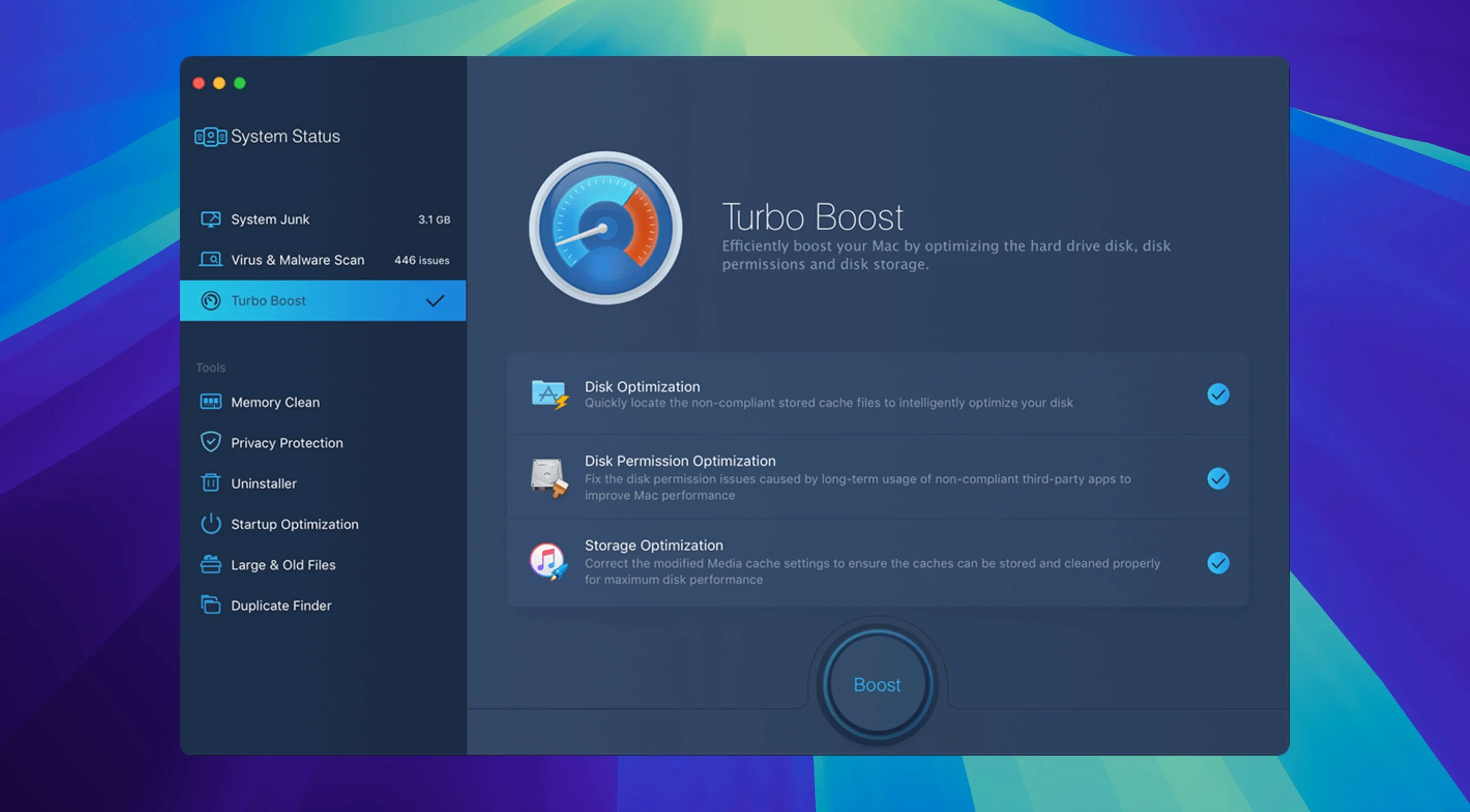
MacBooster 8 is a one-stop maintenance and security utility from IObit.
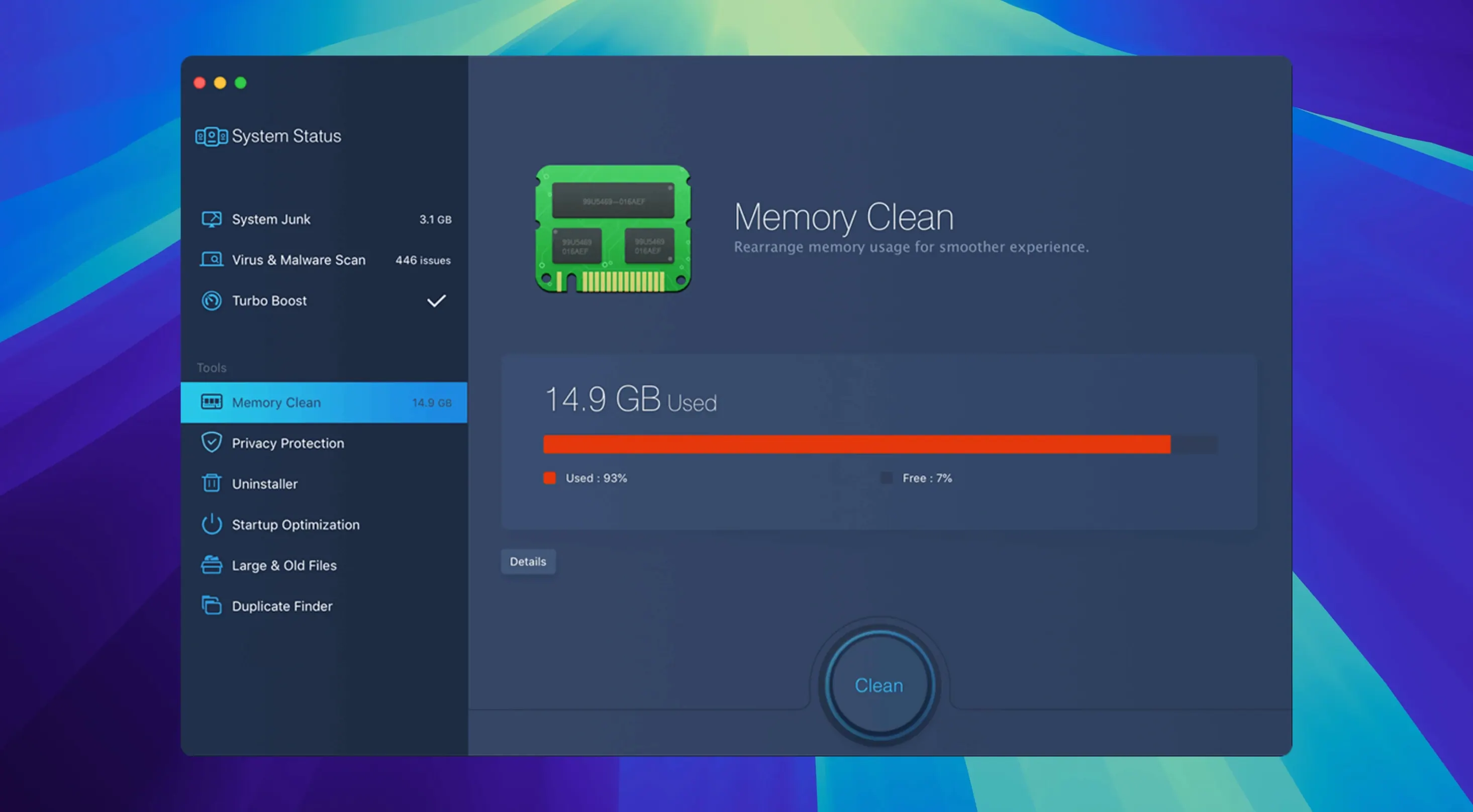
- System cleanup. Scan and clear out 20 types of junk files, from caches to redundant language packs. Run the memory cleaner to free up RAM quickly.
- Hard disk optimisation. Repair disk permission problems that can slow things down. The disk optimiser tidies directory structures for more responsive reads and writes.
- MacBooster 8 Pro security. Switch to the malware scanner to hunt down adware, spyware and other threats.
Version 8.3.0 keeps that same core routine: clean, protect, optimise. The foundation dates from the MacBooster 8 line, so the workflow feels familiar. Interface language support remains broad — Russian, German, Dutch, French, Swedish, Simplified Chinese, Japanese and more sit alongside English. The current release carries no new feature list, meaning the tool leans on the same disk permissions repair, junk-file categories and memory-flush actions that users already rely on. For anyone after a straight utility checklist, that consistency is the point.
Running all seven tools at once slows your first scan
- Running every tool on day one. MacBooster 8 does a lot. New users tick all seven boxes at once, then wonder why the first scan takes so long. Start with System Cleanup and Malware Removal. Leave disk optimisation for a separate pass.
- Ignoring the scan details. One-click fixes are convenient, but the preview list shows exactly what will be removed. Beginners who skip it sometimes delete browser caches they actually wanted to keep, or clear large files they were still using.
- Treating the memory cleaner as a one-off. Flushing RAM once helps, but a cluttered login routine just refills it. Check startup items in the same session, or the benefit disappears within minutes.
- Assuming malware protection is automatic. MacBooster 8 Pro includes a malware scanner, but it does not run in the background like a full antivirus suite. Beginners often install it and forget to schedule scans.
- Uninstalling apps without checking leftovers. The uninstaller removes the application, but related files sometimes remain in Library folders. Run a junk scan afterwards to catch what stays behind.
Preview what you delete and skip specific caches
- Scan preview before any fix. Each tool lists results before anything is deleted. You can uncheck individual items — useful for keeping specific caches or language packs.
- Keyboard navigation. Most scan and fix actions work with standard macOS shortcuts.
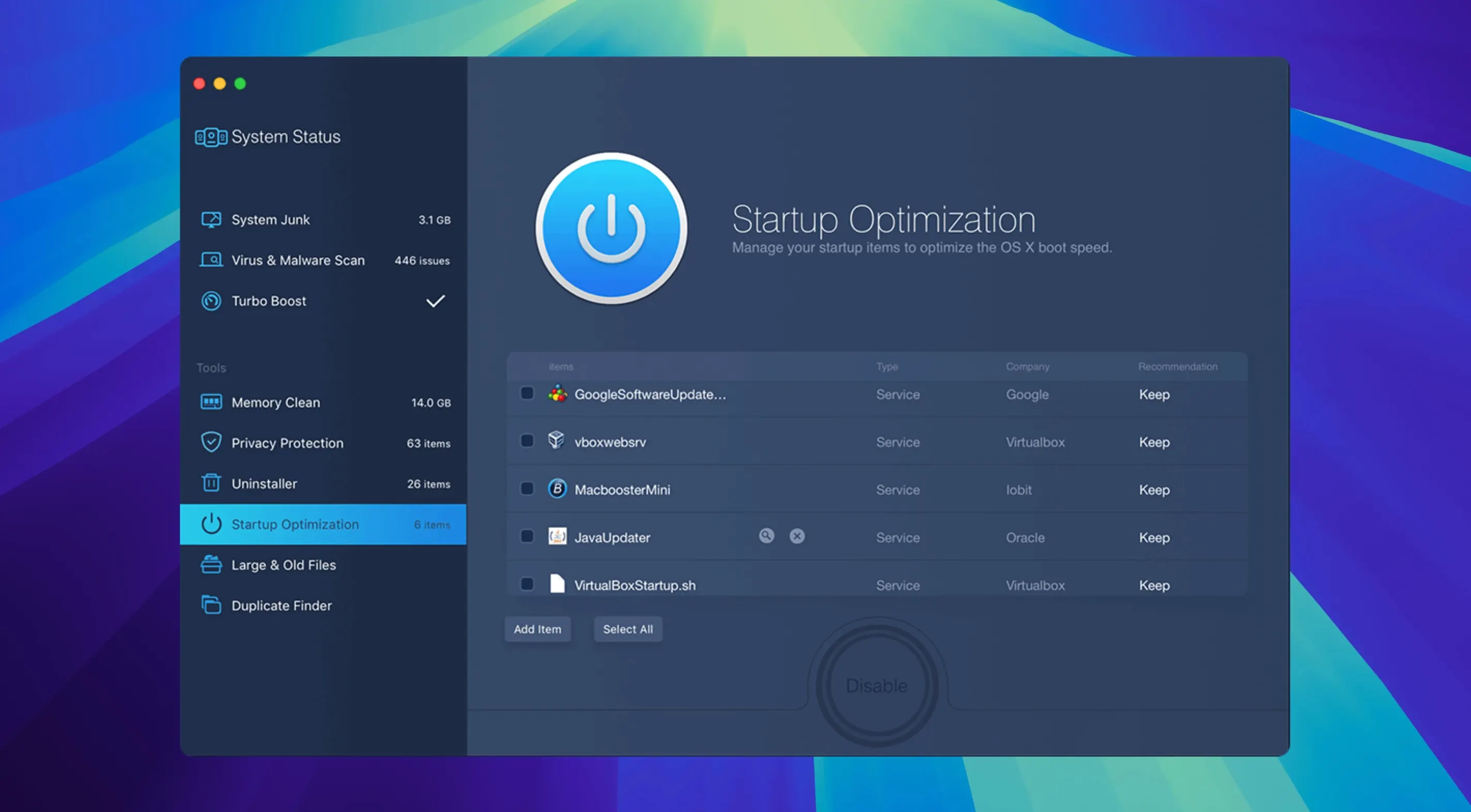
Command-Wcloses the current tool window without quitting the app. - Startup items view. The optimiser shows which login items and launch agents load at boot. Disable them from within MacBooster instead of hunting through System Settings.
- Duplicate file handling. The duplicate finder groups matches by size and name. Sort the list before deleting, so you can keep the copy in the right folder.
- Disk permission repair from the menu bar. If you run the app regularly, the menu bar icon gives quick access to the last-used tool without reopening the main window.
Complements Time Machine and iCloud, not a replacement
MacBooster 8 is not a replacement for Time Machine or iCloud, and it does not try to be. Think of it as a complement to built-in macOS tools. Where Finder search can locate large files but not compare duplicates, MacBooster handles the comparison. Where Disk Utility repairs volume structures, MacBooster works at the level of permissions and junk accumulation.
For users who run browsers with heavy extension loads, the privacy tool pairs well with Safari or Chrome cleanup routines. The memory cleaner also makes sense before launching demanding apps like Final Cut Pro or Logic Pro — flush RAM, then open the project.
On Intel and Apple Silicon Macs alike, version 8.3.0 runs under macOS 11.5 or later. The installation routine is straightforward: mount the disk image, run the Gatekeeper-friendly opener, press Enter in Terminal when prompted, drag the app to Applications, then launch. No additional system extensions or background daemons beyond what the tools themselves need.
- macOS 11.5 or later
- Intel and Apple Silicon Macs
- 70+ MB of free disk space
Questions the team asks
MacBooster 8 Pro is the full edition of IObit’s utility, covering system cleanup, malware removal and hard-disk optimisation in one tool.
macOS 11.5 or later is the minimum requirement for MacBooster 8.
It supports Russian, English, German, Danish, Spanish, Italian, Traditional Chinese, Simplified Chinese, Dutch, Portuguese, Turkish, French, Swedish and Japanese.








Comments 0
Sign in or create an account to add a comment.
No comments yet. They go up after moderation.