
Magic Disk Cleaner — Mac download
Download (7 MB) Earlier builds
Ticked
Find temp files instantly
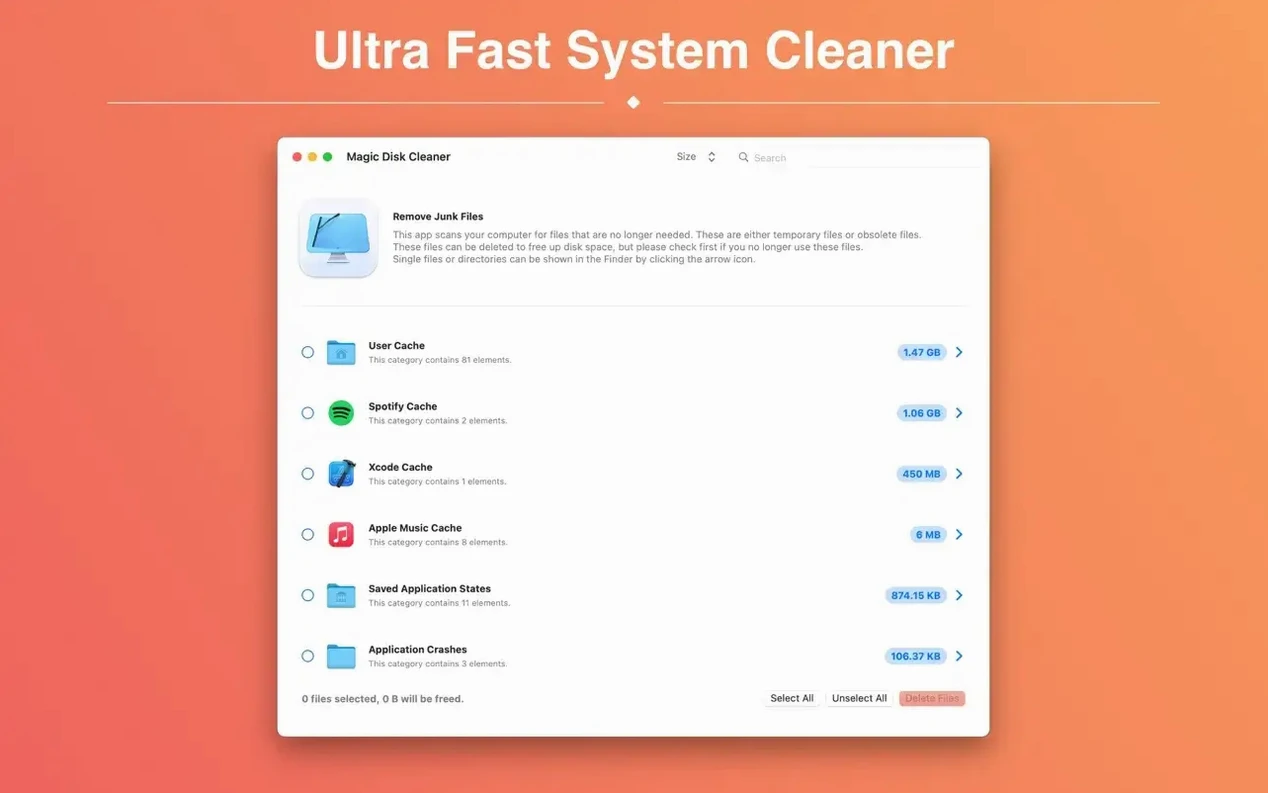
No scan button needed. Magic Disk Cleaner begins searching the moment it opens, pulling up caches, logs and other temporary clutter your other apps leave behind.
Clear them in one click
Once the list appears, a single click deletes everything it found. That's it — no confirmation chains, no per-folder ticking.
Slot it into your cleanup routine
A focused cleanup workflow
Most temp-file tools dump everything into one long list. Magic Disk Cleaner sorts by category, which makes a targeted pass quick.
- Launch the app. Scanning starts immediately — no progress bar, just results appearing within seconds.
- Scan the categories. Ignore the total size at first. Look for lines marked User Cache and Application Logs. These tend to balloon after macOS point updates.
- Click a category name. The app expands it to show individual files and their sizes. Skim for anything over 100 MB.
- Hit Delete. One click clears every file in the list. No extra dialog.
- Check Finder. Open a Finder window and check available space on your boot drive. On a 256 GB Mac, clearing old caches often recovers 2–4 GB.
Repeat monthly. Pair it with emptying the Trash afterwards — Magic Disk Cleaner removes the temp files, but Finder holds the free space until Trash is cleared.
One-click delete clears caches you might need to keep
- Deleting without expanding categories. The one-click delete clears everything in the list. Expand a category first if you want to keep certain caches — some audio plug-in caches, for example, take ages to rebuild.
- Running it once and forgetting it. Temp files regenerate daily. Browsers, Xcode, Adobe apps — all write caches constantly. A single pass in January won't help in March.
- Expecting it to erase personal files. A magic disk cleaner focuses on system and app temp data. It won't touch your Documents folder, photos or downloads. Users who think it's a duplicate finder end up disappointed.
- Quitting other apps during the scan. Not necessary. The app reads cache folders — it doesn't need exclusive access, and it won't slow down whatever you're working on.
Friday cleanup sweeps 6–8 GB of node_modules and browser cache
A front-end developer runs a magic disk cleaner mac session every Friday before archiving projects. Their workflow generates heavy node_modules caches, npm temp folders and browser cache from cross-browser testing. By the end of a sprint, those caches eat 6–8 GB.
They open Magic Disk Cleaner on a MacBook Pro running macOS 15.6. The scan finds 7.2 GB across three categories. They expand User Cache, spot a 3.1 GB Electron cache from a stale tool, and hit Delete. Within five seconds the space is free. No manual hunting through ~/Library.
This same user keeps the app in their Dock, treating it like a quick broom — not a deep system cleaner, just the fastest way to sweep up temp files before a Git commit or a weekly backup.
Run it after a big software update or before a Time Machine backup. It handles the temp-file layer that built-in macOS tools don't target directly.
- The User Cache category now shows its correct German name.
- Requires a Mac with Apple silicon. Intel users can continue with the previous version.
- macOS 15.6 or later
- Apple Silicon or Intel 64-bit
Questions the team asks
No. It searches immediately after launch but you choose when to delete the found files with one click.
It targets temporary files such as caches and logs that accumulate on your Mac, complementing the permanent-file focus of other disk utilities.









Comments 0
Sign in or create an account to add a comment.
No comments yet. They go up after moderation.