

Magnet — Mac download
Download (6 MB) Earlier builds
Ticked
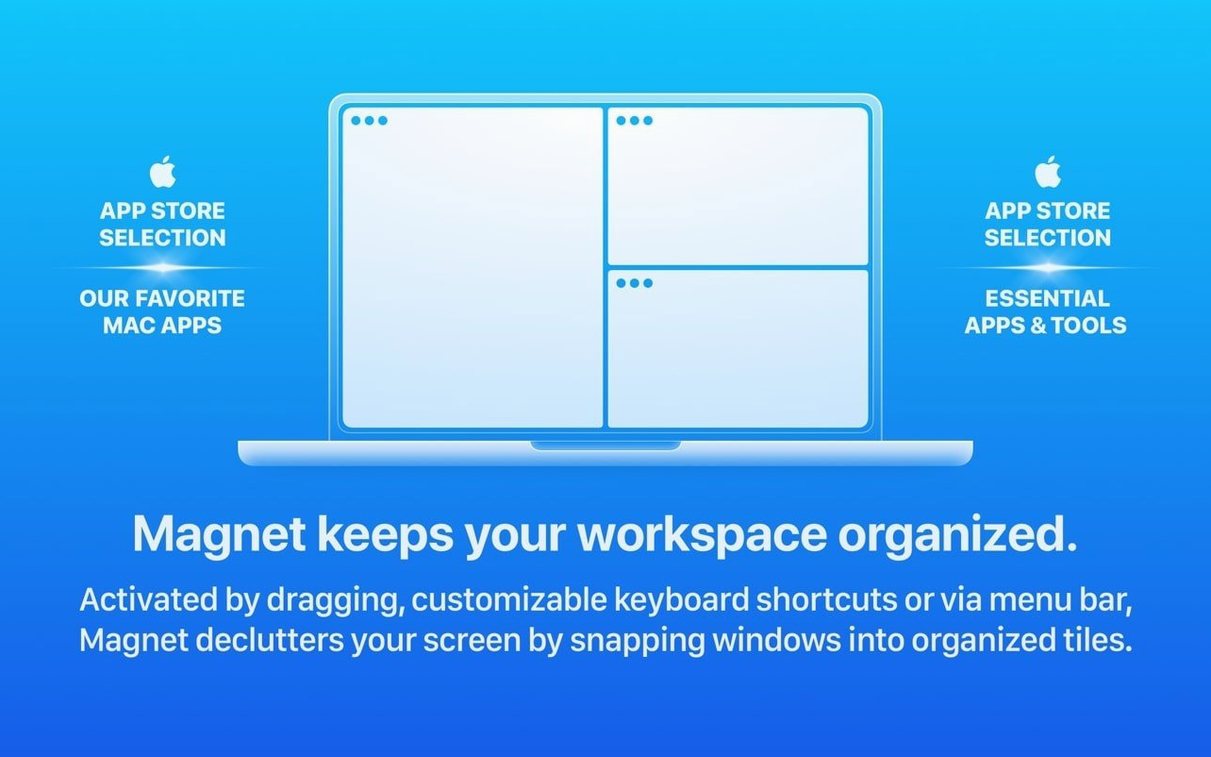
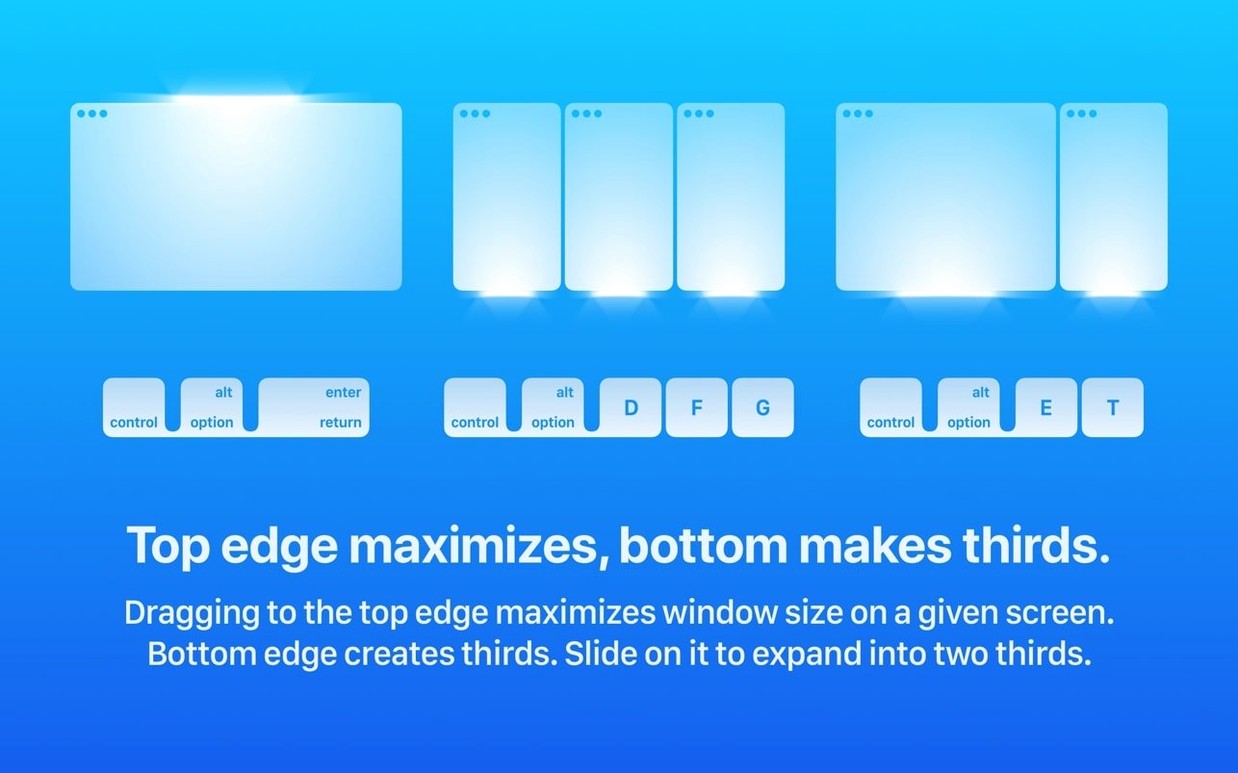
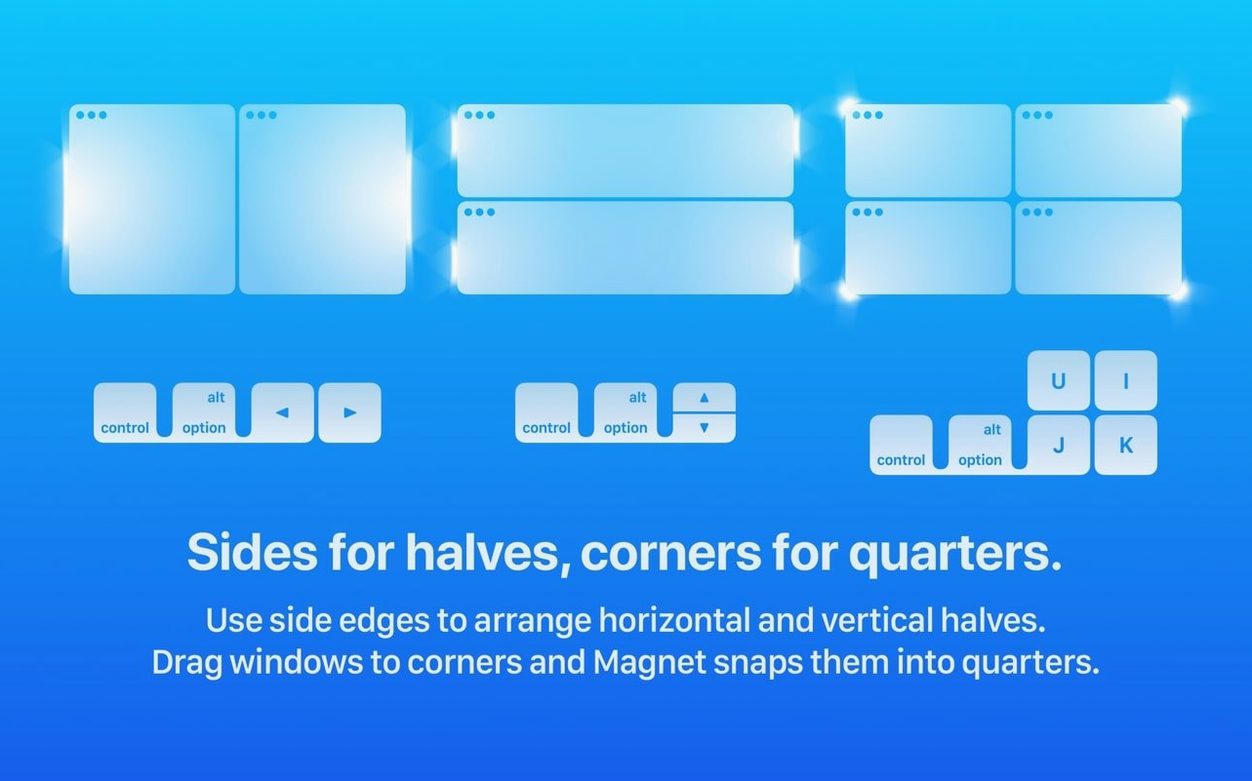
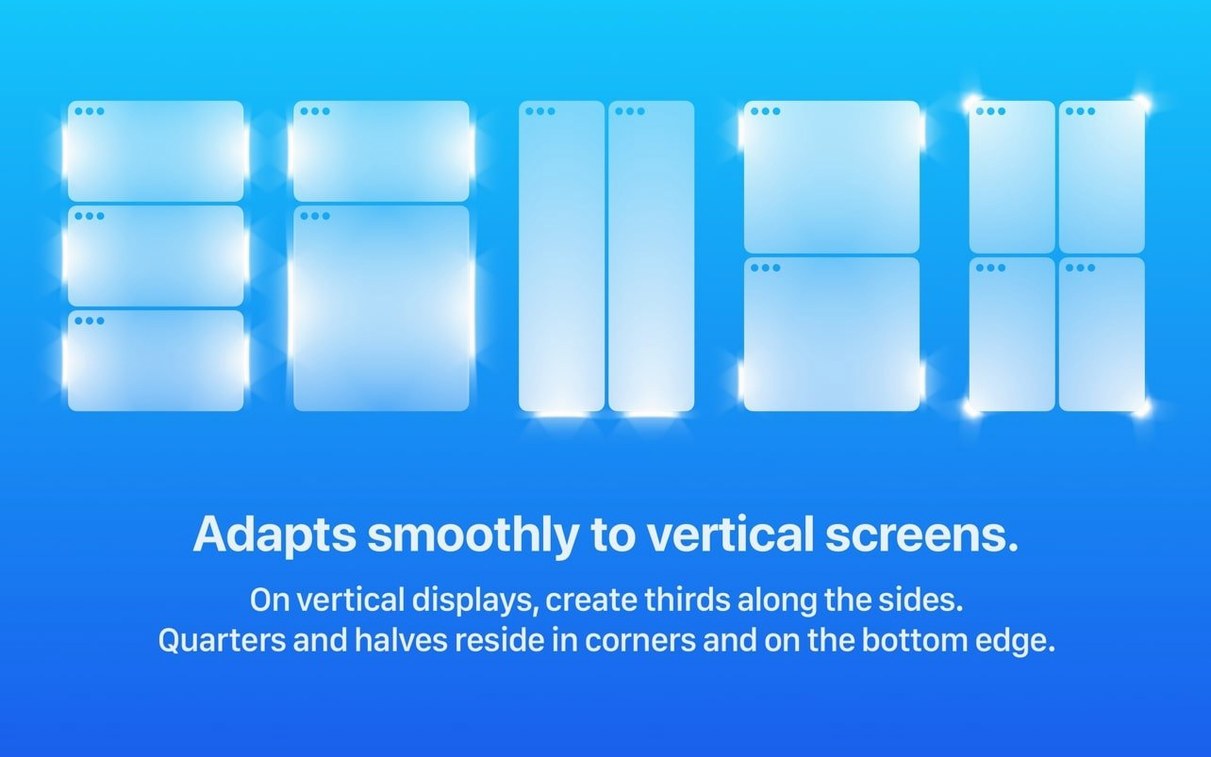
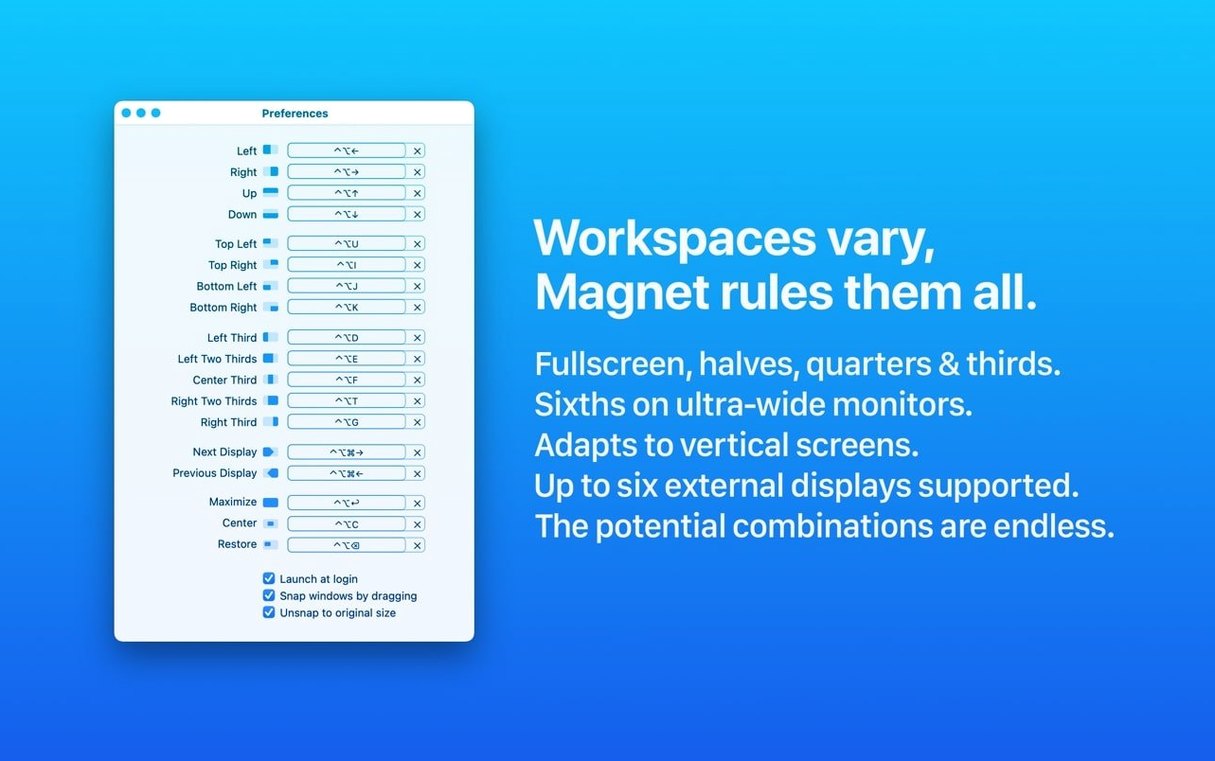
macOS lets you drag a window to the edge of the screen and hope it snaps into split view. Magnet replaces that guesswork with predictable keyboard shortcuts and drag zones you can set once and forget.
Before you install: Does it work alongside Stage Manager?
- Does it do more than the built-in split view? Yes. Full-screen, half-screen, quarter-screen, and custom layouts that you trigger with a shortcut or by dragging to a corner.
- Will it slow down my Mac? It runs natively on Apple Silicon and Intel (x86) under macOS 13 Ventura and above.
- Can I change the shortcuts? Custom hotkeys are configured from the menu bar item.
The macOS green-button habit you can drop
Magnet extends the window management that ships with macOS. Instead of clicking and holding the green traffic-light button, you snap a window left, right, top, or bottom with a keystroke. The interface is localised into thirteen languages including English, German, French, Spanish, Japanese, and Simplified Chinese.
When a window ignores your shortcut
- A window ignores the shortcut. Some apps override system-level hotkeys. Open Magnet’s menu bar panel and assign a different combination for that layout —
⌃⌥modifiers rarely conflict. - Dragging to the edge does nothing. Check that “Snap windows by dragging” is enabled in Magnet’s preferences. If you use a third-party mouse driver, test with the trackpad first to rule out driver interference.
- Window snaps to the wrong quarter. The drag-zone sensitivity is fixed, but you can bypass it entirely. Use the keyboard shortcut for the exact quarter you want — top-left, bottom-right, whichever fits.
- External display shows odd sizing. Magnet supports up to six external displays, but mismatched scaling between a Retina and a standard monitor can throw off quarter layouts. Set both displays to the same scaling percentage in System Settings, or stick with half-screen splits on the secondary display.
- The menu bar icon vanishes. macOS hides menu bar items when space is tight. Hold
⌘and drag Magnet’s icon leftward past other items to give it a permanent spot.
Zero CPU when idle, snap is instant
Magnet adds no perceptible load. Activity Monitor typically shows it sitting at zero CPU when idle, with a footprint under 40 MB of RAM. Window snapping is instant — no animation lag, no redraw flicker — because it talks directly to the macOS window server rather than polling for events.
Stability across a full workday is uneventful in the best way. The helper process that listens for drag events and shortcuts has no history of memory leaks in version 3.0.7. I have seen it stay alive through sleep-wake cycles, display reconnections, and a dozen app updates without a single respawn.
On Apple Silicon Macs the binary is ARM-native, so there is no Rosetta translation overhead. The Intel build is a clean 64-bit binary that runs without the 32-bit compatibility layer. Both architectures feel the same in use: a lightweight addition that fades into the background.
Before you install: Half-screen snap inside a Stage Manager group
Does it work with Stage Manager? Yes, but with a caveat. Stage Manager treats window groups as a unit, so Magnet’s half-screen snap applies to the active window inside the group. If you rely heavily on Stage Manager, you will get the best results by using keyboard shortcuts rather than drag snapping, because the drag zones sometimes fight Stage Manager’s own edge behaviour.
Can I arrange windows across multiple Spaces? Magnet operates within the current Space. If you move a window to a different Space first — via Mission Control or a trackpad swipe — Magnet’s shortcuts then work inside that Space as usual. There is no built-in “move and snap to Space 3” command, but the behaviour is predictable once you know the boundary.
How does a magnet for mac download differ from the App Store version? The copy available as a Magnet torrent mac or a Magnet dmg gives you the same version 3.0.7 binary. If you search for a Magnet download mac, you will find disk images that install with a standard drag-to-Applications step and a one-time Gatekeeper bypass in Terminal. Once installed, the app is identical in features and performance — same thirteen languages, same multi-display support, same custom-shortcut panel.
Is there a free version? A magnet mac free search will turn up the same full build. No feature gates, no read-only mode, no watermark on snapped windows. The app does not phone home to check status, so what you install is what you get.
- macOS 13 or later
- Apple Silicon or Intel 64-bit





Comments 0
Sign in or create an account to add a comment.
No comments yet. They go up after moderation.