

MediaInfo — Mac download
Download (20 MB) Earlier builds
Ticked
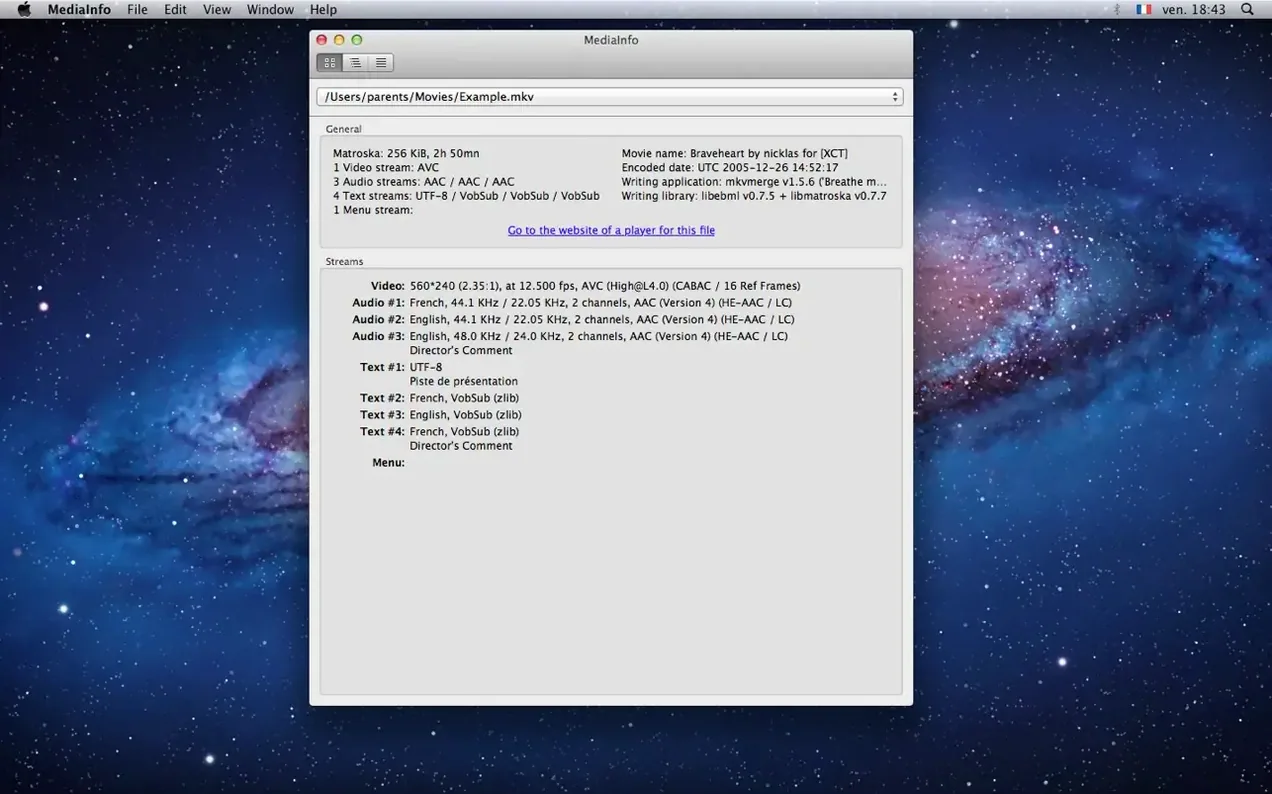
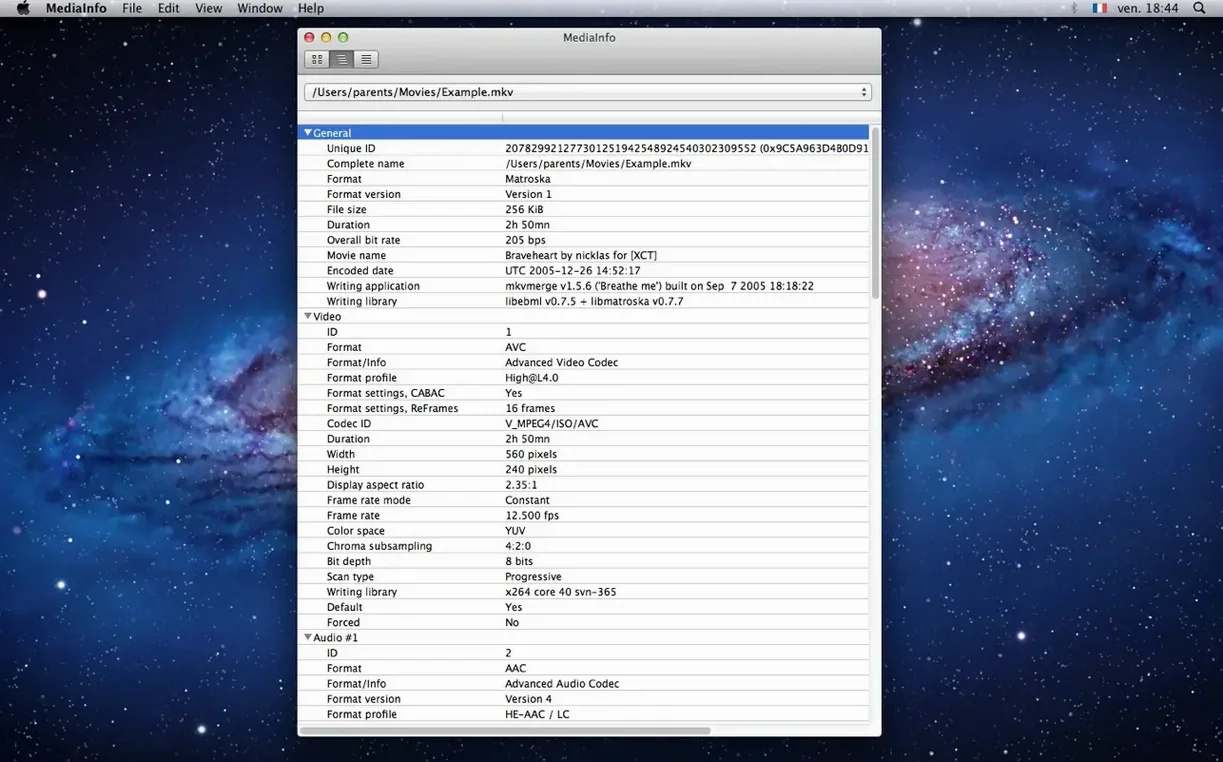
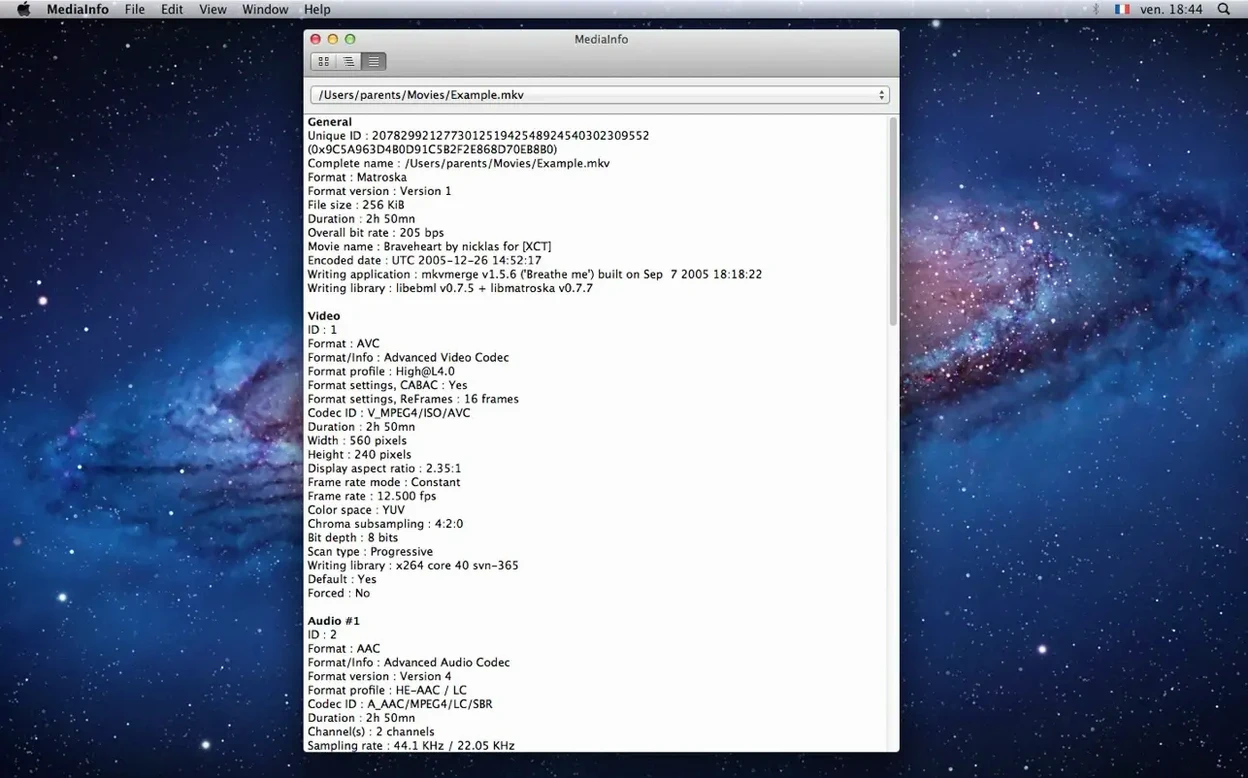
Open a file in QuickTime or Finder and you see a name, a duration, maybe a resolution. Open the same file in MediaInfo and you see the codec profile, colour space, chroma subsampling, subtitle format, chapter count and the exact bitrate. It is the inspector panel those apps do not ship with.
| Quick facts | |
|---|---|
| Version | 26.05 |
| Developer | MediaArea |
| macOS | 10.10 or later |
| Architecture | Intel and Apple Silicon |
Drag a video file onto the window and you get a flat, readable tree of everything inside the container. Video info covers codec identifier, aspect ratio, frame rate, bit depth and scan order. Subtitle tracks list format, codec identifier and language. Chapters appear as a numbered list. For audio files the same level of detail applies. The app reads a long list of formats and stays out of your way — no playback, no editing, no library management. If you already use the mediainfo CLI in Terminal, the GUI adds a context menu and drag-and-drop so you can peek at a file without typing a command.
Subtitle and chapter details Invisor skips
MediaInfo vs Invisor
- Invisor shows a cleaner single-file summary with a focus on video and audio streams. Good for quick look-ups.
- MediaInfo digs deeper into container-level metadata, subtitle streams and chapter lists. Tree view gives you the full structure.
- Invisor supports fewer export formats. MediaInfo offers plain text, XML, JSON and EBUCore.
MediaInfo vs ffprobe
- ffprobe is pure command line and needs you to remember flags. Raw power, zero clicks.
- MediaInfo GUI lets you drag a file and read the result instantly. Same library underneath, different speed of access.
- Both export to JSON and XML. MediaInfo adds EBUCore and a human-readable text dump by default.
Checking what metadata you actually get before the install
Does the GUI version do everything the CLI does?
The GUI exposes the same MediaInfoLib engine, so the data is identical. The difference is how you reach it: drag-and-drop and menus versus typing mediainfo filename.mkv in Terminal. If you script batch jobs, keep the CLI alongside the GUI. They sit separately but read the same files.
Will it play or convert my files?
No. MediaInfo never opens a playback window, never transcodes, never rewraps. It is an inspector, not a player. Use it to check what is inside a file before you send it to an editor or a transcoding tool.
Which file types does it actually read?
The format list is too long to print here, but think Matroska, MP4, MOV, AVI, FLAC, MP3, WAV, and dozens of broadcast and archive formats. If the file carries a recognised container and codec identifiers, MediaInfo will display them.
- Library updated to MediaInfo 26.05 — includes several bug fixes for more stable file analysis
- macOS 10.10 or later
- Apple Silicon and Intel 64-bit Macs








Comments 0
Sign in or create an account to add a comment.
No comments yet. They go up after moderation.