
Meta — Mac download
Download (8 MB) Earlier builds
Ticked
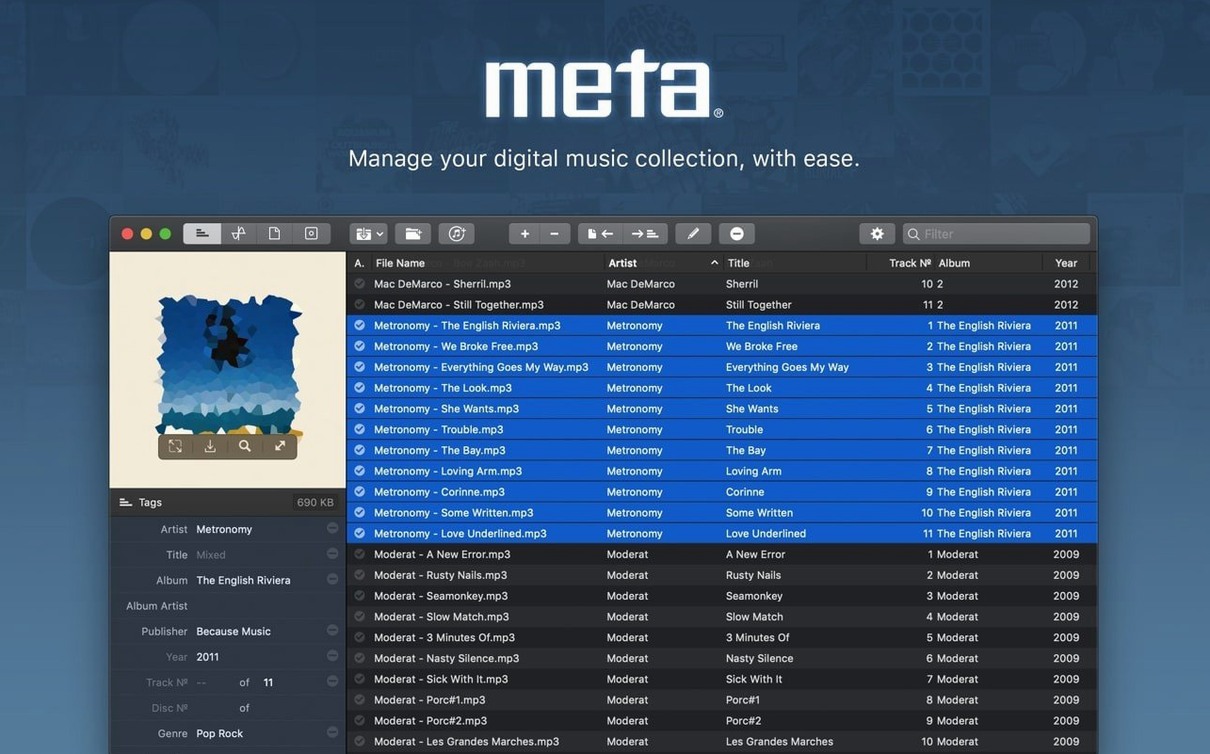
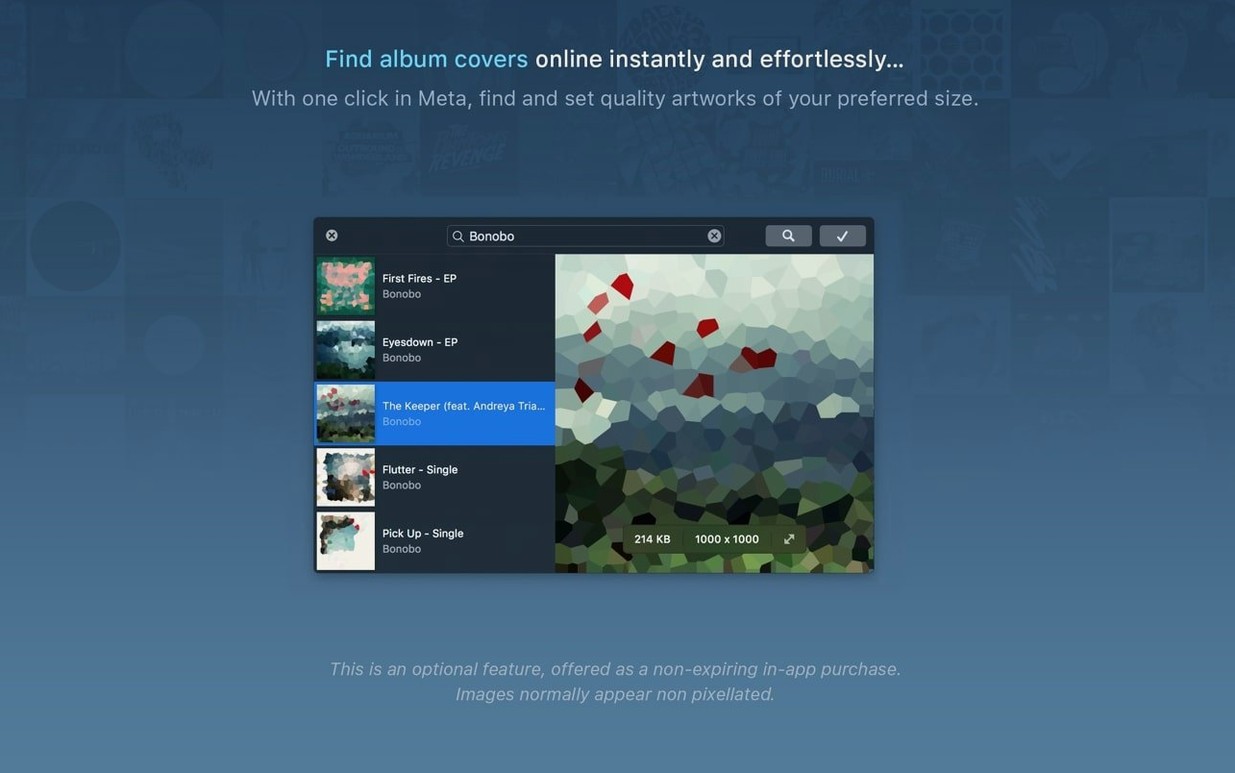
Version 2.5.9 ships with support for 10 audio formats including MP3, FLAC and OGG. Here is where to point a new user first.
Metadata cleanup and batch tag editing
- Cleaning up metadata pulled from a meta torrent search engine — strip out junk tags, set a uniform artist name and apply consistent album art.
- Quick batch edits: select a folder of MP4 or M4A files, set the album and genre once, then let auto track numbering handle the rest.
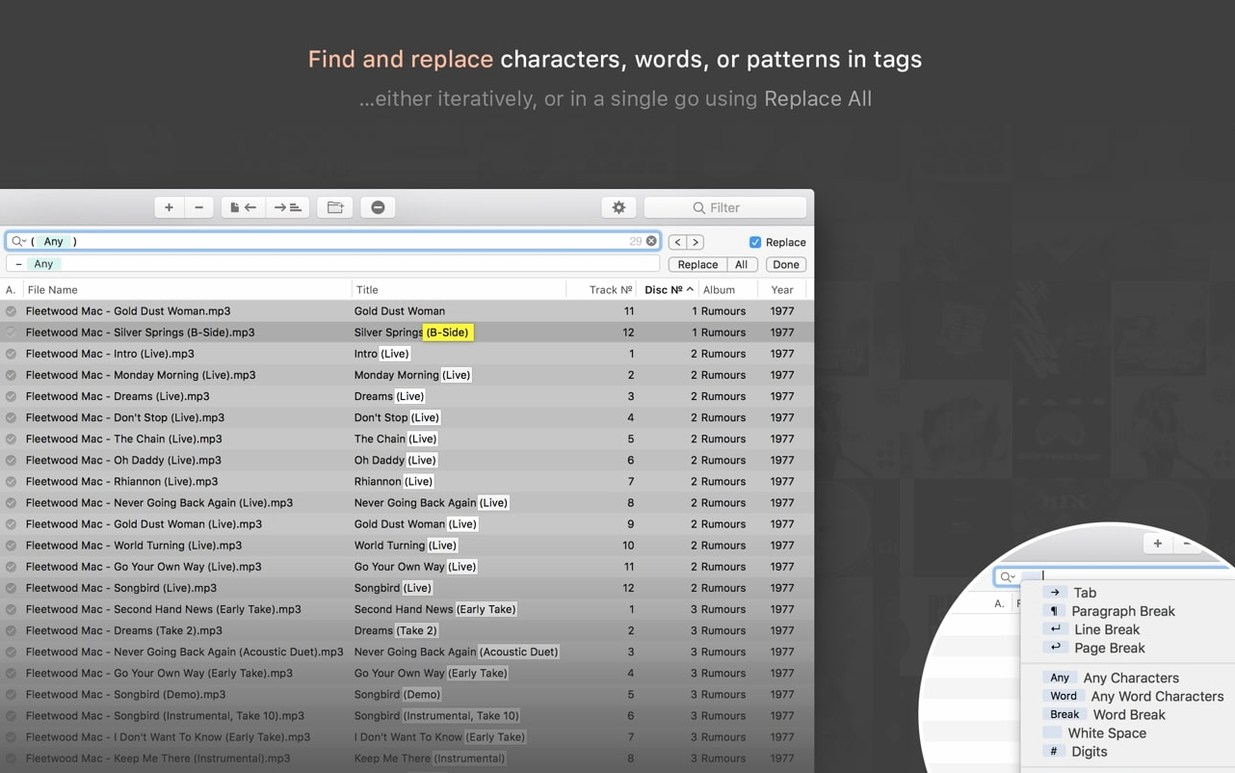
- Rebuilding a library from filenames. Use the create-tags-from-filename tool with a custom pattern, or run regex search-and-replace across hundreds of OGG or OPUS tracks.
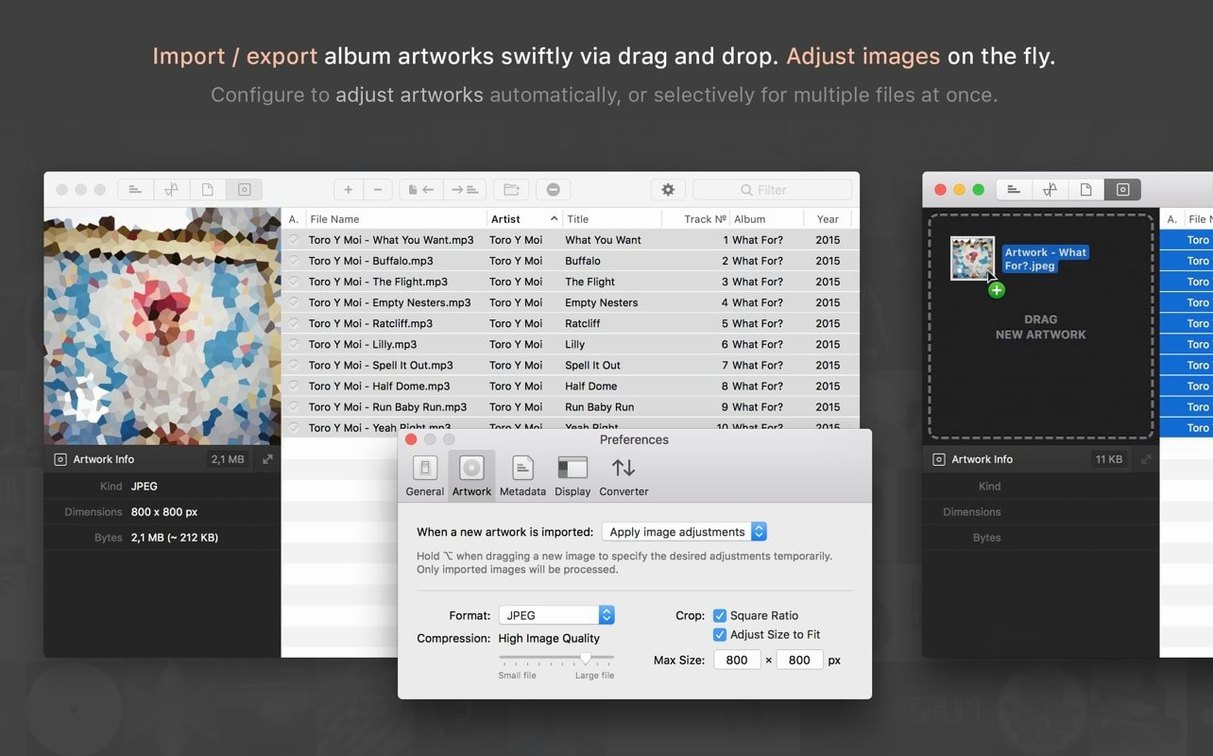
- Artwork management. Scale, crop and compress cover images on import so your files stay lean.
Configurable tag views have manual switching gaps
- Tag views are configurable but you must switch sets manually — there is no automatic fallback between ID3v2.4 and Vorbis tags.
- Autocomplete suggestions rely on the iTunes database; offline or non-standard releases will not populate.
- The app uses Taglib under the hood. Some niche SPEEX or AIFF tag fields may not map perfectly to the interface.
- Batch folder creation from templates expects clean metadata first — run a rename pass before generating folder structures.
Workflow: import a downloaded set
- Drop a folder of loose MP3 and FLAC files onto the main window.
- Sort by Album to catch mismatched names from a bit torrent meta search engine.
- Select problem tracks, then use search and replace to fix the artist field in one pass.
- Add folder artwork via drag and drop. Turn on automatic scaling to 600×600 and compression to keep file size down.
- Switch to the filename tool, set a pattern like
%artist% - %title%, and rename the whole batch. - Export a CSV for your records, then move the finished files into your library folder from within the app.
Fast batch edits on 500-track folders
Meta 2.5.9 opens quickly on Apple Silicon and Intel Macs. Batch edits on 500-track folders stay responsive; the UI does not freeze while tags are written. Memory use remains modest for a metadata editor — expect it to sit quietly in the background between sessions.
Long sessions feel stable. Repeated regex passes, artwork imports and file moves have not caused crashes in normal use. The main slowdown appears when autocomplete pulls from the iTunes database on a cold cache, but that clears after the first query. For a meta macos workflow, it holds up well.
Version 2.6.3 ships with the developer's latest fixes and improvements.
- macOS 10.13 or later
- Apple Silicon & Intel 64-bit
Questions the team asks
It handles ID3v1, ID3v2.3 and v2.4, APE, MP4, Vorbis and INFO Tags, covering the main standards for MP3, FLAC, M4A, OGG and WAV files.








Comments 0
Sign in or create an account to add a comment.
No comments yet. They go up after moderation.