
Parallels Desktop — Mac download
Download (186 MB) Earlier builds
Ticked
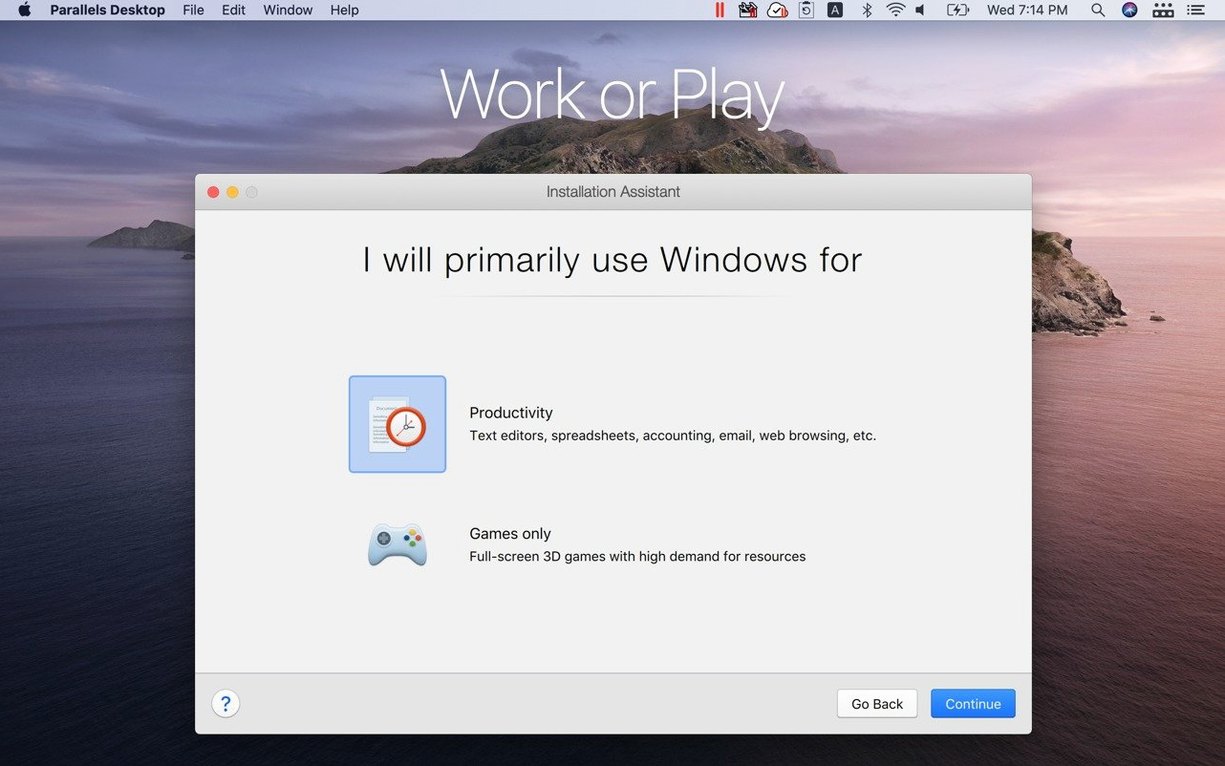
Parallels Desktop 27 drops support for Intel Macs. It requires a Mac with Apple silicon and macOS 26 or later.
Run a Windows app like a Mac one
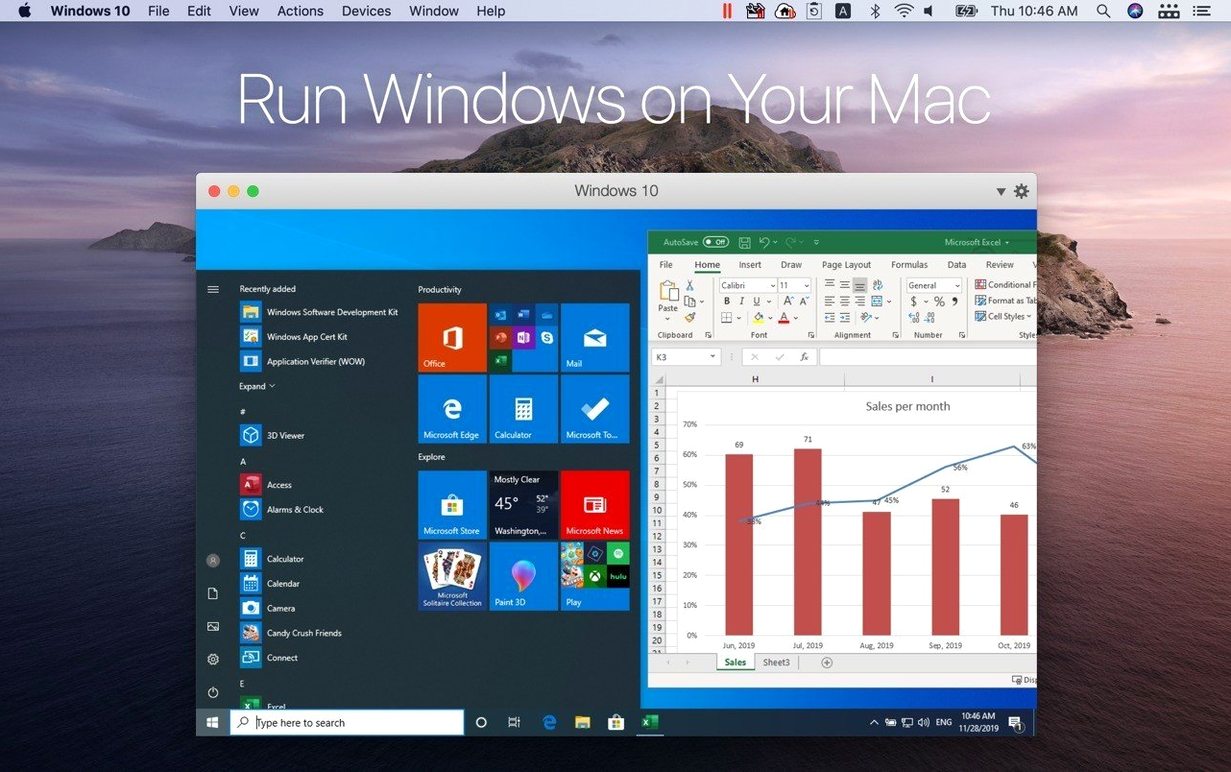
Coherence mode hides the Windows desktop so Word or Excel sit in your Dock alongside Finder. Drag files between the two systems without a second thought.
Set up a Linux VM in minutes
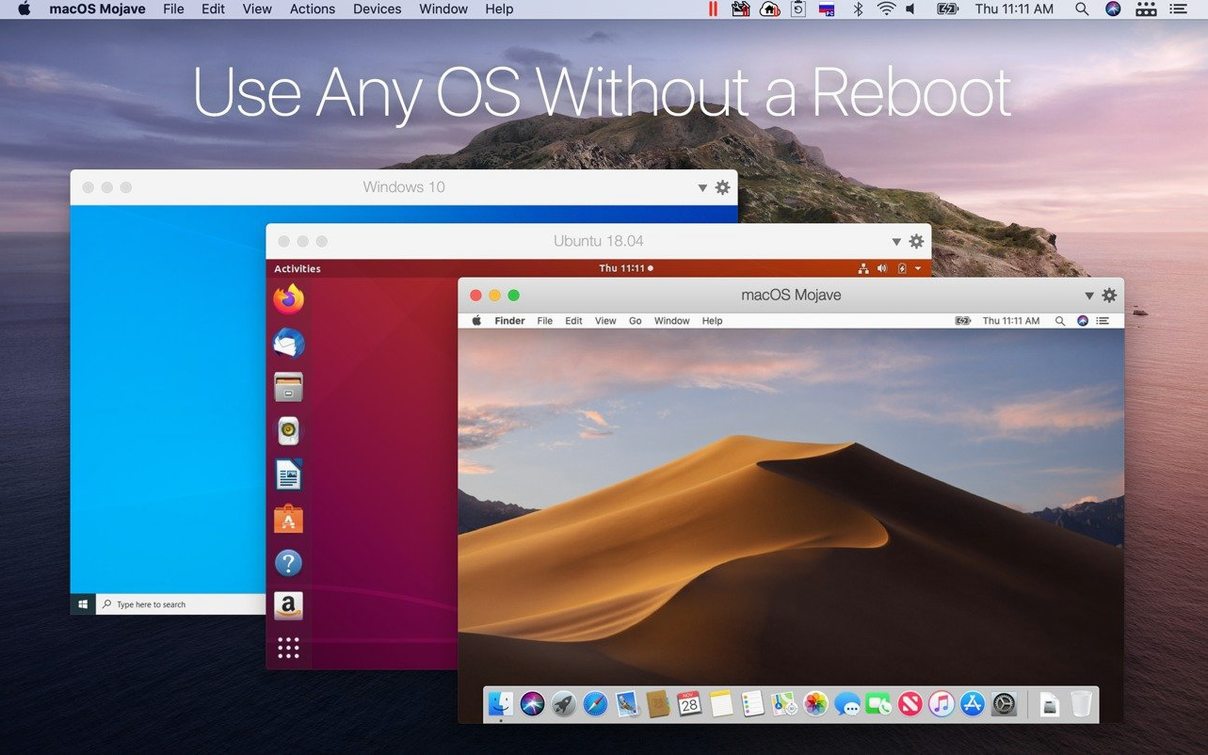
Pick Ubuntu 26.04 LTS, Fedora 44, Debian 13.6 or Kali Linux 2026.2 from the assistant and the tool fetches the image for you. A Boot Camp partition works as a guest too.
Work in full screen when you need focus
Option-click the green button for window-sized Windows
Parallels Desktop packs in quite a few shortcuts that do not advertise themselves. Knowing a handful saves real time across a working week.
- Hold Option while clicking the green traffic-light button — the Windows window zooms to a sensible size instead of snapping full screen. Useful when you only need to check one dialog.
- Drag a file onto the Parallels icon in the Dock — the file opens straight into the default Windows app for that type. No need to launch the VM first.
- Cmd+Alt+Enter toggles Coherence mode from the keyboard. Once it is muscle memory, switching views becomes instant.
- Pin shared Mac folders to Quick Access in Windows Explorer — the Mac home folder appears under
\\Mac\Homeand pinning it keeps it two clicks away. - Right-click a VM in the Control Centre and choose "Open with" to pick a specific configuration profile. Teams that run different test environments avoid the wrong snapshot every time.
- Set distinct keyboard shortcuts for each VM under Preferences → Shortcuts. No hunting for the right window when three guests are open.
- Use the Proximity Sensor feature — when you move the pointer near the edge of a Coherence window, the Windows taskbar slides up. It stays out of sight the rest of the time.
Windows 11 boots to login in under ten seconds on M3
Version 27.0.2-58673 runs exclusively on Apple silicon, and it shows. On an M3 or M4 machine, Windows 11 boots to the login screen in under ten seconds. A clean Ubuntu 26.04 LTS VM reaches the desktop in about the same time. The ARM SystemReady SR 3.1 certification means Linux guests boot with fewer driver surprises.
Idle memory use sits around 300 MB for a lightweight Linux VM with 2 GB assigned. A Windows 11 VM with 8 GB assigned and a couple of Office apps open hovers near 4 GB of real memory, which leaves headroom for macOS apps on a 16 GB machine. CPU overhead is low. The virtualisation layer adds roughly three to five percent to single-core benchmarks compared to bare-metal ARM Linux, which is negligible for day-to-day work.
Stability on this build is steady. Switching between Coherence and full screen multiple times an hour does not produce flicker or window-redraw glitches. Shared clipboard with images and formatted text survives suspend-and-resume cycles without corruption — a real improvement over earlier major versions.
A developer's Wednesday morning
A backend developer working on a Go service keeps three VMs pinned in the Control Centre.
First, she launches the Ubuntu 26.04 LTS VM. The project's CI pipeline mirrors production ARM servers, so she runs integration tests locally before pushing a branch. The VM shares a ~/code folder with macOS, so the same source tree is visible in both environments.
While tests run, she opens the Windows 11 VM in Coherence mode. The team's sprint board lives in a Windows-only Electron app. She drags a screenshot from the macOS desktop straight into a ticket comment — no export step, no shared folder navigation.
Later, a quick Kali Linux 2026.2 VM spin-up lets her replicate a network condition a colleague reported. The VM inherits the Mac's Wi-Fi connection through the default shared network setting. She runs a single curl command, notes the result, and suspends the VM. Total time from launch to suspend: four minutes.
By lunch, she has not restarted her Mac once. Memory pressure stays green. The three suspended VMs together occupy about 1.2 GB on disk in their saved state.
Launch Windows Excel straight from Spotlight
Parallels Desktop does not try to replace macOS tools. It slots in between them.
Spotlight sees Windows applications when you enable indexing for the VM in Configuration → Options → Applications. Typing "Excel" in Spotlight and hitting Enter launches the Windows version inside Coherence, just like a native app. No Dock clutter.
Time Machine backs up the .pvm bundle like any large file, but a better workflow is to exclude the VM bundle and rely on snapshots taken from the Parallels Control Centre. Snapshots write only the delta, so a snapshot chain for a 60 GB VM often stays under 4 GB even after weeks of use.
Shortcuts on macOS can trigger VM actions via Automator — start a VM, run a script inside it, and shut it down, all from a single Shortcut widget in the menu bar. The actions are installed with Parallels Desktop and do not require extra scripting knowledge.
For teams that already use Homebrew for package management, Parallels command-line tools (prlctl) let you script VM creation, cloning, and teardown. A single prlctl clone command duplicates a clean development environment in under a minute, which pairs neatly with CI workflows that need throwaway Windows test machines.
Switch the Windows window to full screen and swipe between macOS and Windows spaces on a trackpad. No restart required.
Release notes for this build are available from the developer. Version 27.0.3-58680 ships with the latest fixes and improvements from Parallels.
- macOS 26 or later
- Apple Silicon Mac
Questions the team asks
No. Version 27 removed Intel support. You need a Mac with Apple silicon and macOS 26 or later.
Yes. It is the first Microsoft-authorised solution for running Windows on Macs with Apple silicon.
Yes. You can drag files and folders between macOS and Windows applications directly.



Comments 0
Sign in or create an account to add a comment.
No comments yet. They go up after moderation.