

PasteNow — Mac download
Download (7 MB) Earlier builds
Ticked


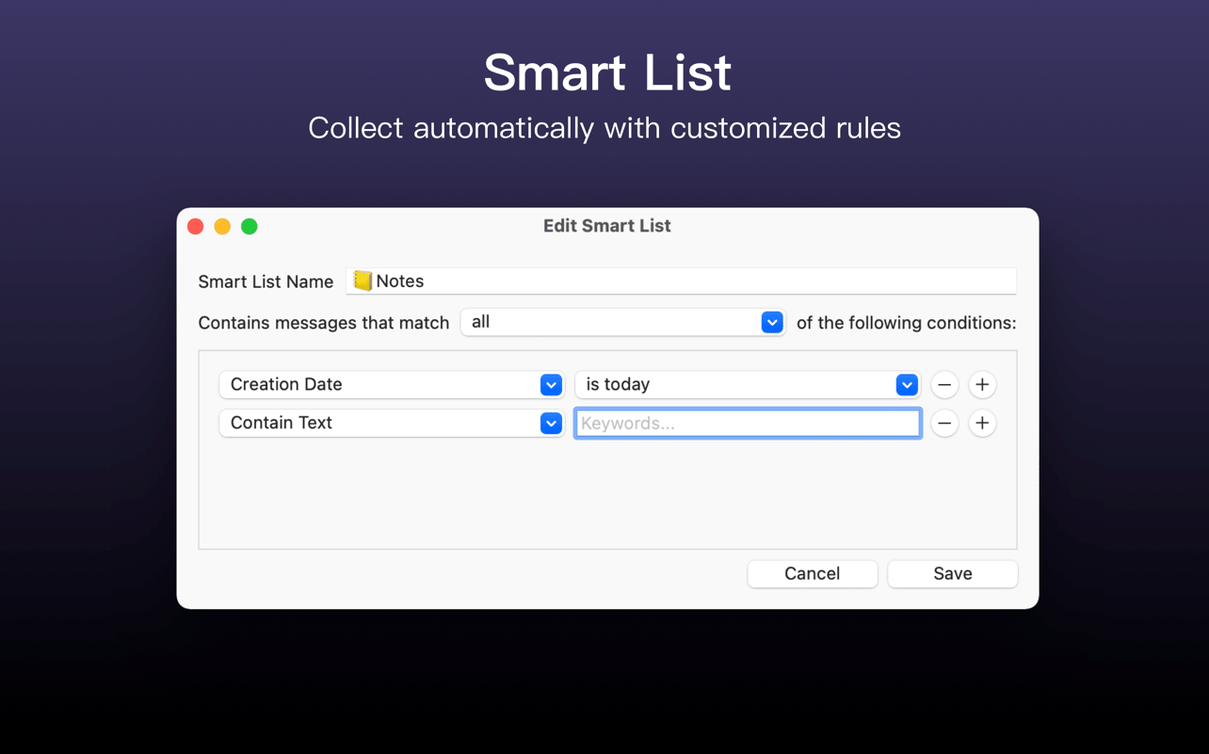
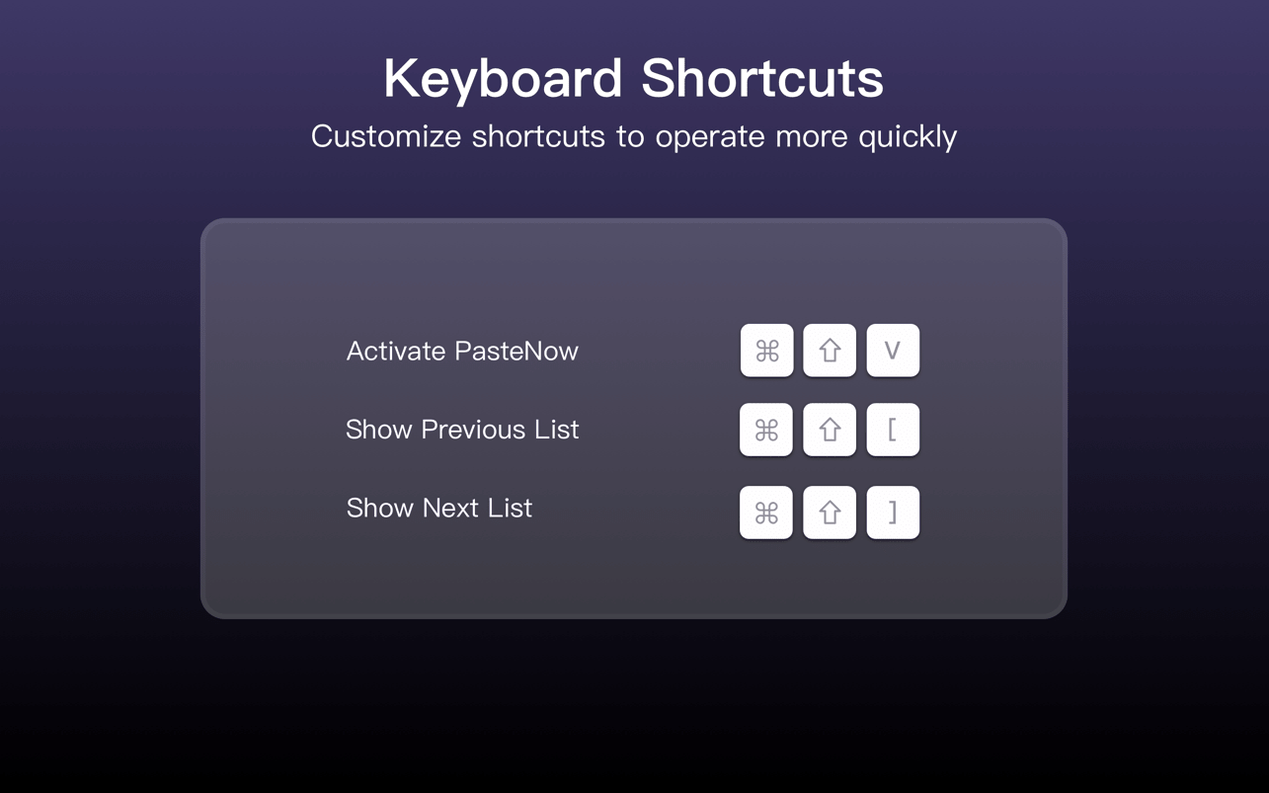
You might already use the universal clipboard to move text between a Mac and an iPhone. PasteNow builds on that idea with proper history, search, and organisation—things Handoff never offered. It keeps a searchable record of everything you copy: links, code snippets, images, and plain text.
| Quick facts | |
|---|---|
| Version | 2.32 |
| Developer | Ding Zhou |
| macOS | 12 or later |
Different list view styles let you scan history by thumbnail, snippet, or full content. That matters when you copy twenty things and need the one JSON block from two hours ago. Temporary data—text, links, images, code—stays available until you clear it. On the iOS side, the companion app shares the same clipboard pool via iCloud. It runs natively on Apple Silicon and Intel 64-bit Macs, with interface support for English, Traditional Chinese, and Simplified Chinese.
PasteNow vs similar Mac clipboard tools
MacPaw’s CleanShot X includes clipboard history, but it ties the feature to a screenshot-and-recording suite. If you need only clipboard management, that bundle adds weight you might not want. PasteNow keeps the focus narrow: copy, store, find, paste.
Maccy is lightweight and open-source, with a minimal menu-bar interface. It does plain text and images well. What it lacks is the iOS sync and smart-list filtering that PasteNow offers. If your clipboard moves between a Mac and an iPhone, Maccy stays on one side of the fence.
Paste (by Paste Team) goes heavy on design—big previews, colourful timelines, a shelf-like interface. It looks polished. PasteNow takes a quieter approach: list views you can switch, search filters you can type into, and less visual noise when you just want the content back. The sync story is similar, but PasteNow’s smart lists give you a way to group items by type without manual tagging.
Non-Latin snippets sync without mangled characters
- Version 2.32 tightened iCloud sync for code snippets that contain non-Latin characters—fewer mangled characters when pasting between devices.
- Smart list filtering now respects language-specific sorting in Chinese and English interfaces, so mixed-language clipboards feel less jumbled.
- The menu-bar shortcut for pasting near the cursor got a speed bump. On busy days, that half-second difference stacks up.
- List-view thumbnails for images load without blocking the search field while a large clipboard history rebuilds.
- macOS 12 or later
- Apple Silicon or Intel 64-bit
Questions the team asks
PasteNow requires macOS 12 or later on the Mac, and iOS 17 or later for the companion app.
Yes, it runs natively on both Apple Silicon and Intel 64-bit Macs.
The app supports English, Traditional Chinese, and Simplified Chinese.








Comments 0
Sign in or create an account to add a comment.
No comments yet. They go up after moderation.