

Pixea Plus — Mac download
Download (193 MB) Earlier builds
Ticked
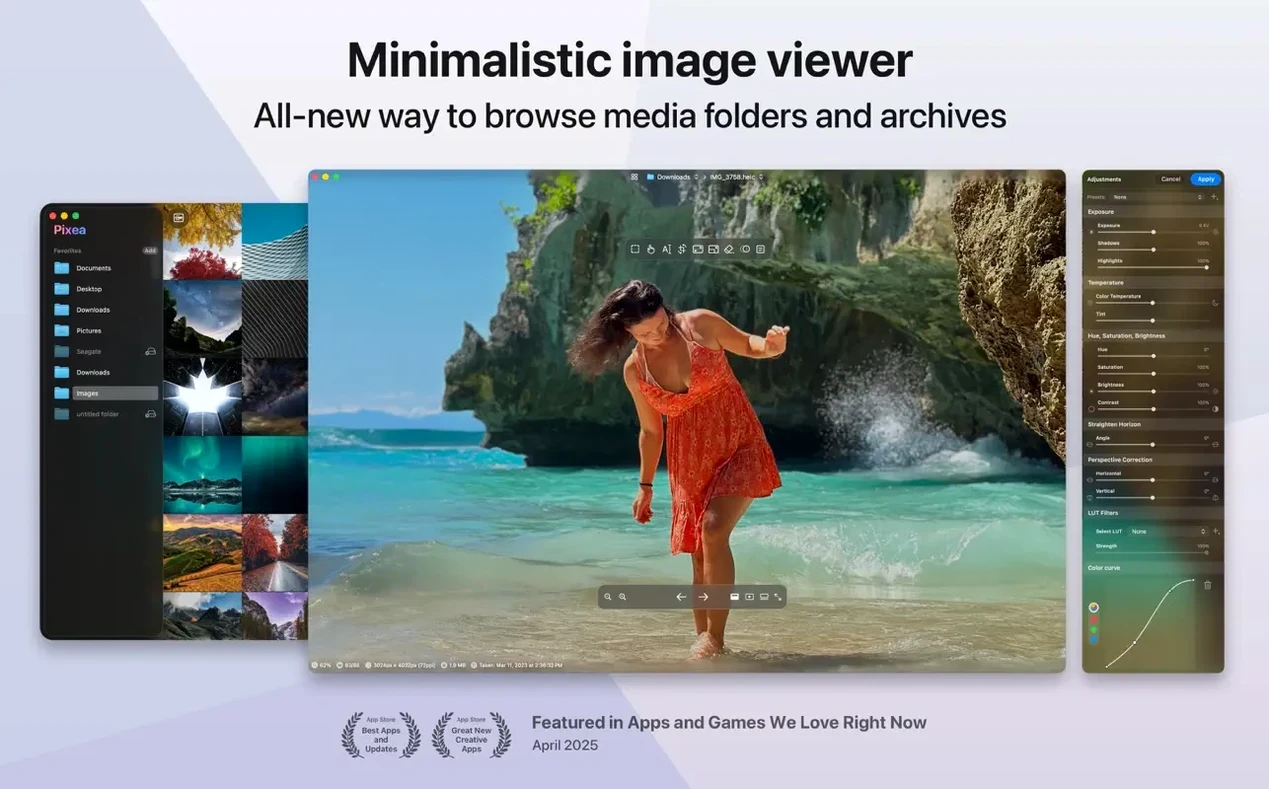
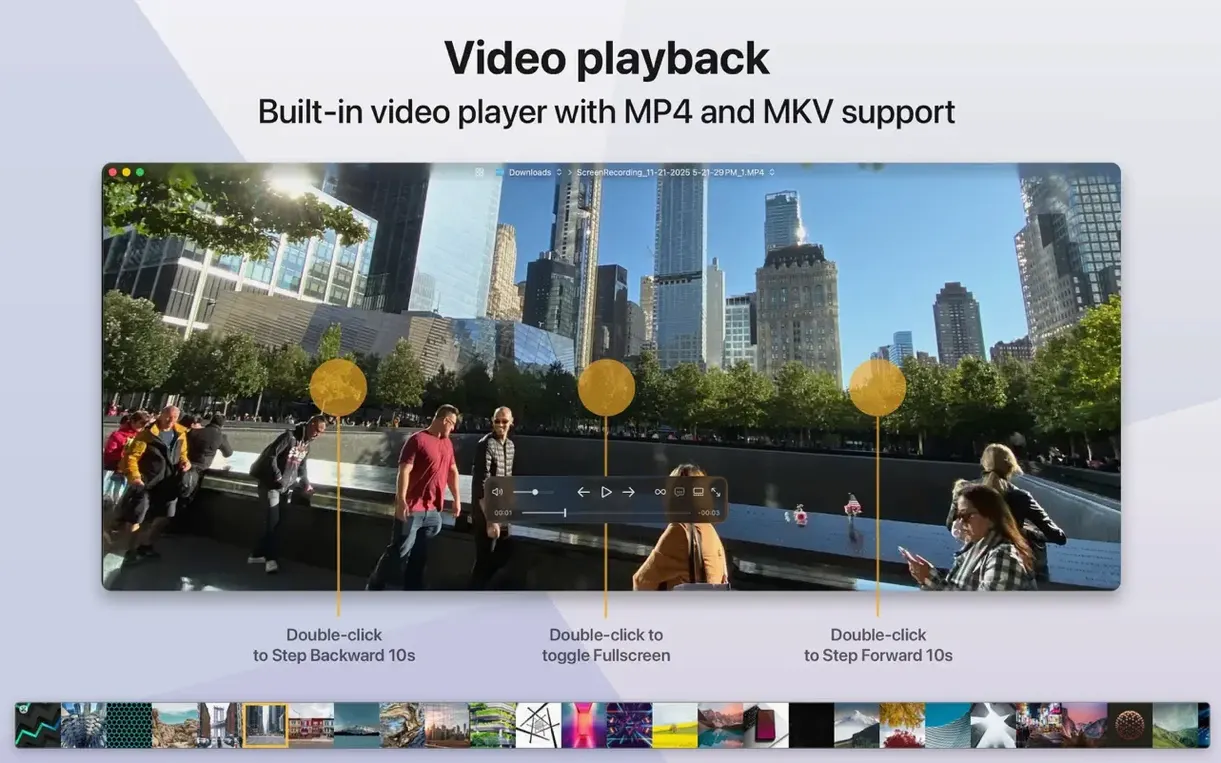
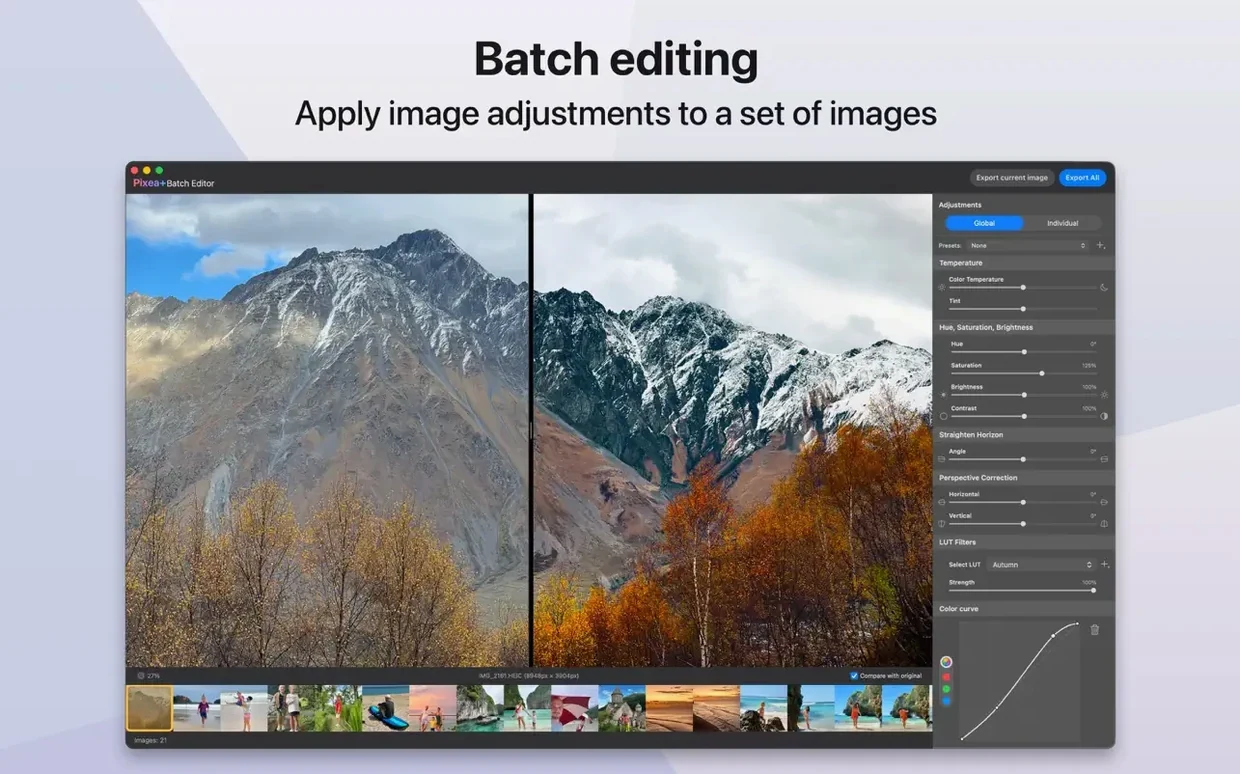
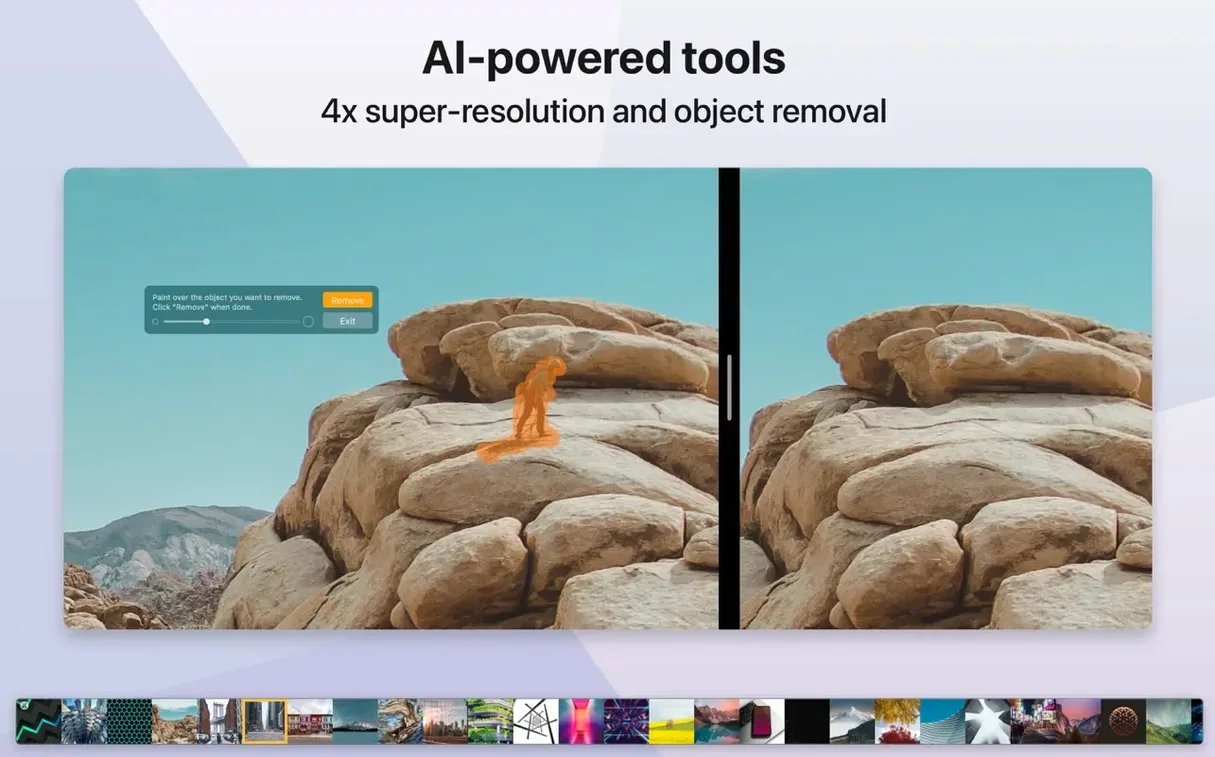
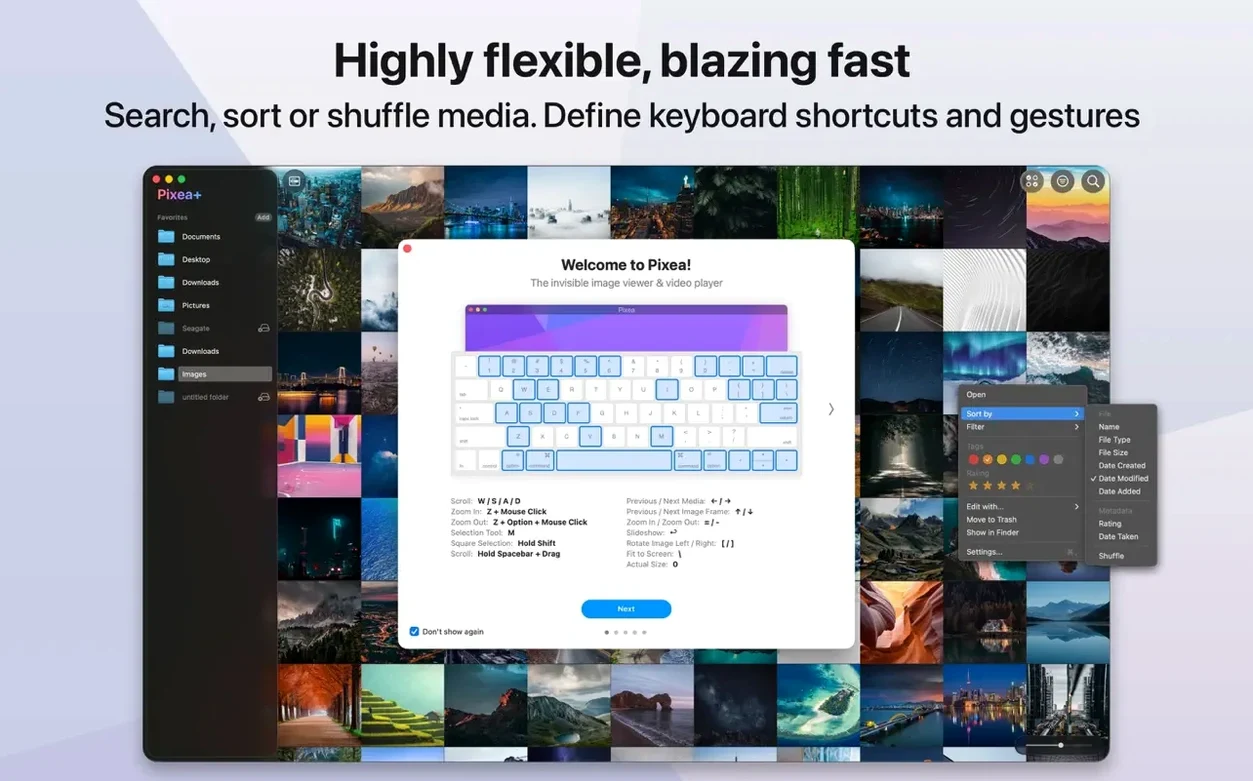
You drag a folder of mixed RAW files and HEICs onto the Dock icon. No library import, no catalogue. Pixea Plus opens the first shot instantly, and you flick through the rest with a key press.
| Quick facts | |
|---|---|
| Developer | ImageTasks Inc |
| Current version | 8.3.0 |
| macOS | 11 or later |
| Architecture | Intel & Apple Silicon |
It sits between the Finder's Quick Look and a full photo library app. You get an image viewer that handles JPEG, HEIC, GIF, PNG, TIFF, PSD, BMP, Radiance and WebP. RAW support covers Leica, Sony, Olympus, Minolta, Nikon, Fuji, Canon and Hasselblad files. Basic edits are on hand — flip, rotate — and an info panel shows EXIF data and a colour histogram. The interface keeps out of the way.
A working workflow: culling a shoot
You come back from a day out with a card full of shots. The folder sits on your desktop. You don't open Photos or Lightroom — you drag the whole thing onto Pixea Plus.
- Open the folder. Drag it onto the Dock icon. The first image appears. No import dialogue, no waiting.
- Rate with the keyboard. Right arrow to advance. Left arrow to go back. You move fast. When you see a keeper, you make a mental note — or use the Pixea Image format to save a copy with your exposure tweaks baked in.
- Check critical details. Hit
⌘Ito pull up the info panel. Histogram looks good. EXIF confirms you shot at 1/500. Move on. - Open a ZIP without unpacking. A client sent an archive of PSDs. You open it directly in Pixea Plus. No extraction step. You flip through the storyboard frames in order.
- Apply a quick mask. One shot needs a stop of exposure on the face. You paint a mask, lift the exposure in the masked region, and save as a Pixea Image file. The mask and adjustment stay editable for later.
- Move the keepers to a subfolder. Finder is open alongside. You drag the files you want to keep into a "selects" folder. Pixea Plus doesn't lock the files.
The whole pass takes under ten minutes. You never saw a loading spinner.
RAW files open in under a second
Image loading is genuinely quick. RAW files from a 24-megapixel Sony appear in under a second on an Apple Silicon Mac. HEICs from an iPhone render instantly. Thumbnail generation — mentioned in the 8.3.0 notes as optimised — shows in the way you can hold down the right arrow and never wait for the next frame.
Memory use stays modest. With twenty 45-megapixel RAWs open in sequence, the app sits around 400–600 MB. No creeping usage over time. On Intel machines the experience is similar, though the first load of a large RAW may take a beat longer.
Stability is uneventful — which is what you want from a viewer. No crashes during a session of flipping between PSDs, RAWs and WebP files. Undo and redo, new in 8.3.0, work predictably across mask edits and rotations. The app doesn't lock up during saves.
One note: Pixea Plus is not a batch processor. It opens one image at a time and edits are per-image. If you need to apply the same mask across two hundred frames, this isn't the tool. But for viewing and light spot-editing, the responsiveness holds.
No snags reported
Gatekeeper blocks the app on first launch
The pixea dmg comes Gatekeeper-friendly, but some Macs still flag it. After mounting the disk image and dragging the app to Applications, right-click the app and choose Open. If that doesn't work, open Terminal and run:
xattr -cr /Applications/Pixea\ Plus.app
Press Return. The app opens normally after that.
Some RAW files show as black or corrupted
Pixea Plus supports RAW profiles from Leica, Sony, Olympus, Minolta, Nikon, Fuji, Canon and Hasselblad. Compressed or newer RAW variants from very recent bodies may not render. If a file shows black, check whether the camera model released after the last pixea plus update. The fallback: open the file in the camera maker's tool and export a TIFF or JPEG. Pixea Plus reads those without issue.
Masks not saving between sessions
Masks, exposure, hue and saturation adjustments only persist if you save in the Pixea Image format. A regular JPEG or PNG export flattens the edits. When you want non-destructive layers, use File → Save As and choose the Pixea Image format from the dropdown. You can reopen that file next week and still tweak the mask.
Undo stops working after many steps
Undo history is session-based. If you close the image or quit the app, the undo stack clears. For complex edits, save incremental versions as Pixea Image files. That gives you rollback points.
ZIP archives show as a single file
Drag the ZIP directly onto the app window or Dock icon. Pixea Plus reads the archive contents and lets you browse each image inside. If you double-click the ZIP in Finder, macOS expands it — and Pixea Plus won't see the archive as a bundle. The key is dragging before extraction.
A clean pixea mac download from the disk image and a quick Gatekeeper bypass is all the setup most people need. The app then stays out of your way.
- New image adjustments panel
- Reshape tool — fix local geometry without affecting the whole image
- Spatial dehaze — depth-based adjustments and Dehaze control
- Clarity slider added
- Print dialog improved: auto-rotate, scale control, and images-per-sheet options
- Copy to Clipboard now offers two modes: maximise compatibility or preserve HDR statistics and headroom
- Brilliance adjustment refined
- UI and UX tweaks throughout
- Bug fixes and smaller improvements
- macOS 11 or later
- Apple Silicon and Intel 64-bit



Comments 0
Sign in or create an account to add a comment.
No comments yet. They go up after moderation.