

PopClip — Mac download
Download (7 MB) Earlier builds
Ticked
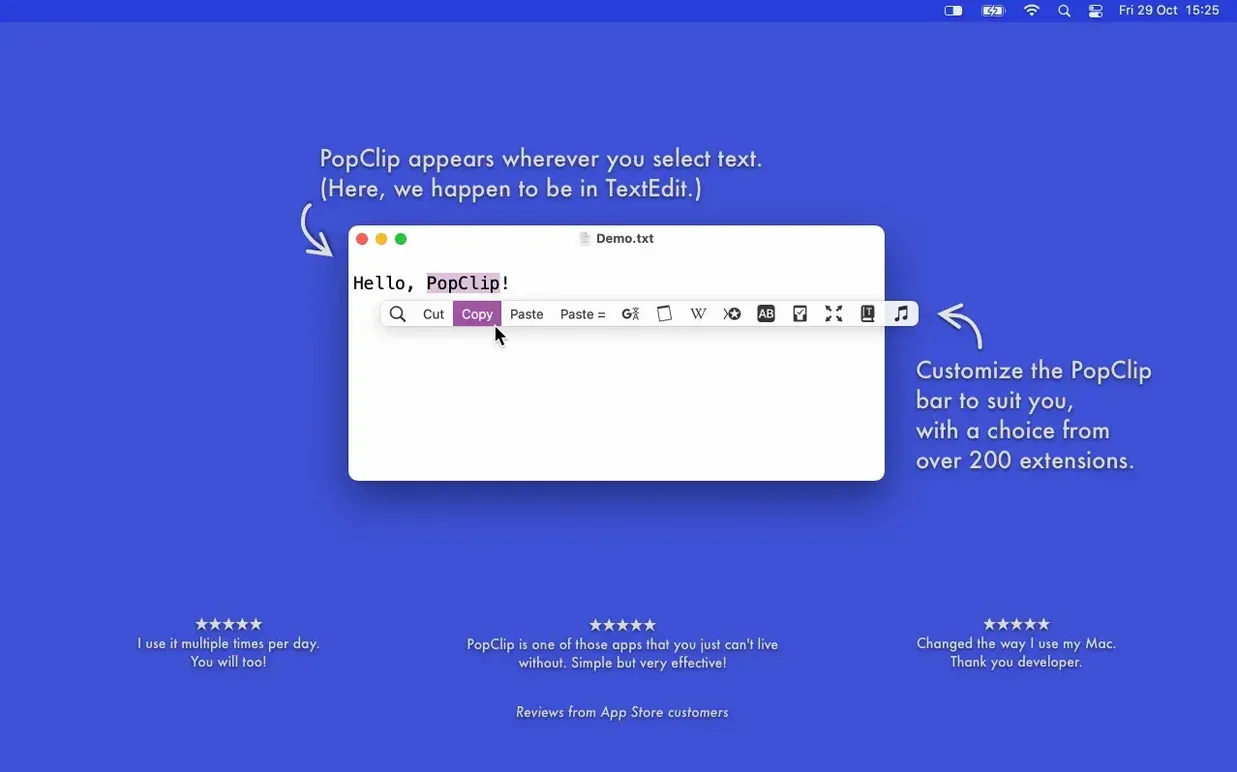
Selecting text on a Mac usually means one thing: you need to do something with it. Copy it. Paste it over there. Open that URL. Without a helper, most of that work sits behind a right-click menu. PopClip pops up a row of context actions the moment you highlight text with your mouse, keeping your hands off the keyboard and your flow intact.
What it is
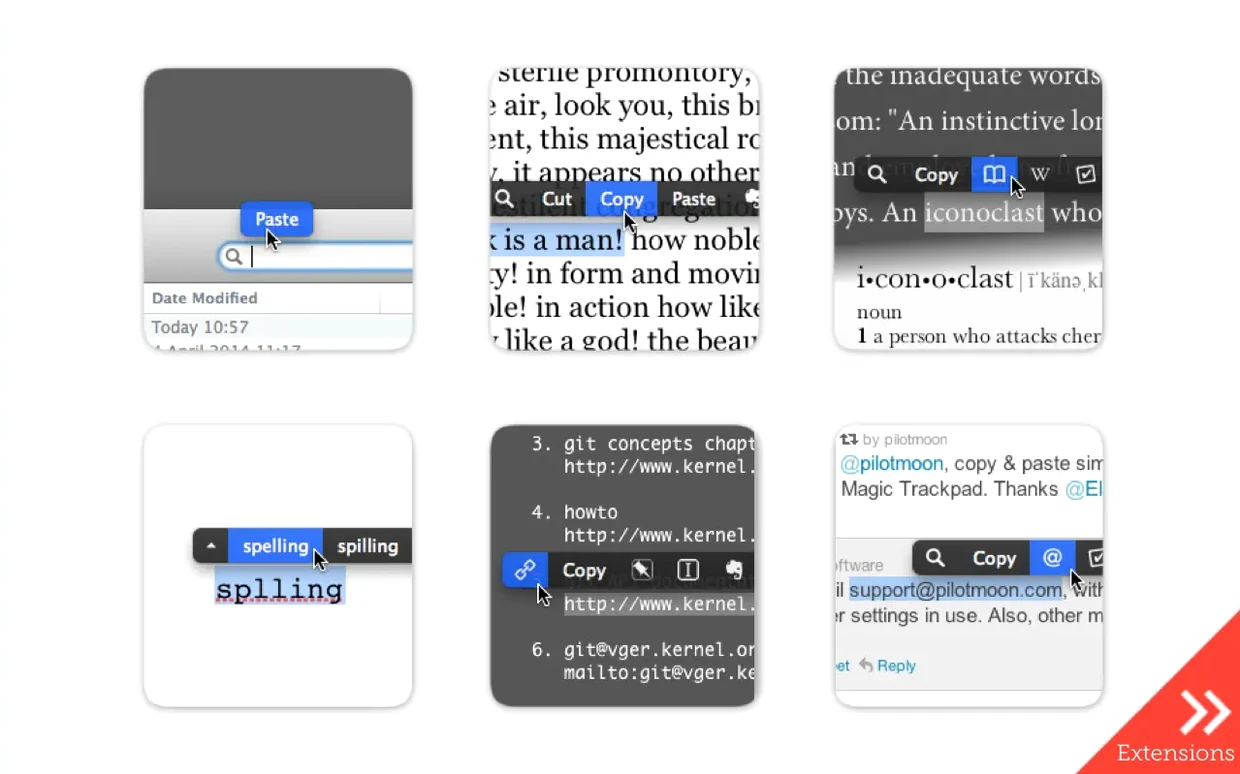
PopClip is a small macOS utility from Pilotmoon Software. Highlight a word, a link, an email address or a file path with your mouse, and a floating bar of action buttons appears right above the selection. The choices change based on what you selected. Highlight a URL and see an action to open it. Highlight a postal address and get a map lookup. The basics like copy, cut and paste are always there, alongside any extensions you add. The app syncs your installed extensions, action layout and settings between Macs via iCloud.
Clicks with writers, PMs, and anyone who edits by pointing
The app clicks with anyone who does a lot of pointing and editing — writers, project managers, researchers, support staff. It works in most Mac apps, though not all. If you highlight text and prefer a button tap over a keyboard shortcut, PopClip fits. It runs on Apple Silicon and Intel Macs running macOS 13.5 Ventura or later. The current version is 2026.8.1, a clean-up release that followed PopClip 2026.7.
Link triage in a project email
Here is a Monday-morning routine that removes the friction from checking dozens of links in a status update email.
- Open the email in Apple Mail and locate the section with project links.
- Select the first URL with the mouse — PopClip appears instantly.
- Tap the Open Link action. The page loads in your default browser.
- Quick-scan the page, then close the tab.
- Back in Mail, highlight the next link and this time tap Copy to stash it in a running notes file.
- Repeat for every link. No right-click menus, no keyboard chords.
- When you spot a broken link, select it, tap the Search extension and check the project name in the results.
With the Paste and Match Style extension installed, you can drop cleaned-up URLs straight into a reply without bringing over the sender's formatting. The whole triage pass wraps up in half the time of a mouse-and-right-click approach.
Reading without interruption: the bar waits for a selection
Does PopClip get in the way when I am just reading? The bar only appears after you select text with the mouse. Double-click a word or drag across a phrase — it shows up. Click away or press Escape and it vanishes. If you highlight something and immediately start typing, the bar dismisses itself.
Will it work in my writing app? It works in most native Mac apps and many Electron-based ones. A few older programs, some virtual machines and apps that draw their own text surfaces can block it. Testing it in your daily driver takes under a minute after you popclip download the zip and drag the app into place.
What if I already use a clipboard manager? The two play well together. PopClip handles the moment of selection — copy, cut, search, open — while your clipboard manager stores the history afterwards. They sit at different points in the workflow.
- Maintenance and cleanup release following PopClip 2026.7.
- macOS 13.5 Ventura or later
- Apple Silicon or Intel (ARM and x86 64‑bit)
Questions the team asks
It is compatible with most Mac apps, but not all. Some apps block floating UI or use custom text handling.
Yes. It recognises URLs, email addresses and file paths, and shows an action to open them directly.
The app requires macOS 13.5 Ventura or later, on an Apple Silicon or Intel Mac.








Comments 0
Sign in or create an account to add a comment.
No comments yet. They go up after moderation.