

Quit All — Mac download
Download (5 MB) Earlier builds
Ticked
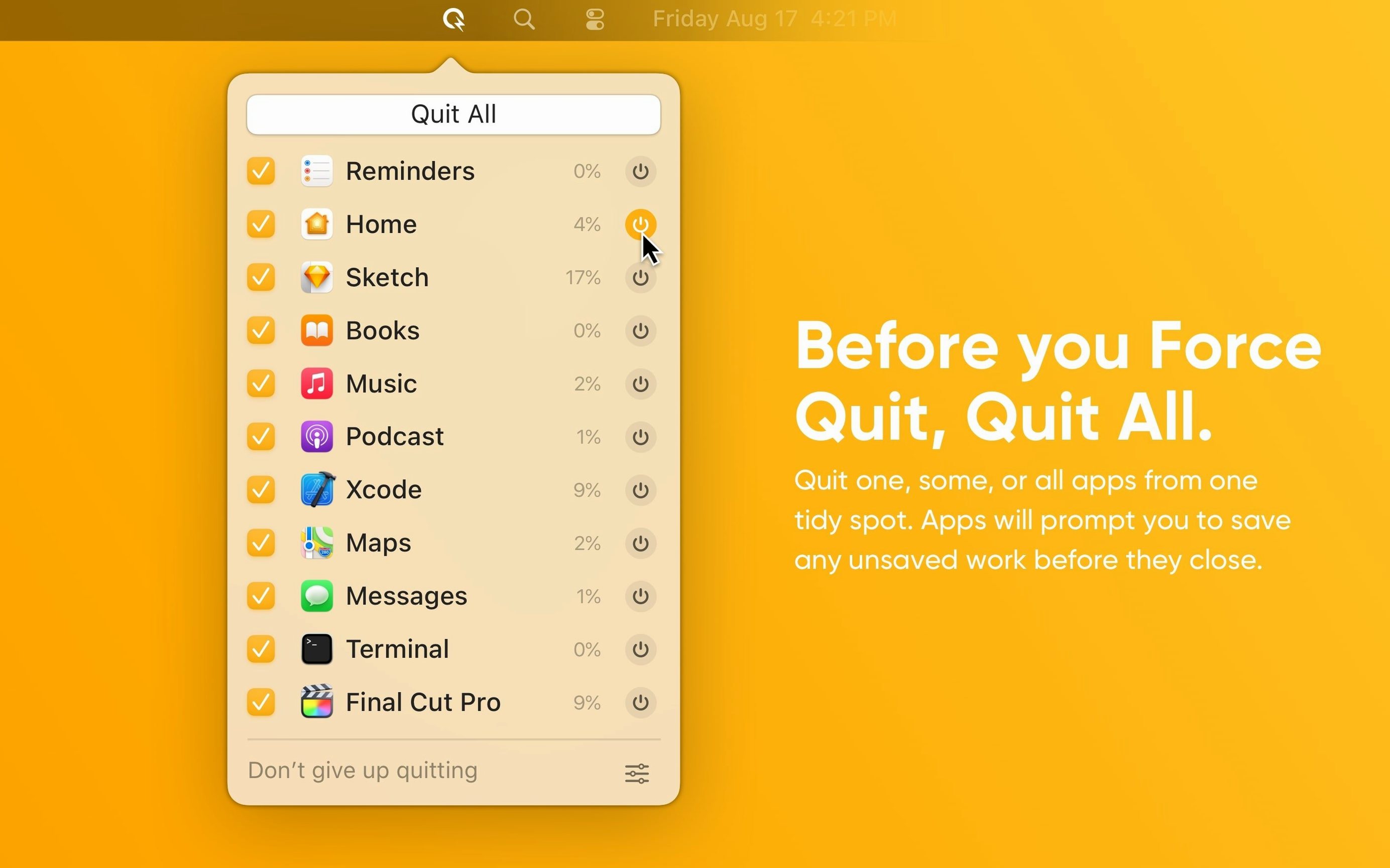
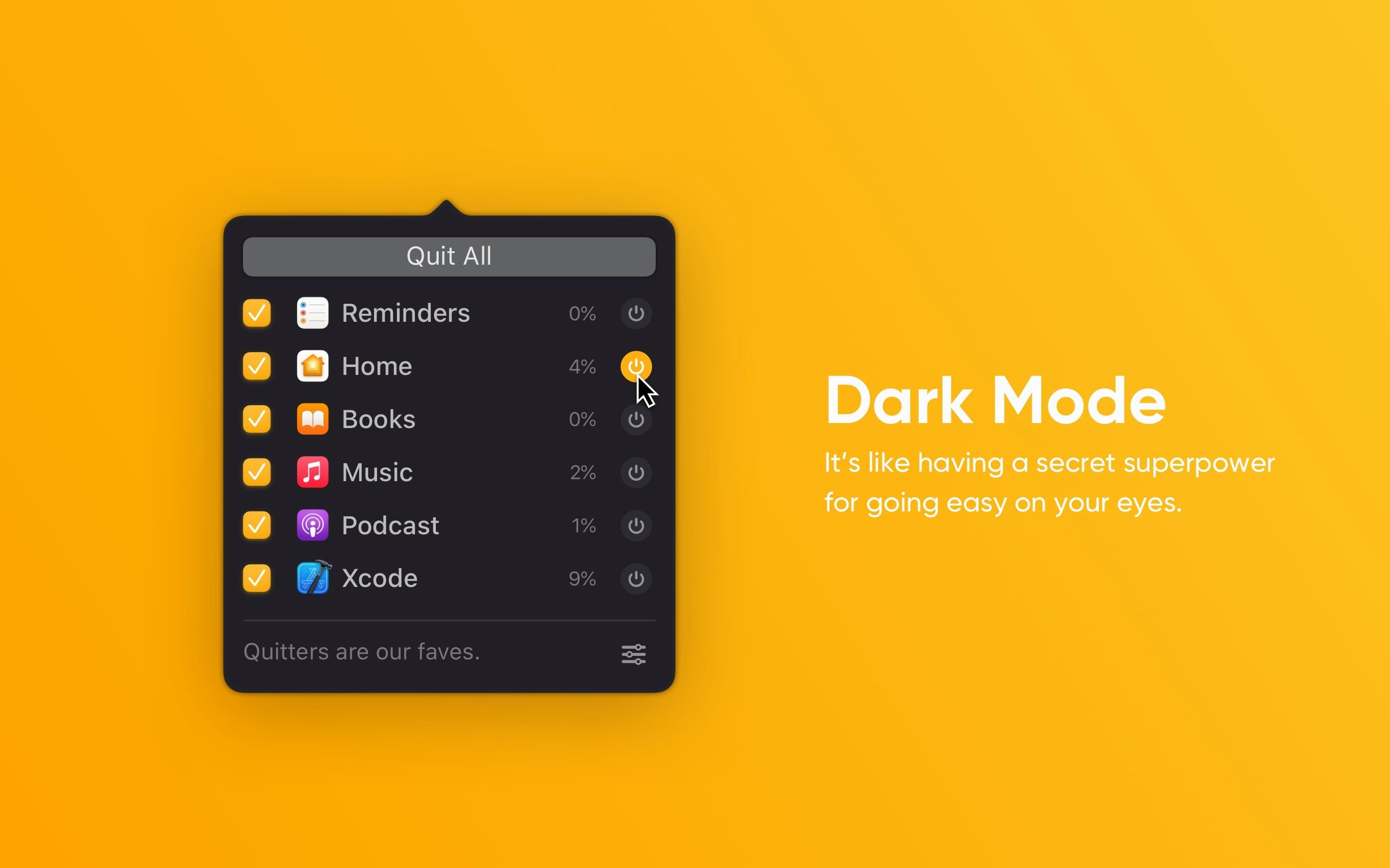
Quit All lives in your menu bar. It is for anyone who keeps too many apps open and wants a quick way out.
Check apps and quit them with one click
- Click the menu bar icon. A list of your open apps appears. Tick the ones you want to close.
- Quit selected. Hit the button or use a keyboard shortcut. The checked apps close one by one.
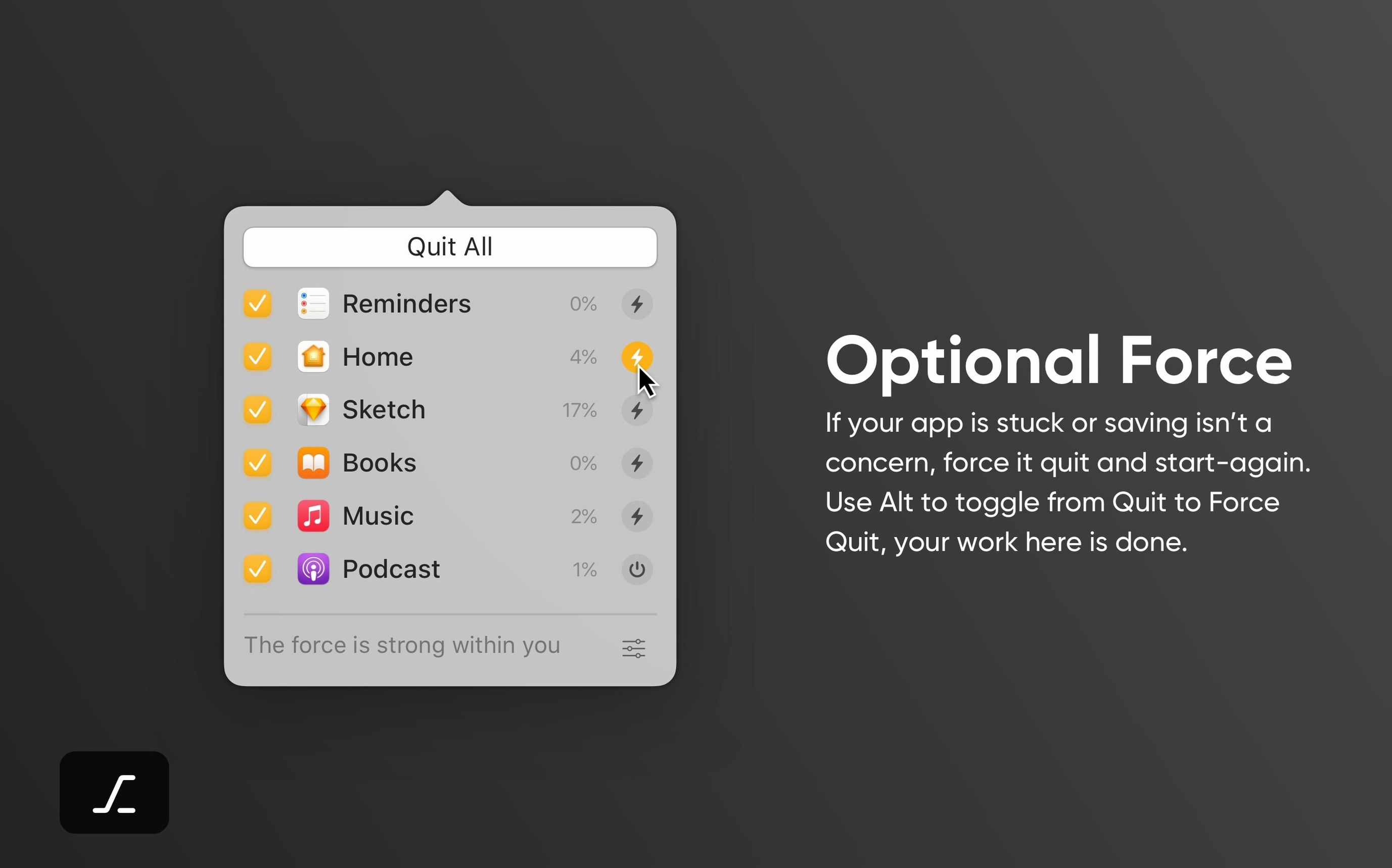
- Need force? Hold Option and click for a forced quit. Useful when something stops responding.
- Quit all at once. Skip the list entirely. One command shuts down every running app.
You control everything from the menu bar. No dock icon, no window to manage. Keyboard shortcuts keep your hands off the mouse. It works like the built-in macOS quit action, just with fewer steps when you want to clear the deck fast.
Clears the menu bar crowd between tasks
Not every Mac user needs a dedicated quit tool. These people do.
- Developers running simulators, Docker, and five browsers. Their menu bar becomes a crowd. Quit All clears the noise between tasks without hunting through windows.
- Designers with Adobe apps and plugins hanging in the background. Background processes stack up. A single shortcut wipes the slate before opening a heavy project file.
- Anyone who shares a Mac or switches user accounts. Logging out is easier when apps shut down cleanly first. Quit All skips the dialog parade.
- People who never quit anything. If your uptime measures in weeks and memory pressure shows red, this is your reset button.
Launch at login and learn one shortcut
Install it, then do these three things before you forget.
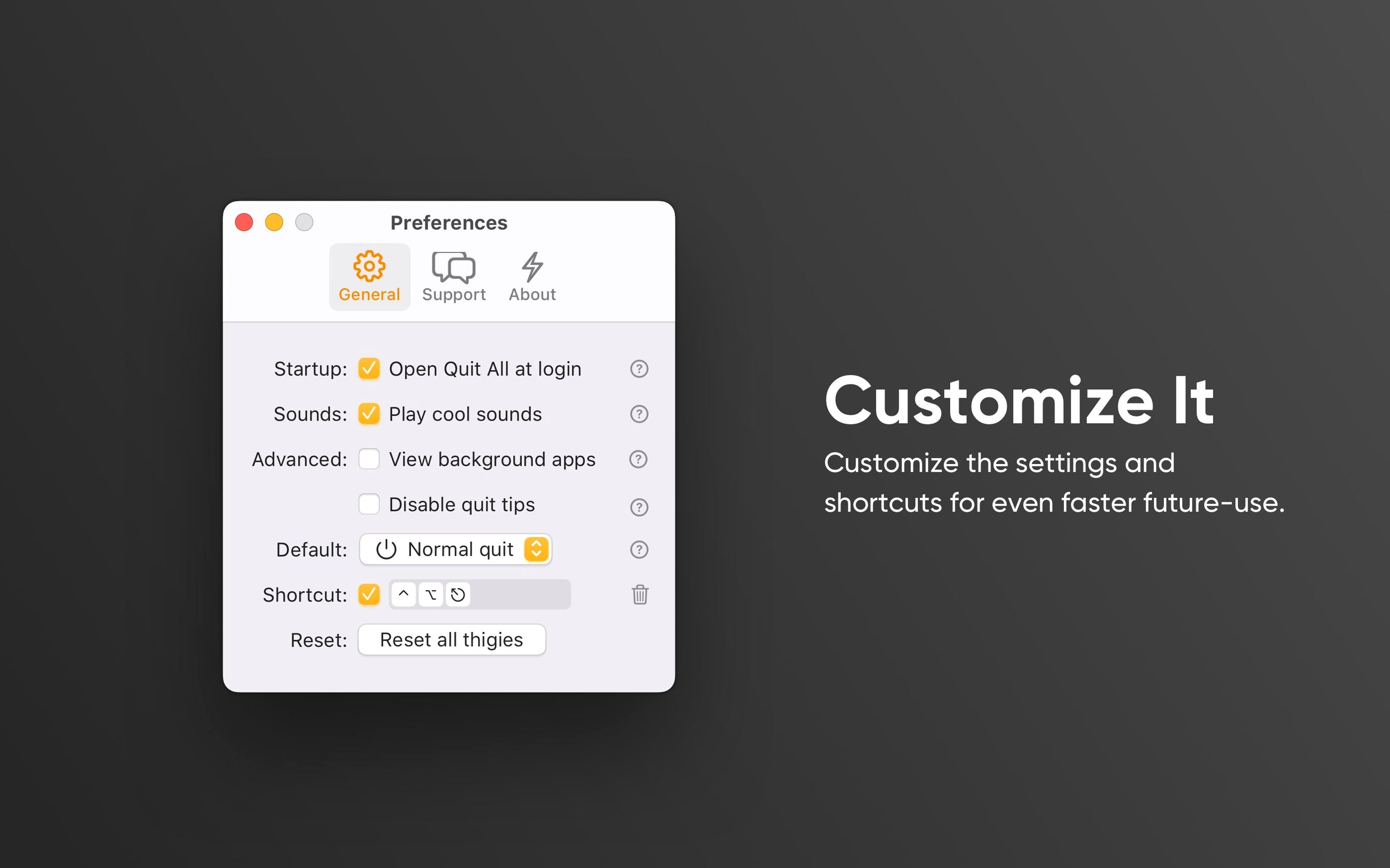
- Turn on launch at login. Open preferences, tick the box. If it is not always there, you will stop using it within a week.
- Learn one shortcut. Pick ⌃⌥⌘Q for quit all apps. Use it twice a day until muscle memory kicks in. The others can wait.
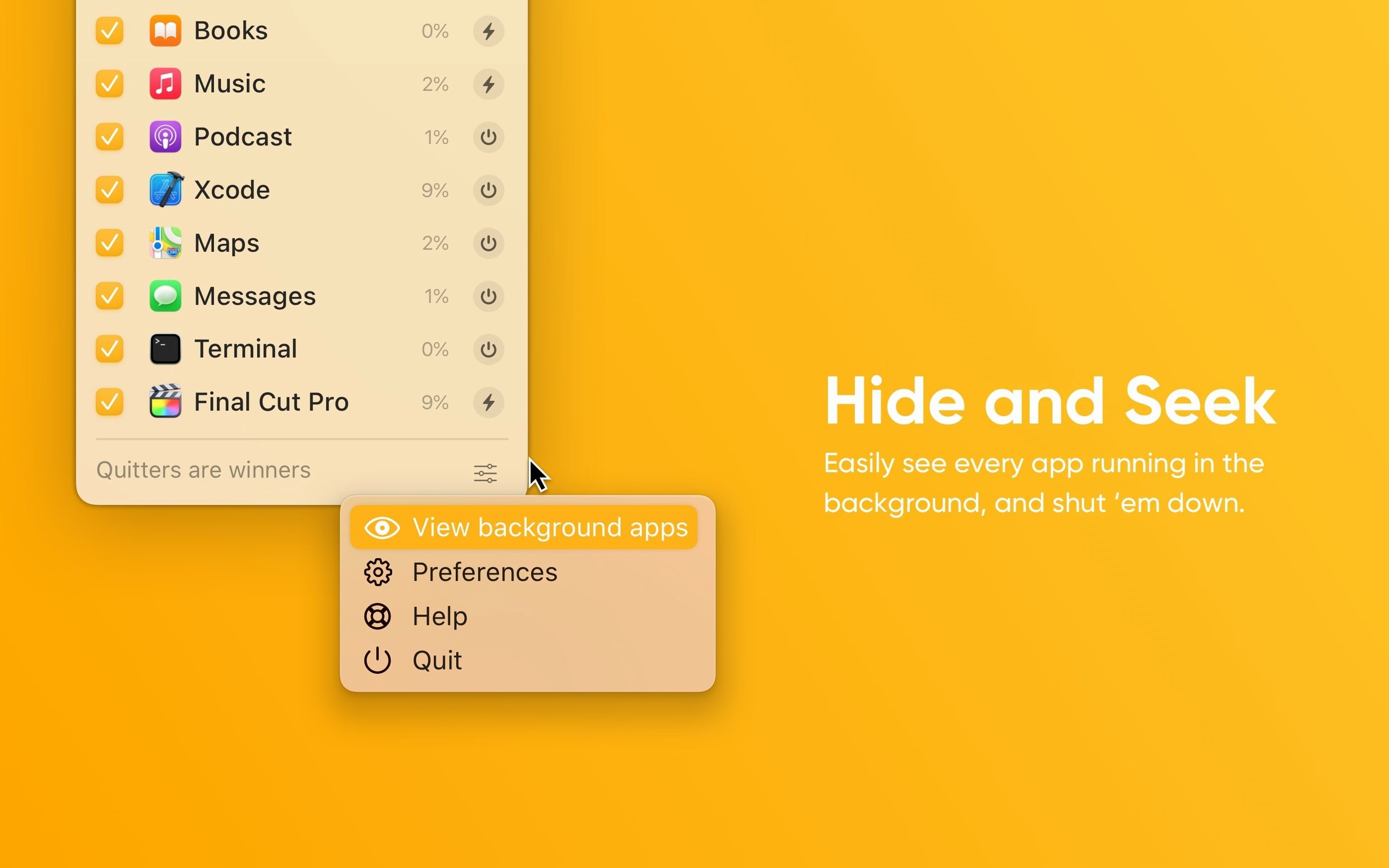
- Check the background apps list. You will find helpers you forgot about. Decide which ones you actually need running.
After that, use it whenever quitting feels like a chore. Before a meeting, before unplugging, before a quit all mac torrent search leads you to a ready‑to‑go build. In a few days, you stop thinking about it. That is when it is working.
- macOS 11 or later
- Apple Silicon or Intel Mac
Questions the team asks
Yes. It supports both ARM and 64-bit Intel processors.
A standard quit asks the app to close properly. A forced quit stops it immediately, which helps when an app is frozen.









Comments 0
Sign in or create an account to add a comment.
No comments yet. They go up after moderation.