

TunesKit iPhone Unlocker — Mac download
Download (64 MB) Earlier builds
Ticked
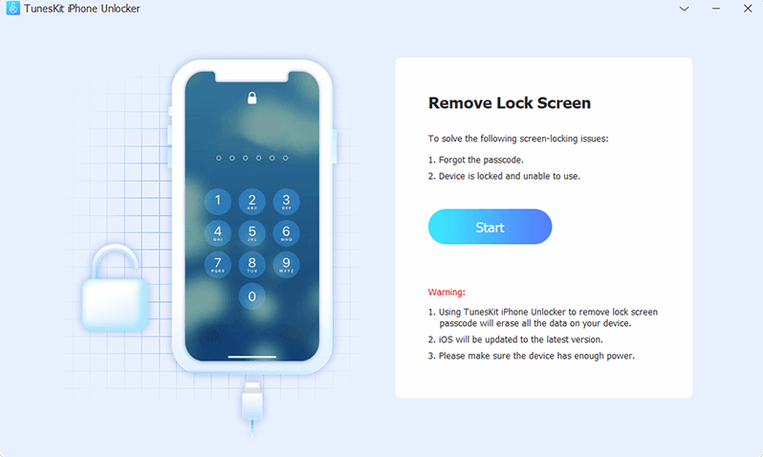
This is for someone who has been locked out of their own device. A forgotten passcode. A disabled iPhone after too many failed attempts. A Screen Time passcode set by someone else. TunesKit iPhone Unlocker is a Mac app built to remove those barriers from an iPhone, iPad, or iPod touch.
Wired connection unlocks three lock types
- Connect the locked device. The app needs a wired connection to your Mac to communicate with the iOS device.
- Choose the lock type. Pick from the options: wiping a screen passcode, clearing a Screen Time lock, or addressing an MDM profile that restricts the device.
- Start the removal. The app handles the process. For a screen passcode, it will wipe the device and install the latest compatible iOS version, which means existing data is lost—a necessary compromise for regaining access.
It is a third-party utility, plain and simple. The developer, TunesKit, lists it as a tool for unlocking passcodes and Apple accounts. It runs on Intel Macs and requires OS X 10.11 or later. The current version is 2.7.0.16.
TunesKit iPhone Unlocker is not a file manager. You cannot browse the device or cherry-pick photos before the wipe. Beginners sometimes launch the app expecting granular control, then stall when they realise the choice is all-or-nothing for screen passcodes.
Three common beginner slip-ups
- Skipping the Gatekeeper step. The disk image includes a helper script called Open Gatekeeper friendly. Opening the app directly without running that first leads to a security block that stops everything.
- Choosing the wrong lock mode. Screen Time, MDM, and screen passcode are separate paths. Selecting “Wipe Passcode” for a Screen Time lock simply wastes time—and the other way round does nothing at all.
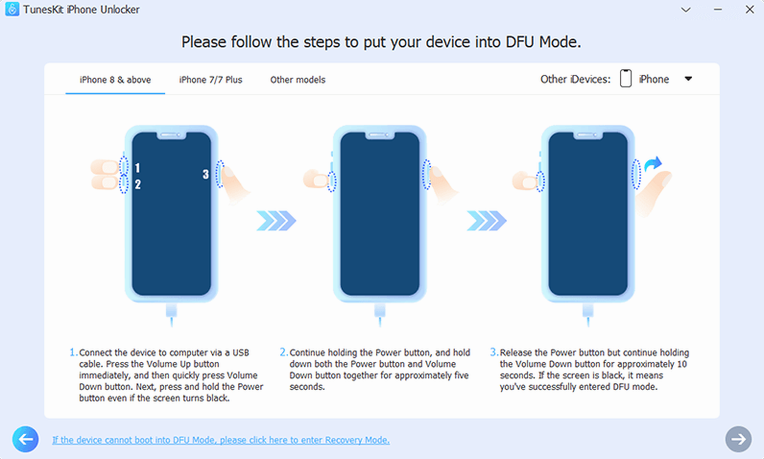
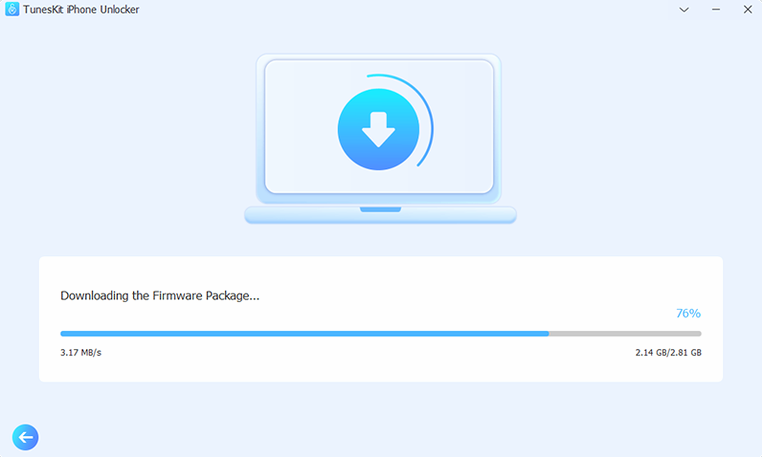
- Unplugging too early. After the firmware download starts, the progress bar can sit still for several minutes. Pulling the cable mid-way forces a restart of the entire process, and occasionally a second DFU recovery.
One Mac repurposes fleet devices with forgotten codes
This tool speaks to two distinct groups. The first is IT support staff who handle a fleet of school or company iPads with forgotten MDM profiles or Screen Time codes. A single Mac with TunesKit iPhone Unlocker installed saves them repeated trips to Apple Configurator for MDM removal.
The second group is anyone who has inherited a second-hand iPhone stuck on the previous owner’s Apple ID. Provided the device falls within the supported range—iPhone 5s through iPhone X on iOS 12.0 to 16.7.15—the activation lock removal gives the hardware a second life. Users who simply forgot their own passcode and accept the data loss also fit here, but the real efficiency gain is for those dealing with locks they did not create.
Three disabled iPad Airs revived in a single afternoon
Thursday afternoon, a school technician sits down with a stack of three iPad Airs. Each one shows a disabled screen after students entered wrong passcodes over the weekend. The MacBook Air on the desk is running TunesKit iPhone Unlocker 2.7.0.16.
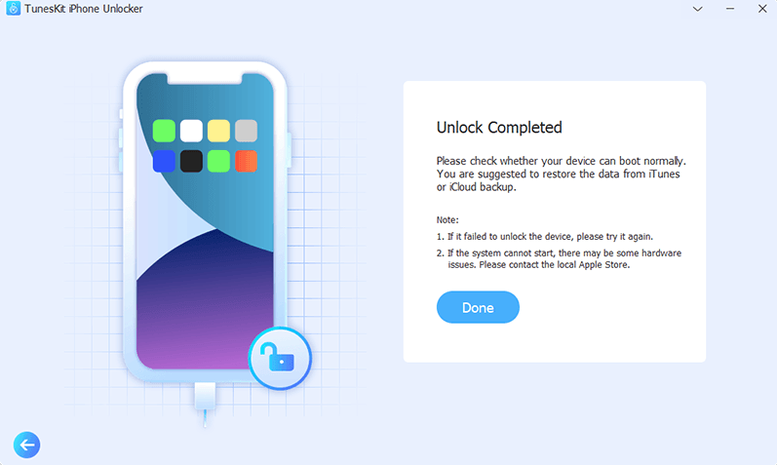
She mounts the disk image, runs Open Gatekeeper friendly, taps Enter in Terminal, and drags the app to Applications. With the first iPad connected via USB, she opens the app and selects Wipe Passcode. The app reads the device model, fetches the correct IPSW firmware file—about 6 GB—and pushes it to the iPad. Fifteen minutes later the iPad reboots to a Hello screen, ready for setup. She repeats the sequence for the remaining two devices without touching another piece of software. By the time the bell rings, all three are back in the cart, wiped clean and enrolled in MDM again.
- OS X 10.11 or later
- Intel x86 64-bit processor
- Wired connection for iOS device









Comments 0
Sign in or create an account to add a comment.
No comments yet. They go up after moderation.