

Widgetter System Stats Widgets — Mac download
Download (335 MB) Earlier builds
Ticked
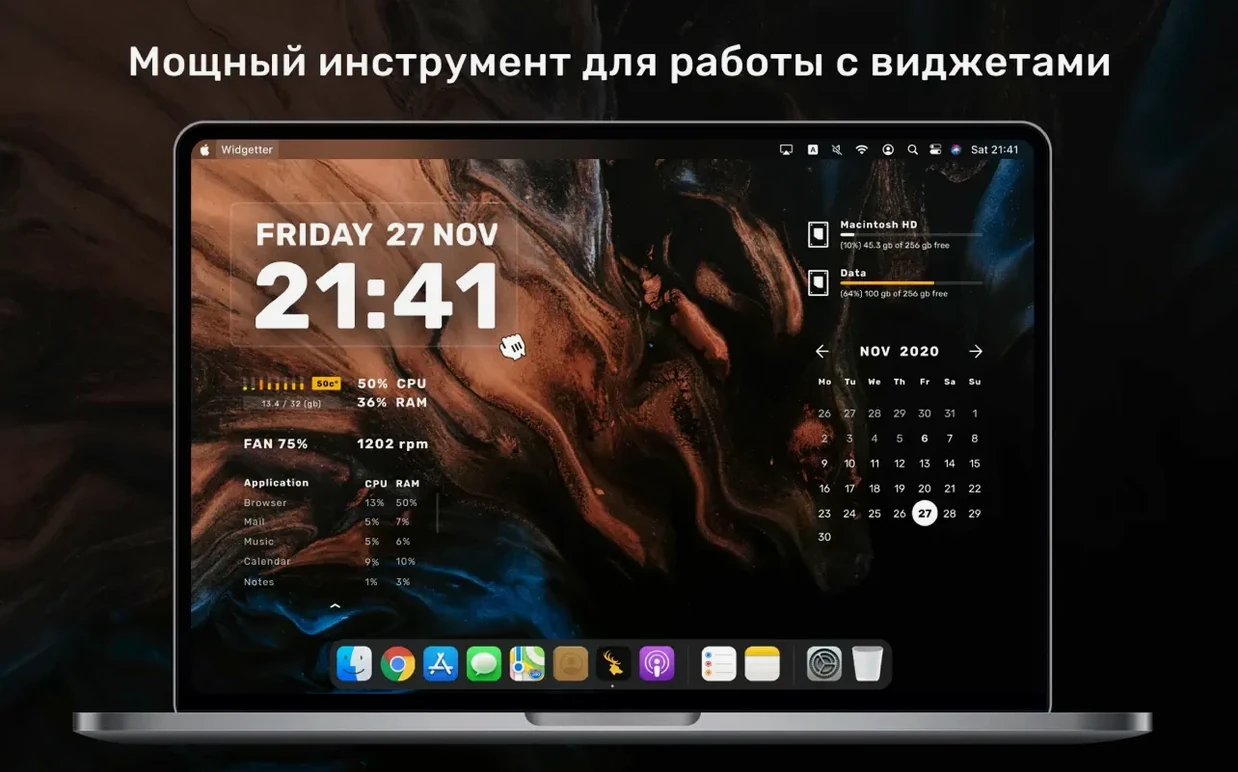
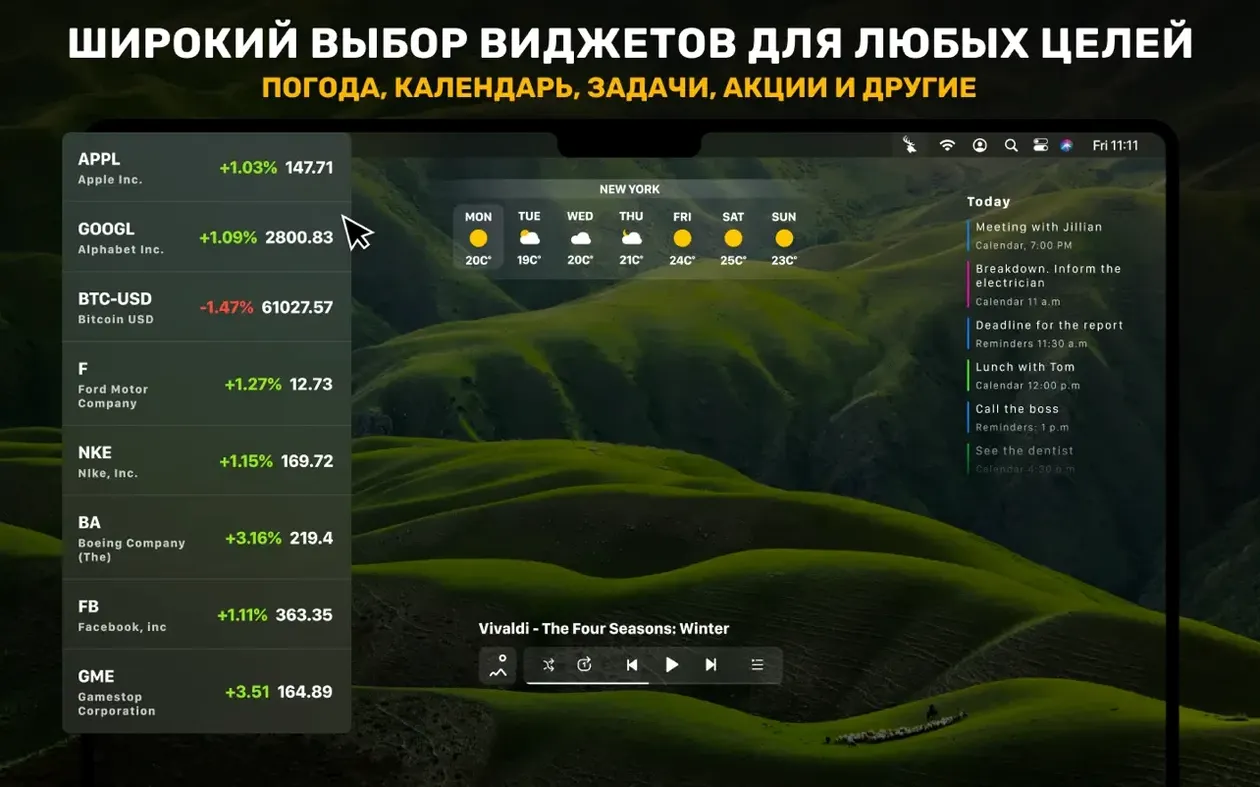
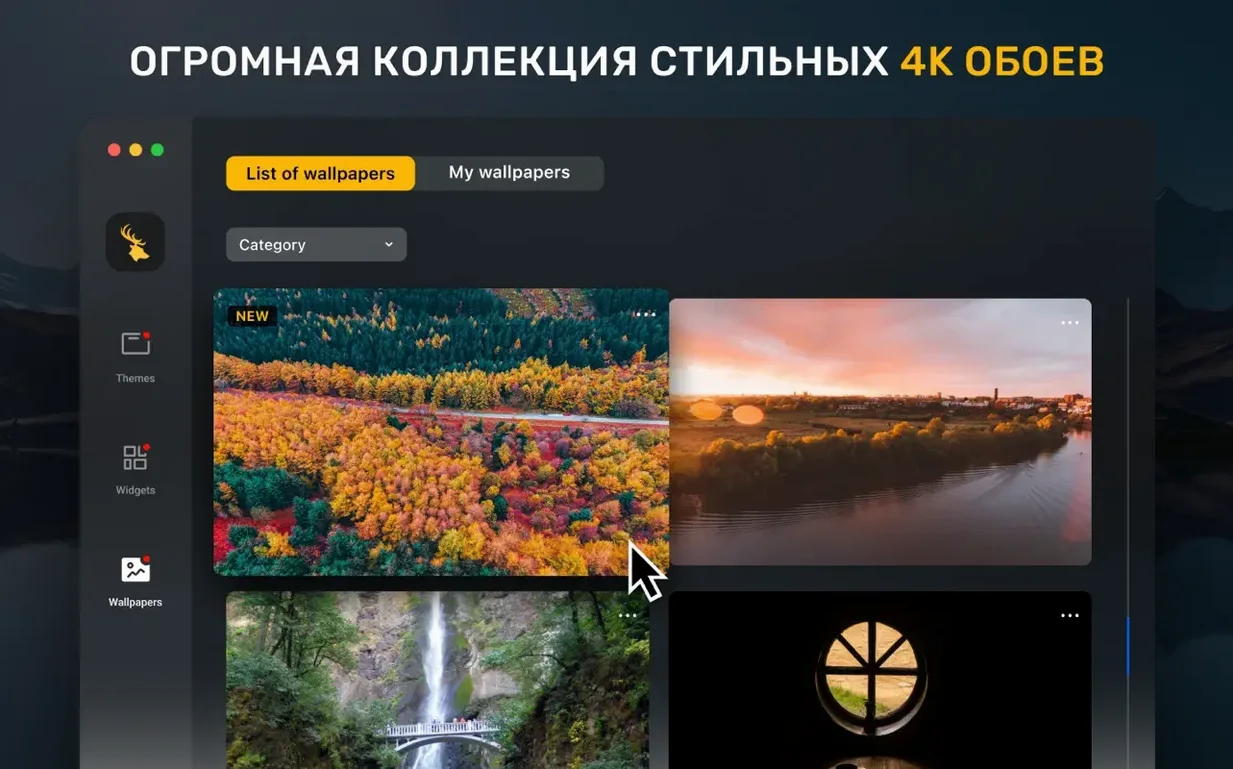
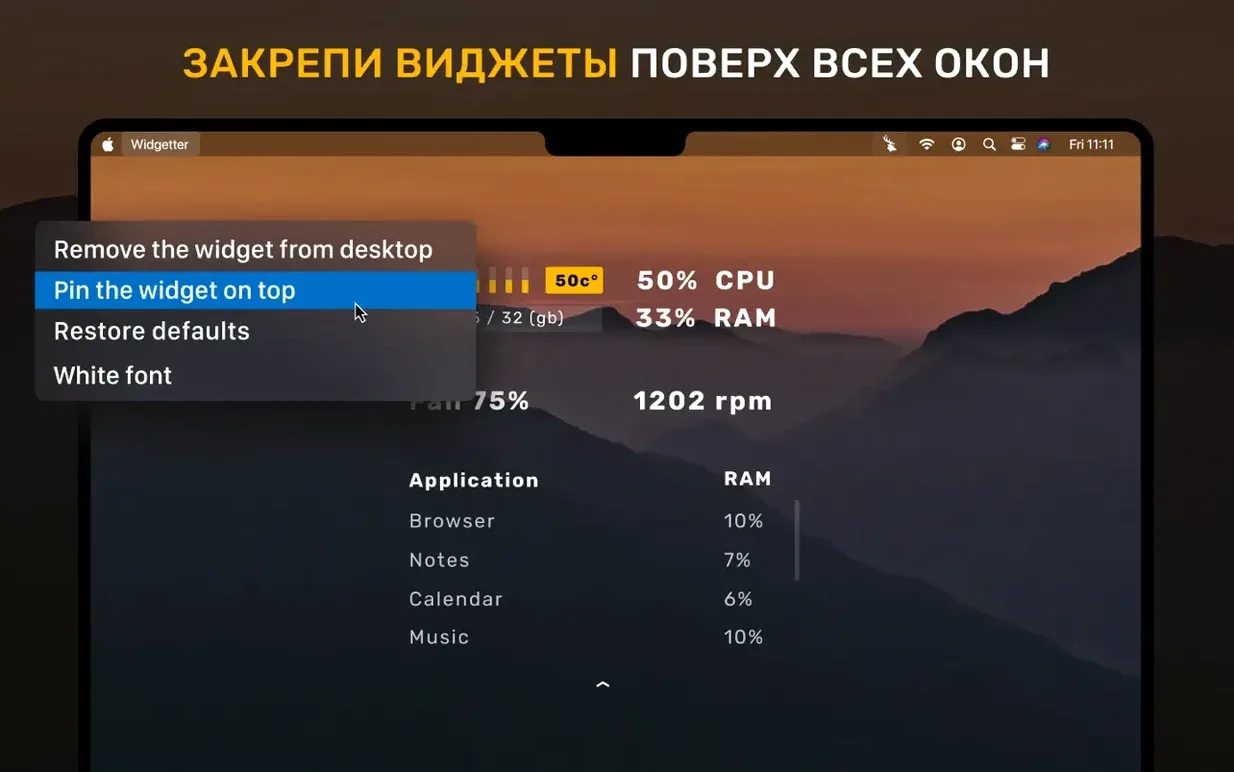
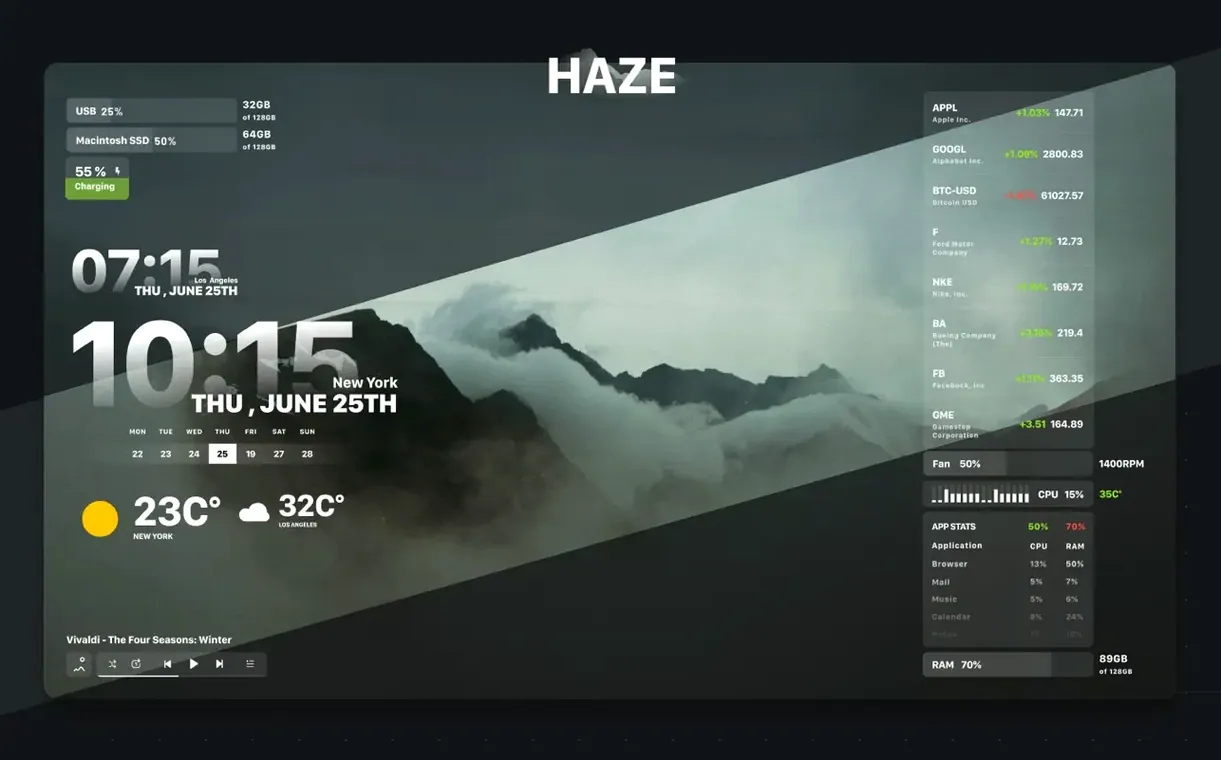
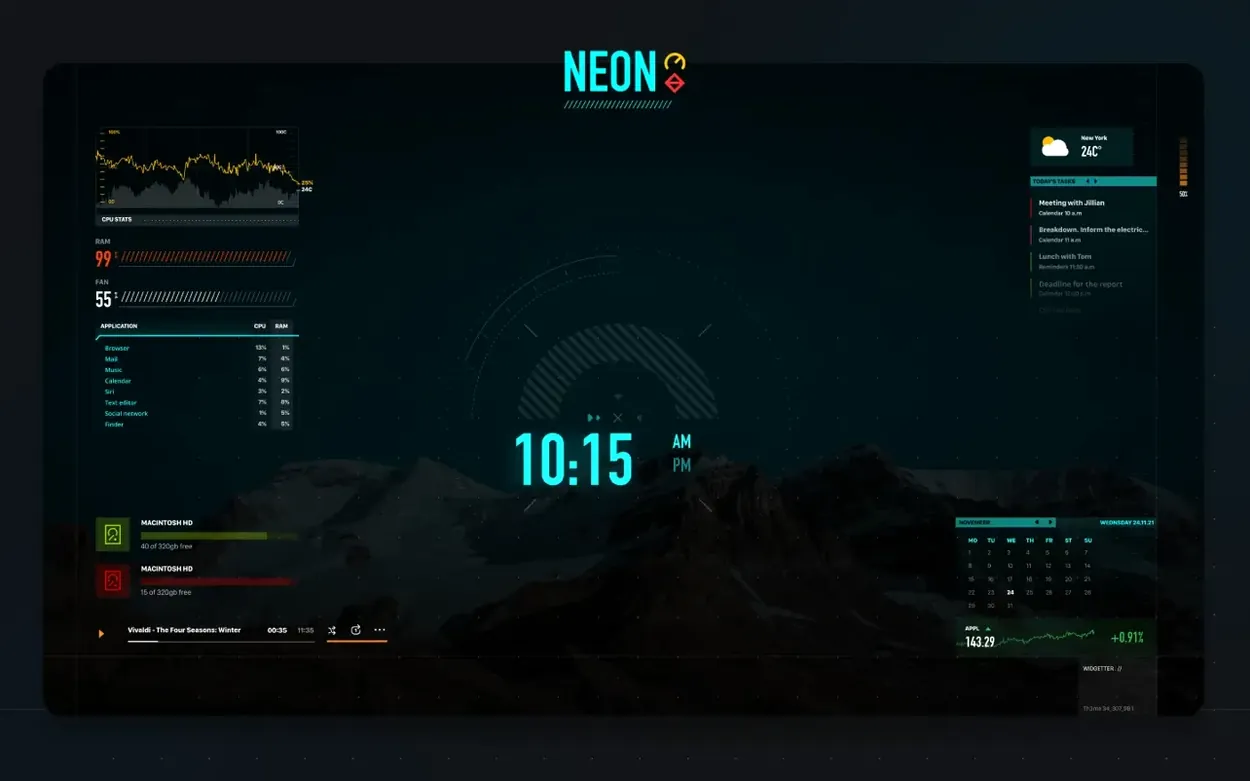
The Disk widget doesn't just show free space. It flags errors in logs and reports before they become real problems. Widgetter System Stats Widgets sits alongside your existing Mac tools, pulling desktop information into a single widget collection that covers what Dashboard left behind.
- System widgets for CPU, RAM, storage, network speed, battery and fan RPM.
- Date, time, calendar, reminders and task widgets that match your existing workflow.
- Weather, currency and cryptocurrency quotes without opening a browser.
- Media player controls and a wallpaper widget for quick desktop changes.
- English and Simplified Chinese interface — same widgets, two languages.
Runs on Apple Silicon and Intel Macs from macOS 10.13.2 up. The widgets stay out of the way until you need a stat, a log check or a quick calendar glance.
Dragging widgets to any size without grid snap
Widgetter doesn't spell out every shortcut and trick. A few things worth knowing early:
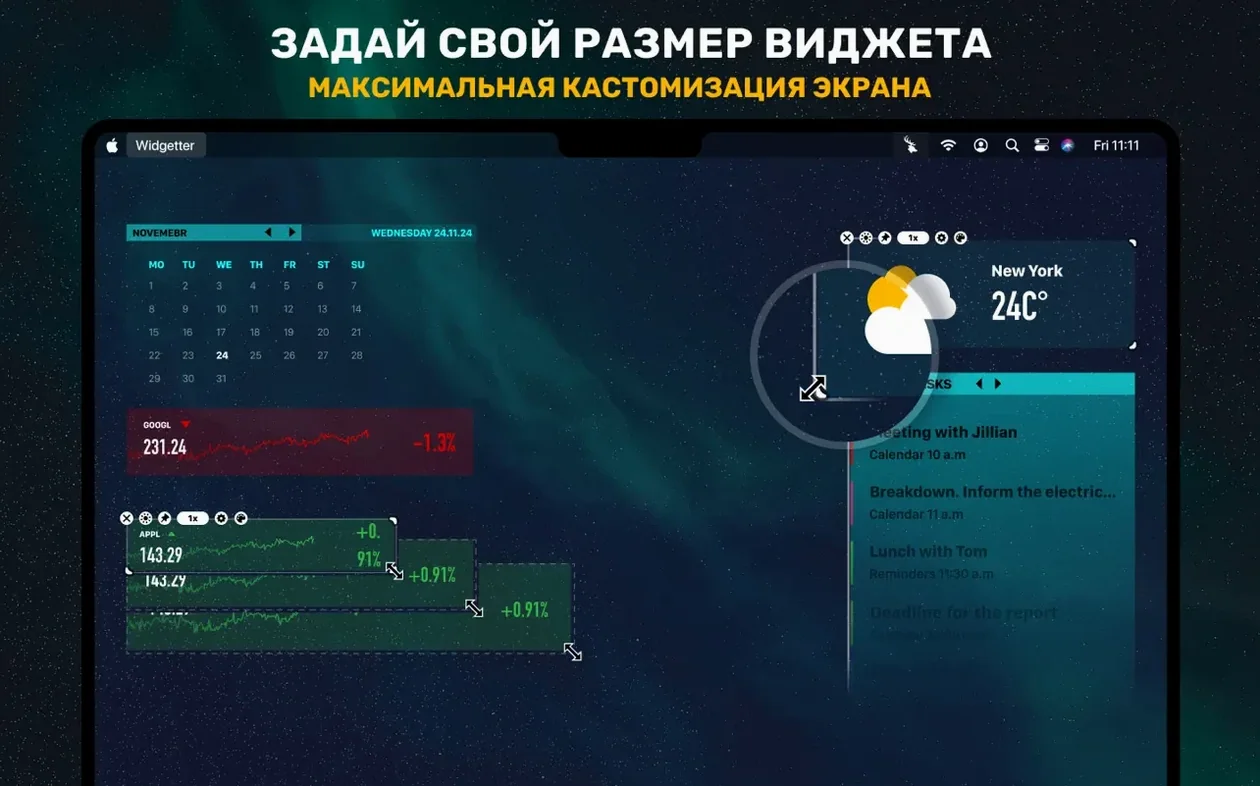
- Right-click any widget to find the sizing handle. Drag it freely — there's no grid snapping, so you can make a clock huge for a spare display or shrink the battery indicator to a tiny strip.
- You can run multiple instances of the same widget type. Three CPU widgets on three displays, each sized differently, each monitoring a different stat. The app doesn't complain.
- The weather widget accepts city names typed directly into its settings panel. Add cities one by one and each shows current conditions plus local time — useful if you work across time zones.
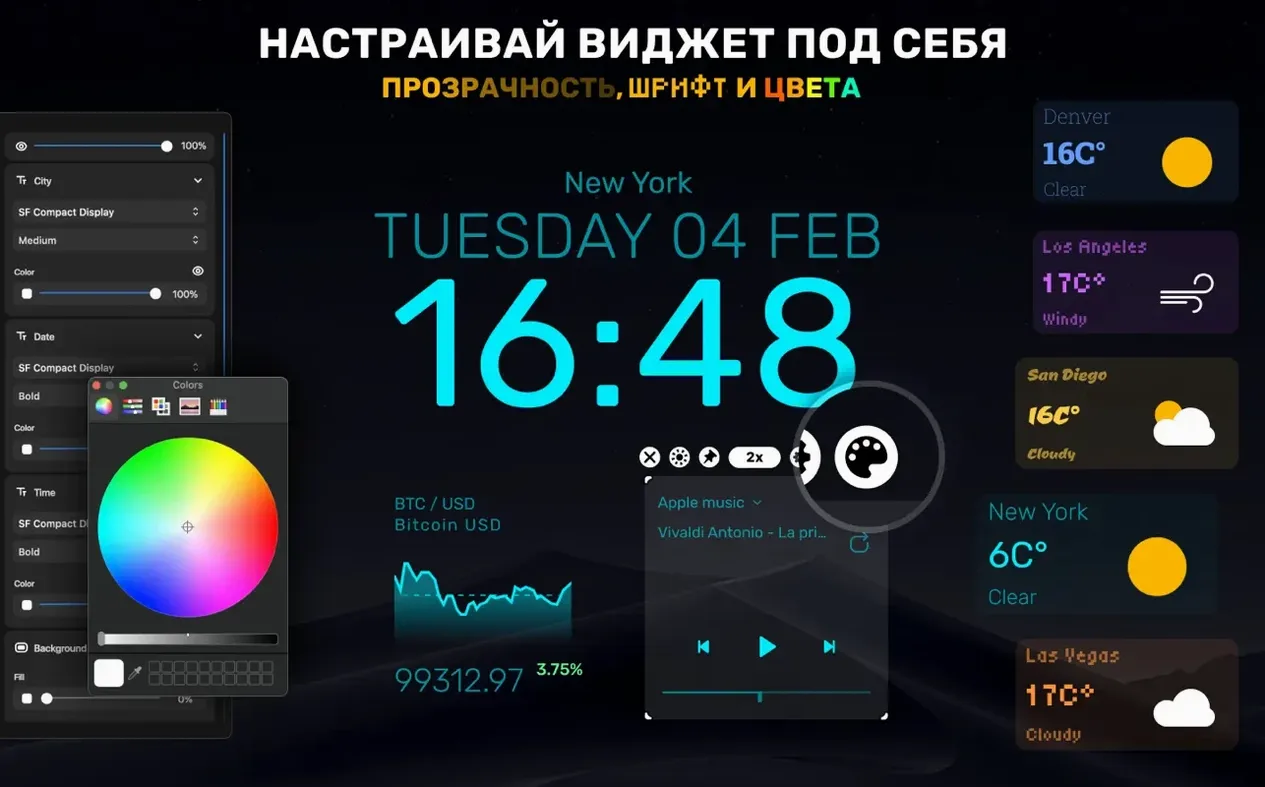
- Font and colour controls live behind a small cog icon on each widget. The palette includes transparency sliders, so widgets can blend into a dark desktop rather than sitting on an opaque block.
- Wallpapers included in the app are 4K and 5K resolution. The wallpaper widget cycles through them with a single click — no need to dig into System Preferences.
Frozen stats after sleep wake-up fix
A few points where new users tend to pause:
Widgets not updating after sleep. If system stats freeze when the Mac wakes, close and reopen the affected widget. That refreshes the data feed. No restart of the whole app needed.
Network speed widget shows zero. Check that Widgetter has permission under System Settings > Privacy & Security > Local Network. Without it, the widget can't read interface traffic. Grant it, then toggle the widget off and on.
Fan RPM missing on Apple Silicon. Some M-series Macs report fan speed through a different sensor path. If the RPM widget stays blank, try adding it a second time — occasionally the second instance picks up the sensor where the first missed. This isn't a bug so much as a quirk of how macOS exposes thermal data on newer chips.
Widget overlap after display changes. If you unplug an external monitor, widgets that lived on it jump to the main screen and may clump together. Drag them apart once and their positions stick on reconnect — Widgetter remembers per-display layouts.
Replacing frequent Activity Monitor checks with a glance
Three groups tend to keep it running long-term:
Mac users monitoring system health. People who check Activity Monitor several times a day find the CPU, RAM and disk widgets cut that routine to a glance. The error-highlighting in the Disk widget catches log anomalies before Finder shows symptoms — early warnings for drives that are filling up or throwing I/O errors.
Desktop customisers. If you tweaked GeekTool or Übersicht in the past, Widgetter gives you resizable, recolourable widgets without writing a single script. The free-form sizing and transparency controls mean the widgets sit on the desktop looking intentional, not bolted-on. You build a layout that fits your wallpaper, not the other way around.
Multi-discipline workers. A trader monitoring crypto quotes, a developer watching RAM and CPU, a project manager tracking calendar and reminders — all in one widget layer. The fact that you can load the same widget type multiple times means different displays can hold different information sets. No tab-switching, no dock clutter.
- Squashed a handful of minor bugs.
- macOS 10.13.2 or later
- Apple Silicon & Intel 64-bit






Comments 0
Sign in or create an account to add a comment.
No comments yet. They go up after moderation.