

Drama — Mac download
Download (8 MB) Earlier builds
Ticked
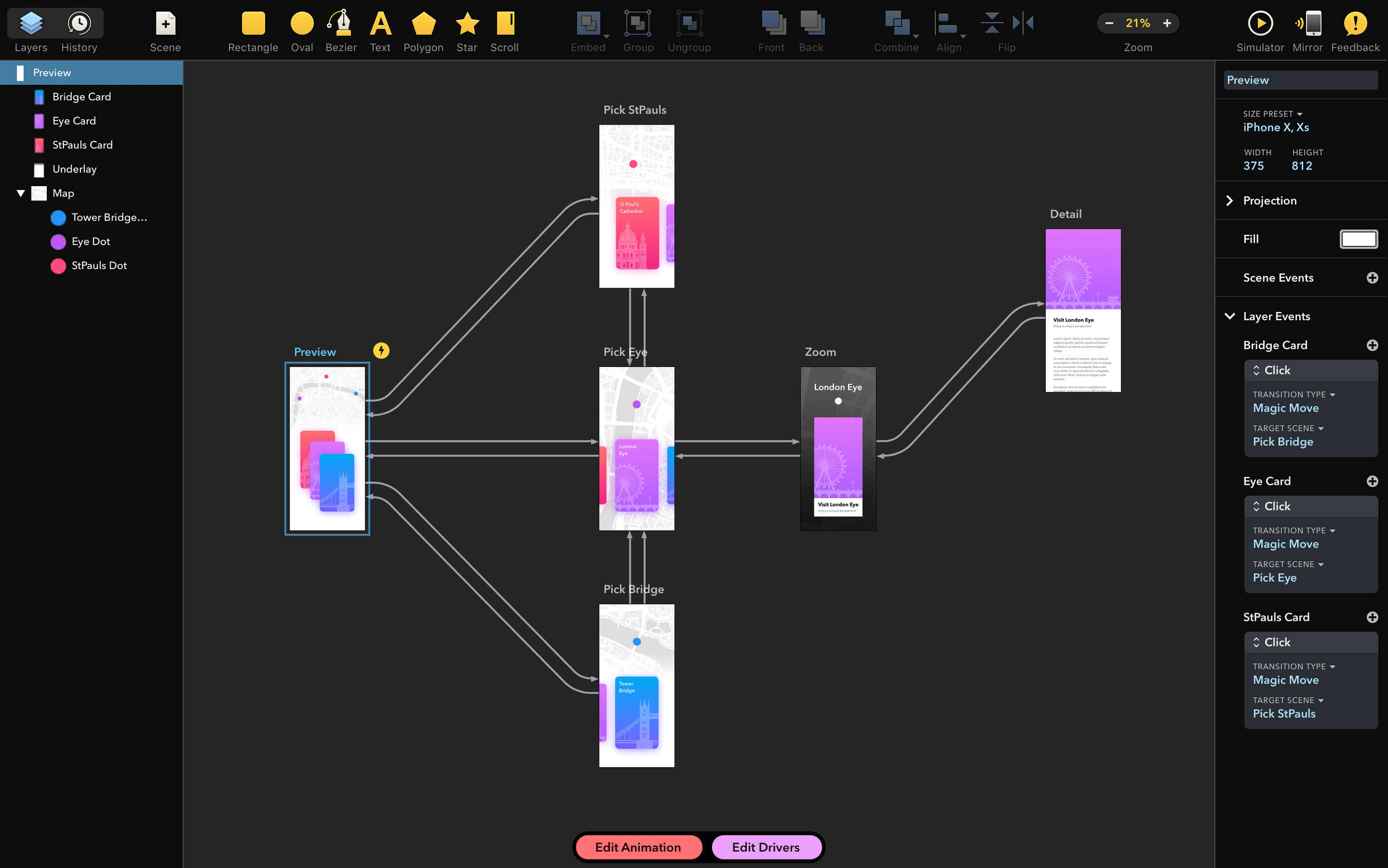
Drama is a Mac design app for prototyping and animation. Here's how a typical workflow looks in version 2.1.4.
- Sketch a screen layout with vector drawing tools.
- Add states and transitions between artboards.
- Set up tap, hover and scroll interactions.
- Preview the prototype in real time, making edits as you go.
- Export a quick video or hand off specs to a developer.
The core toolset hasn't changed — you still build interactive prototypes without writing code. The 2.1.4 update fixes one thing: a crash on launch caused by certain installed fonts. Intel Mac users on macOS 11.5 and up can open existing projects without that interruption now.
Start a sign-up flow prototype on an iPhone 14 artboard in seconds
Say it's Thursday morning. You need a quick prototype for a sign-up flow.
- New project. Pick a device frame — iPhone 14, for example. Drama sets up an artboard instantly. No fiddling with canvas size.
- Draw the first screen. Rectangles for the header, a text field, two buttons. You hold
Optionwhile dragging to duplicate the ‘Sign Up’ button. Three seconds, done. - Add a second artboard. Duplicate the first one, swap out the button label to ‘Welcome’. Now you have two states.
- Wire the transition. Drag from the button on screen one to screen two. A connector appears. Set the trigger to ‘Tap’ and the animation to ‘Push left’.
- Tweak the easing. Open the animation panel. Switch from linear to ease-out. The motion feels right — bouncy but fast.
- Preview live. Hit
Space. The prototype runs in a floating window. You tap through, notice a spacing issue, hitSpaceagain to jump back into edit mode. - Show a colleague. Copy the preview link. They view it in a browser while you adjust padding on the fly. No export needed.
Twenty minutes, three screens, one clear flow. That is the rhythm Drama aims for.
Let Drama index your installed fonts to avoid a launch crash
After you drag the app to Applications and launch it, these steps save time:
- Let Drama scan your fonts on first launch. The 2.1.4 patch targets a font-related crash. Give it a moment to index what you have installed.
- Set your default device frame. Under Preferences, pick the phone or browser size you use most. New projects start with that preset.
- Learn the preview shortcut.
Spacetoggles between edit mode and prototype mode. That is the one shortcut you will use fifty times a day. - Create a tiny test project. Two artboards, one button, one transition. Use it to experiment with animation curves before you touch real work.
- Check the interaction panel early. Tap, hover, long press, scroll — see what each trigger offers. Knowing your options upfront stops you designing interactions the tool cannot reproduce.
Option-drag to duplicate any shape or artboard without copy-paste
A few things that are easy to overlook:
- Option-drag to duplicate. Works on shapes, buttons and entire artboards. No copy-paste dance required.
- Right-click a transition line to reverse its direction. Useful when you wire a back button and the connector points the wrong way.
- Nudge with arrow keys. Select an element, tap an arrow to move one point. Hold
Shiftto move ten points. Pixel-precise layout without zooming to 400%. - Organise with layers. The layer panel supports folders. Group your headers, footers and repeated components. A tidy layer list makes complex prototypes manageable.
- Live preview sharing. The preview link updates as you edit. Send it once; your reviewer sees changes in real time. No re-exporting, no file attachments.
- Video export for stakeholders. When you need a drama mac torrent of walkthrough footage to drop into a slide deck, the export panel gives you an MP4 in seconds. No screen recording tool needed.
- Fixed a crash on start caused by specific installed fonts.
- macOS 11.5 or later
- Intel Mac
Questions the team asks
A start-up crash triggered by specific installed fonts was fixed.
It requires macOS 11.5 or later on Intel Macs.
Drama is made by PixelCut, the same developer behind PaintCode.








Comments 0
Sign in or create an account to add a comment.
No comments yet. They go up after moderation.