
TouchDesigner — Mac download
Download (615 MB) Earlier builds
Ticked
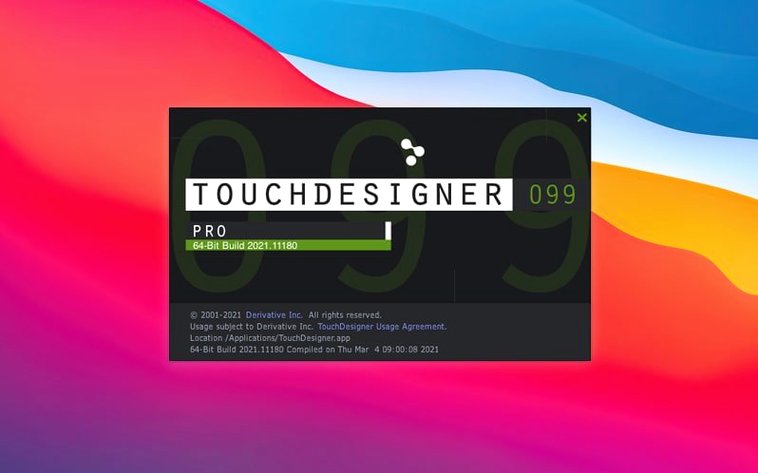
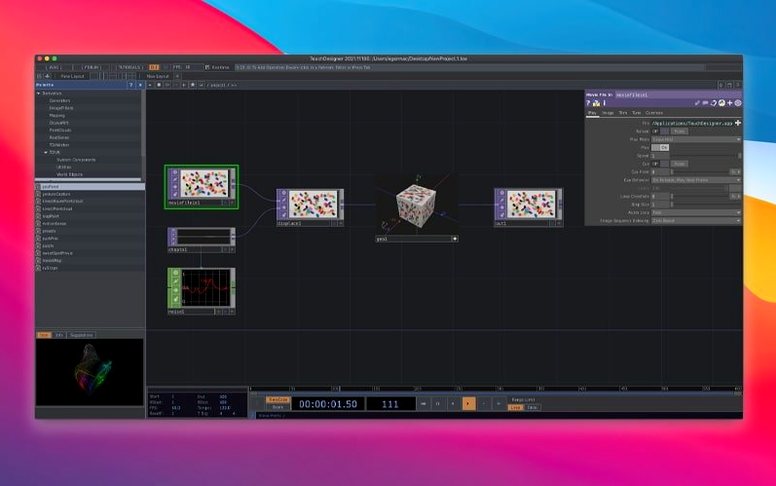
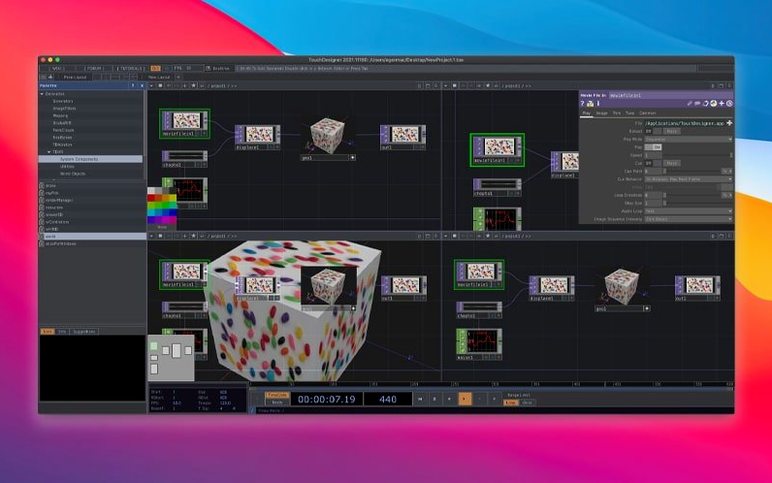
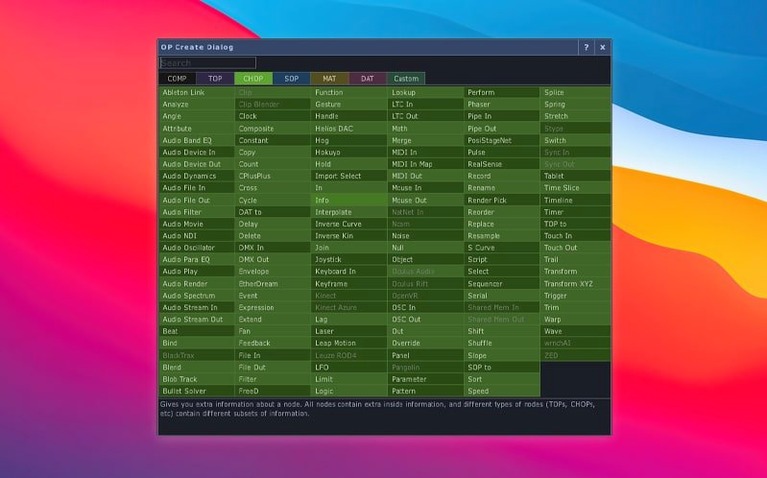
Installation artists, live-performance VJs, and show-control programmers all reach for the same tool. It is a single environment where you wire together real-time 3D, compositing, and device input without leaving the node graph.
Connecting lighting, audio, and sensors in one patch
- Who is it actually for? Creative technologists building installations, stage visuals, or custom show-control systems. You connect lighting desks, audio rigs, sensors, and video outputs to one patch.
- What can I build with it? Application logic and the user interface live in the same project. Real-time 3D rendering and compositing happen side by side.
- Can I connect external gear? Yes. It talks to lighting equipment, audio systems, input and output devices, and show-control networks. The Orbbec SDK (upgraded to 1.10.16) now supports Intel-based Macs.
- Is it customisable? You extend it for project-specific needs. No two setups look the same.
- What is new in 2025.31550? Point Operators (POPs) arrived. Most TOPs gained native 3D-texture and 2D-array support, so GPU-heavy patches run cleaner.
TouchDesigner next to other Mac creative tools
Three apps often appear on the same shortlist. Here is how they split the work.
TouchDesigner vs. VDMX
VDMX lives in the VJ booth. You trigger clips, layer effects, and busk a set. TouchDesigner builds the engine behind the booth — the generative content, the sensor-driven logic, the DMX handshake with the lighting desk. A VJ who only needs clip playback and MIDI mapping will move faster in VDMX. A designer wiring a building-wide installation needs the node graph.
Good for TouchDesigner: custom generative systems, projection mapping with external sensor input, show control across lighting and video.
Not for TouchDesigner: quick clip-triggering for a club night.
TouchDesigner vs. Resolume Arena
Resolume composes layers and spits them to projectors. It excels at fast, reliable playback with minimal setup. TouchDesigner creates the content Resolume plays — or replaces it entirely when the job calls for real-time 3D scenes, particle simulations, or data visualisation driven by live feeds. Many stages run both: TouchDesigner generating, Resolume blending and outputting.
Good for TouchDesigner: real-time 3D, data-driven visuals, anything that cannot be pre-rendered.
Not for TouchDesigner: a straightforward two-projector blend with a clip library.
TouchDesigner vs. Quartz Composer (legacy mindset)
Quartz Composer was the macOS node-based playground for screen savers and small interactive pieces. TouchDesigner is the industrial sibling: production-tested builds, dedicated hardware support, and a developer team shipping GPU-level features like POPs. People looking for a touch designer torrent often discover the jump in capability is not incremental — it is a different class of tool.
POPs keep particle and lidar effects on the GPU
- POPs cut the round-trip to the CPU. Point Operators run on the GPU. You create and modify 3D point data without leaving the graphics pipeline. Particle systems, point-cloud deformations, and lidar-driven effects now stay fast on Macs with integrated graphics.
- 3D textures and 2D arrays landed across most TOPs. Volumetric renders and multi-slice image processing no longer need workaround setups. A single TOP chain can hold depth data, light fields, or pre-computed simulation steps.
- Orbbec and Kinect Azure wrappers got version bumps. Orbbec moved to SDK 1.10.16 with Intel Mac support. Kinect Azure hit 1.10.3. Depth-camera workflows on older Intel hardware no longer require a separate PC in the rack.
The shift is practical, not cosmetic. A patch that used to stutter when processing point clouds now holds frame rate. A projection-mapping setup with volumetric content assembles in fewer nodes. Users hunting a TouchDesigner crack for Mac should know these GPU-path improvements are part of the current build — older versions lack POPs entirely.
First days with TouchDesigner: a practical checklist
- Mount the disk image and launch Open Gatekeeper friendly. Press Enter in Terminal when prompted. Drag the app to your Applications folder. That is it — no helper tools, no separate runtime.
- Open the Help > Operator Snippets menu. Derivative ships working examples for every operator family. Spend the first hour dragging snippets onto the network, not watching tutorials. Touch the nodes.
- Set your real-time target. Hit
pto open the Perform window. Right-click its title bar and lock the frame rate to 60 or 30 fps. Unlocked, a MacBook fan will remind you within minutes. - Test one input device. Plug in a webcam, a MIDI controller, or an audio interface. Drop a
Device InCHOP, middle-click to view data. Seeing live values move confirms the patch is alive. - Build a three-node chain.
Noise TOP→Blur TOP→Out TOP. Change the Noise type. Wire aMouse InCHOP to the Blur amount. You now have an interactive visual in under two minutes. - Save your toe file before experimenting. TouchDesigner autosaves on crash, but a manual save after a working chain is faster than reconstructing from memory.
People arriving via a TouchDesigner torrent search sometimes skip the snippet library. That is a missed opportunity — it is the fastest path from blank network to something moving on screen.
Most people searching for a touchdesigner pro free workflow land here first. The real question is whether your Mac is ready for it.
- Point Operators (POPs) family added to the operator set.
- Most TOPs now handle 3D textures and 2D arrays natively.
- Orbbec SDK bumped to 1.10.16, with added support for Intel Macs.
- macOS 10.14 or newer
- Intel processor
Questions the team asks
The current release requires an Intel-based Mac running macOS 10.14 or later.






Comments 0
Sign in or create an account to add a comment.
No comments yet. They go up after moderation.