

EndNote — Mac download
Download (112 MB) Earlier builds
Ticked
Who uses EndNote
Researchers, PhD candidates, and anyone wrangling a long-form academic document. It lives next to your word processor and your PDF reader, turning a folder of papers into a formatted bibliography.
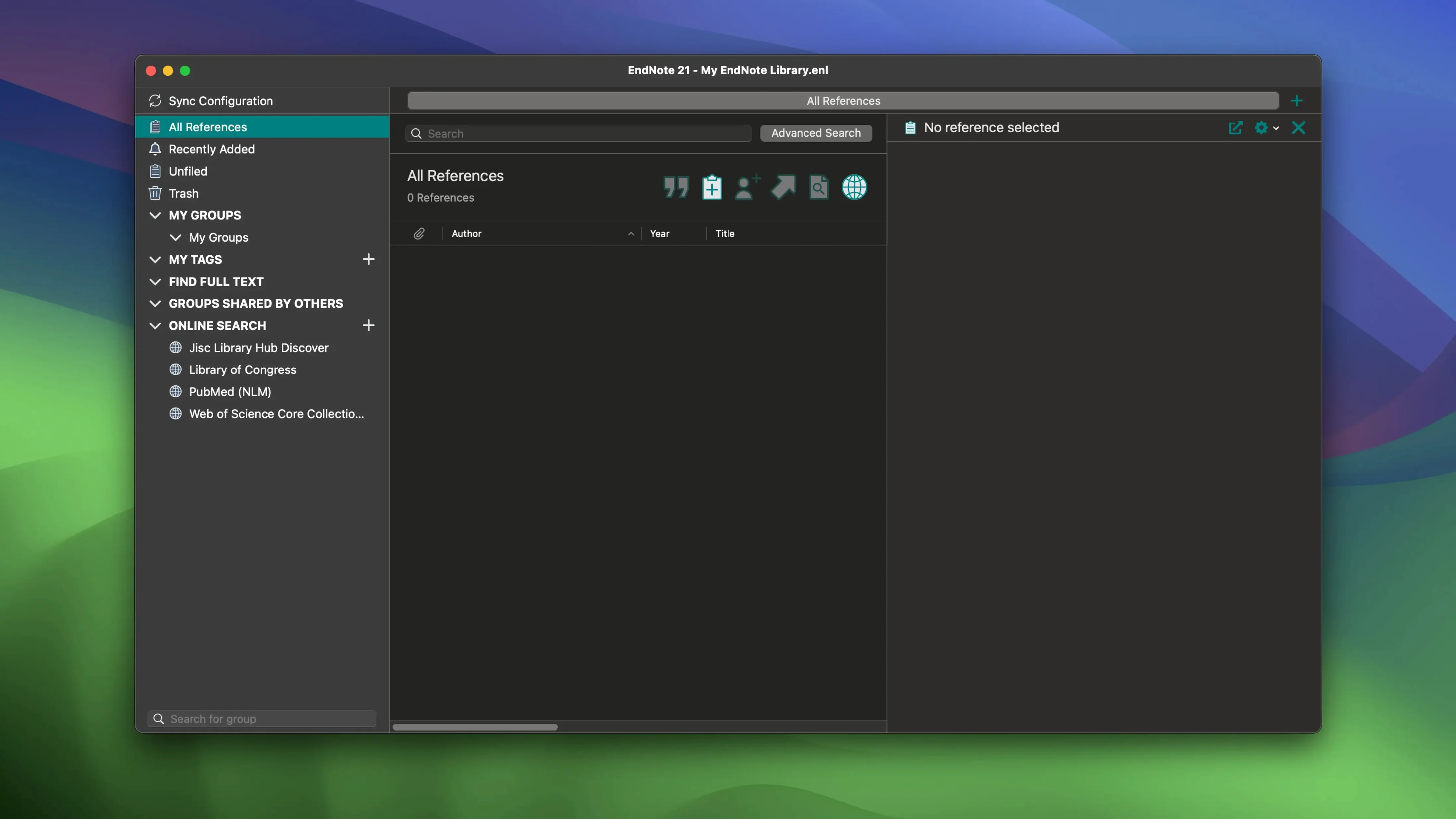
Drag in a PDF and EndNote grabs the metadata
- Collect. Save references from library databases or drag in PDFs. EndNote pulls the metadata and files the paper.
- Organise. Add colour-coded tags. Group by project, chapter, or deadline. Restore previous versions of a reference if something gets overwritten.
- Annotate. Highlight and add notes to PDFs inside the library. Sync everything—notes, annotations, references—across your Mac, iPad, and the cloud.
- Cite. Use Cite While You Write in Microsoft Word or Google Docs. Insert a citation; the bibliography updates immediately.
- Output. Generate a formatted bibliography from your saved references. Switch citation styles without redoing the work.
If a library gets lost, restoring from the cloud is straightforward. The 2025.3 update also fixed a Word crash when Select Matching References appeared, and added Simplified Chinese localisation.
Cycle tag colours with a right-click on the colour strip
- Right-click the tag colour bar. Instead of opening the tag menu, right-click the small coloured strip next to a reference in the library view. It cycles through your custom colour set without a single dialogue box.
- Drag a PDF onto the dock icon. Skip the import menu entirely. Drop any PDF onto EndNote’s icon and it creates a reference, extracts the DOI, and pulls the metadata. Works even when the main window is closed.
- Option-drag a reference. Holding Option while dragging a reference to a group copies it instead of moving it. Useful when one paper belongs in “Chapter 2” and “Methods.”
- Smart Groups with file attachment status. Create a Smart Group where
File Attachmentsis greater than0. An instant view of every reference that actually has a PDF attached—saves hunting for papers you only have as abstracts. - Quick Edit in the reference list. Press
Cmd-Ewith a field selected in the library list. You can edit title, author, or year inline without opening the full reference panel.
Lock in your three tag meanings before importing anything
- Pick your three tag colours. Assign meanings before importing anything. Example: red for “not yet read,” blue for “core argument,” green for “methodology.” Changing them later is tedious across 200 references.
- Test the sync with one reference. Add a single paper, annotate the PDF on your Mac, and check it appears in EndNote Web. Confirm annotations sync back before trusting it with a full library.
- Set the PDF auto-renaming rule. Under Preferences, tell EndNote to rename PDFs as
Author - Year - Title. Every file in your library folder becomes human-readable instead of a string of numbers. - Pin the Cite While You Write toolbar. In Word, add the EndNote tab to your main ribbon group permanently. The floating toolbar can disappear behind windows on a small MacBook screen.
- Create a “Quarantine” group. A catch-all for references imported in bulk that you haven’t checked for metadata errors. Review it once a week.
Point it at your unsorted PDFs folder and import everything at once
Does it handle existing folders of unsorted PDFs? Yes. Point EndNote at a directory—your Downloads folder from the last three years, for example—and it imports everything in one batch. Metadata retrieval depends on DOIs being embedded, so papers from institutional repositories fare better than scanned book chapters. But the bulk import itself is a single command.
Will it conflict with Word’s built-in citation tool? It won’t break it, but the two don’t talk to each other. Documents with existing Word citations should stay in that format unless you’re willing to strip them out and start fresh. EndNote’s field codes are separate and don’t interfere; just don’t mix them in one document.
How much manual cleanup is needed? Some. Author names from PubMed often arrive as “Smith, J.A.” when your style guide wants “J. A. Smith.” Plan to spend an afternoon cleaning term lists after a big import. The software handles punctuation and italics well, but it cannot guess which fields a particular journal wants abbreviated.
Does the cloud sync feel immediate? On a fast connection, changes appear on another device within seconds. Large libraries with hundreds of annotated PDFs take longer—the first full sync can run for fifteen minutes. After that, incremental updates are quick.
- macOS 10.14 or later
- Apple Silicon or Intel 64-bit processor








Comments 0
Sign in or create an account to add a comment.
No comments yet. They go up after moderation.