
Things — Mac download
Download (37 MB) Earlier builds
Ticked
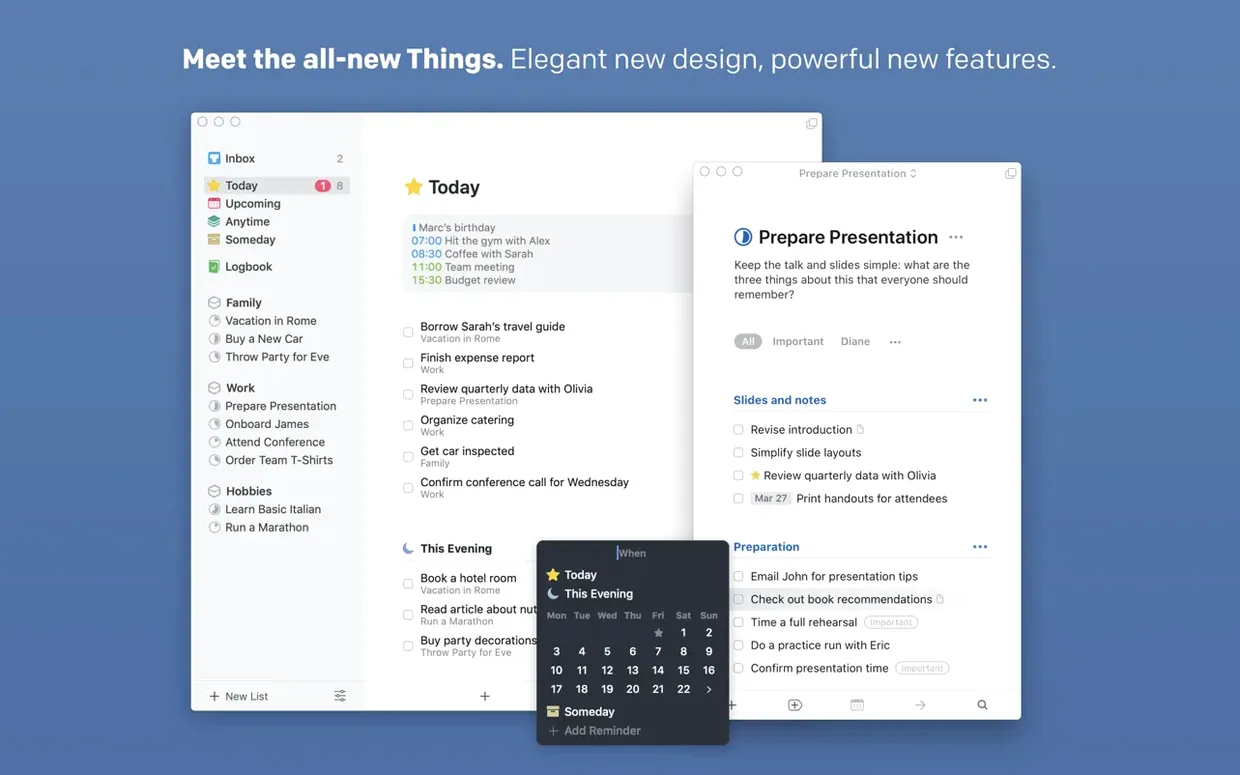
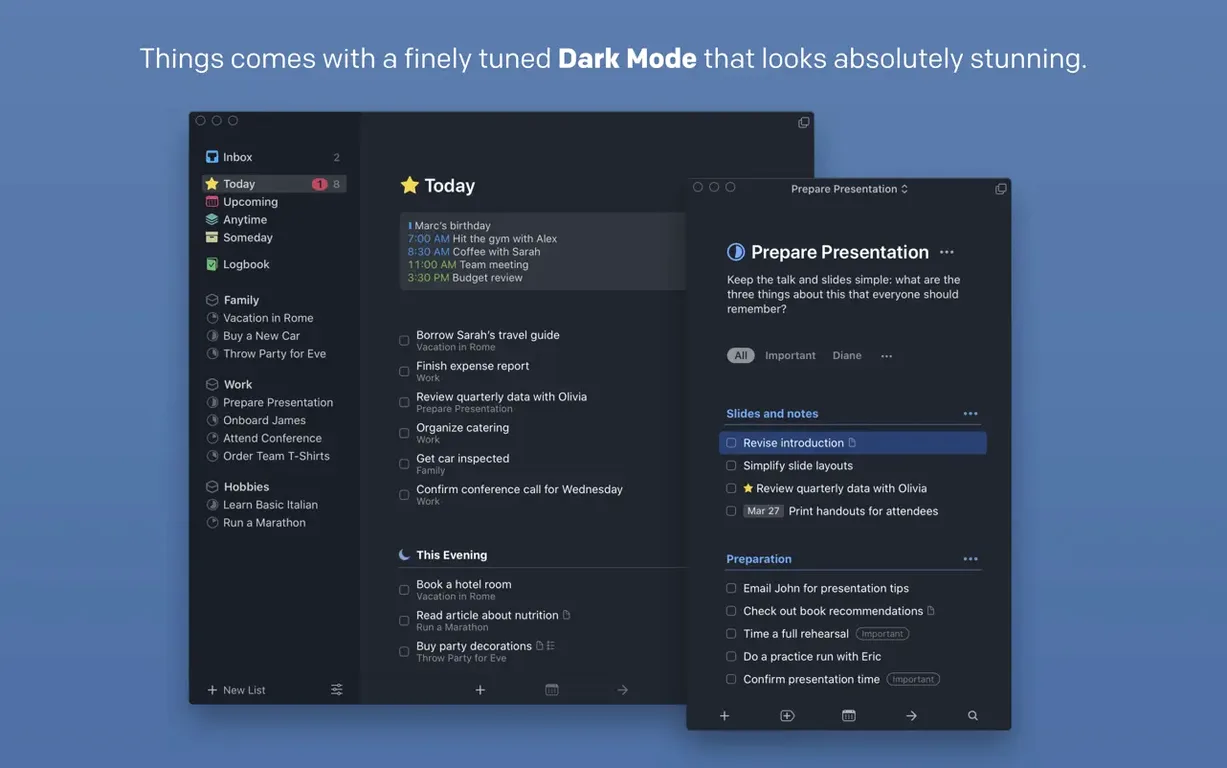
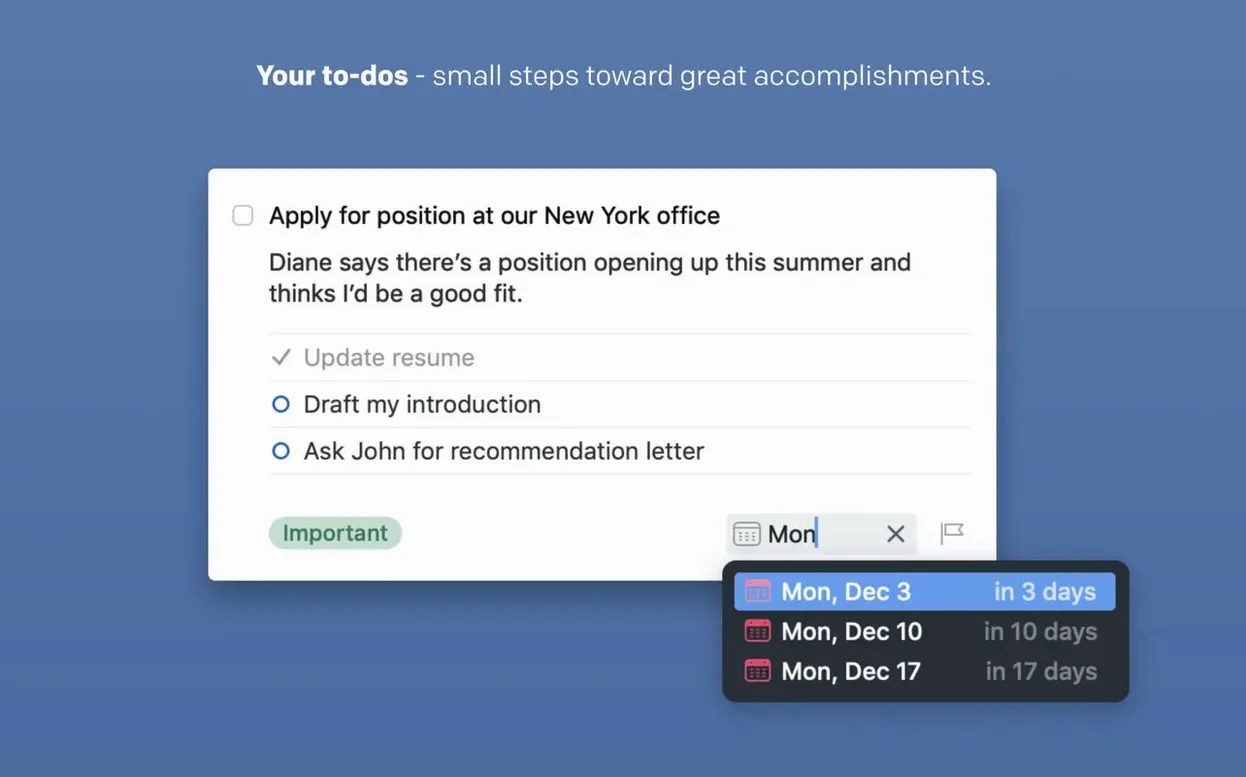
If your task list has outgrown simple to-dos, Things gives you the structure without the noise. Here are the tools an experienced user leans on.
AppleScript support — automate task creation from other Mac apps or scripts.
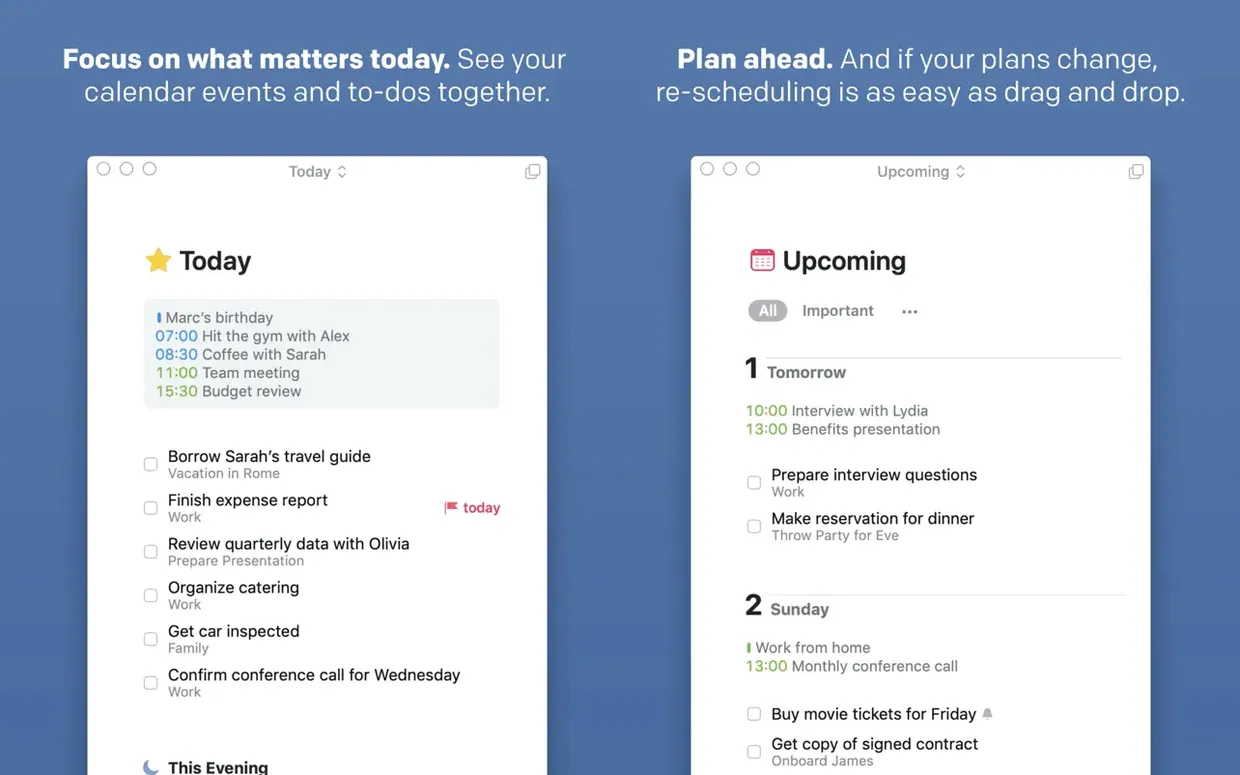
Calendar overlay — see your calendar events and Things tasks in one list, no switching.
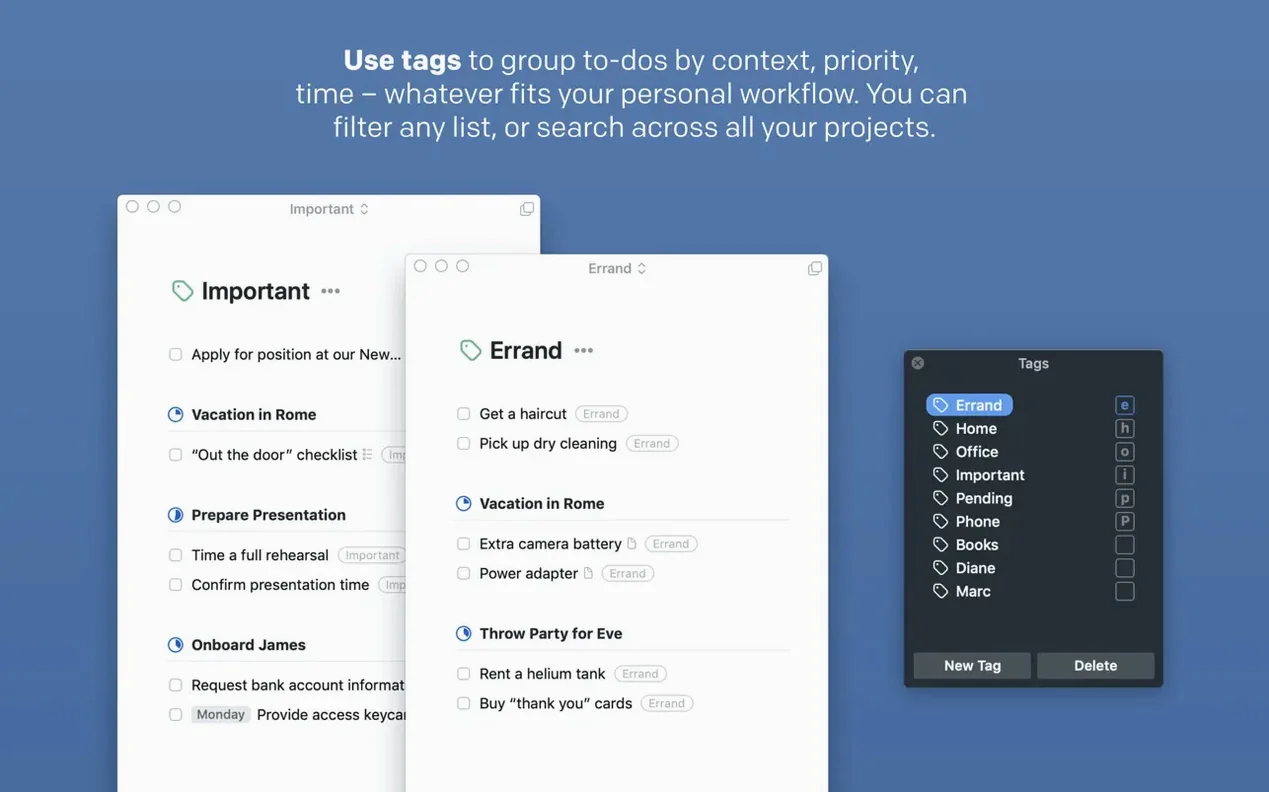
Tags — filter across projects and areas by context, energy level, or whatever you choose.
Repeating tasks — set flexible recurrences that keep a daily checklist or a monthly review on schedule.
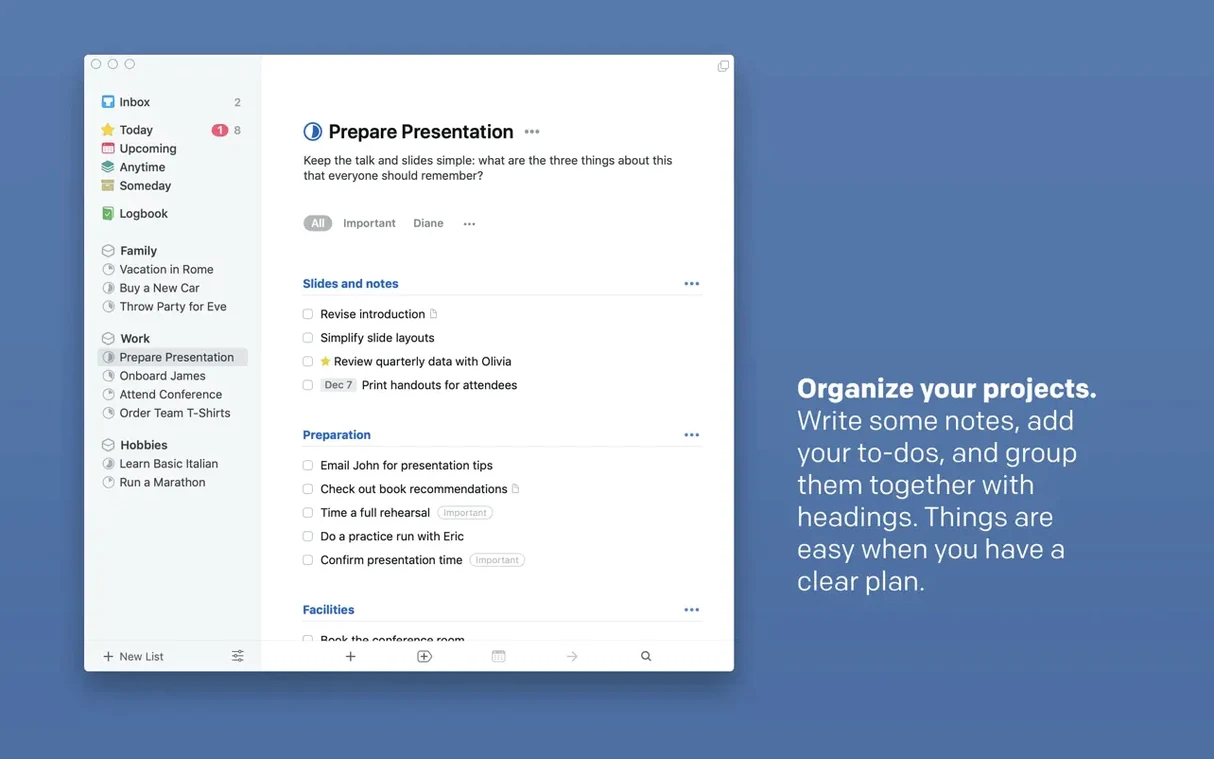
Notes and subtasks — attach detail to any to-do without cluttering the main list.
Deadlines and reminders — a deadline is not the same as a do-date; Things keeps them separate so you never miss the real drop-dead.
Areas and Projects — group tasks under responsibilities (Areas) or specific goals (Projects), with headings inside each to stay organised.
Autofill grabs the current app and links back
Some of the best bits hide in plain sight.
- Quick Entry with Autofill — hit
Control-Spacefrom any app. The Quick Entry window grabs the frontmost app's name and links back to whatever you were looking at. Type a task, press Return, and you are back to work in two seconds. - Type Travel — start typing anywhere in a list and Things jumps to the first match. No search field needed. Works for task names, tags, and headings.
- Drag to reorder — hold
Commandwhile dragging to move a task inside a project on iOS, or just drag on Mac. The order you set in Today is the order you work through. - Swipe on a date — in Upcoming view, swipe left or right on a day header to jump weeks. Faster than clicking the arrows.
- Undo —
Command-Zworks almost everywhere. Completed a task by accident? Undo puts it right back. - Mail to Things — forward an email to your Things Cloud address and it lands in the Inbox with the subject as the task title and the body as a note.
Tasks appear in Spotlight results
Things does not try to be everything. It connects where it counts.
- Spotlight — with version 3.24, your tasks appear in Spotlight results. Type a project name or a to-do and jump straight to it without opening the app first.
- Calendar — Things reads your macOS Calendar data and shows events inline in the Today and Upcoming views. No export, no duplicate entry.
- Reminders import — if you are coming from Apple Reminders, Things can pull in your existing lists during setup. One-time migration, then you switch fully.
- Share extensions — from Safari, Mail, or any app with a Share button, send a link or selected text straight to the Things Inbox. A task is created with the link attached.
- Handoff — start editing a task on your Mac, pick up your iPhone and the same task is open and waiting. Requires Things Cloud sync to be active.
- Siri — "Remind me to call Sarah tomorrow at 10" spoken to Siri can route into Things if you set it as the default list in Settings. The Siri AI integration on OS 27 makes phrasing more natural.
- AppleScript — for those who automate, Things exposes a clean scripting dictionary. Build workflows that create projects from templates, log completed tasks to a file, or pull data from other Mac apps into your to-do list.
Three groups that stick with it long-term
Not every Mac user needs this level of task structure. Three groups tend to stick with it long-term.
Project managers and freelancers — the split between Areas and Projects mirrors how you think about work. Areas hold ongoing responsibilities (Admin, Health, Clients). Projects hold finite goals with a clear end. Headings divide a project into phases. Deadlines sit separate from do-dates, so a task that must ship Friday can be scheduled for Wednesday without hiding the real cutoff.
People who live in their calendar — If your day is shaped by time blocks, seeing calendar events inside the Today list reduces app switching. Upcoming gives a week-ahead view that mixes hard landscape (meetings) with movable tasks. The workflow becomes: check Today, drag tasks into open slots between events, get on with it.
Mac users who value speed over complexity — Things is not the most feature-packed task manager. It does not have collaboration, file attachments beyond links, or web access. That is the point. The people who stay are those who want a fast, keyboard-driven tool that stays out of the way. Quick Entry, Type Travel, and Spotlight integration mean you rarely need to open the full window just to capture a thought.
Things 3.24.1 delivers a tight set of stability improvements and clean-up work for macOS.
- macOS 10.15 or later
- Apple Silicon & Intel 64-bit
Questions the team asks
Yes, sync requires a free Things Cloud account and works between the Mac, iPhone, iPad, and Vision versions.






Comments 0
Sign in or create an account to add a comment.
No comments yet. They go up after moderation.