

VueScan Pro — Mac download
Download (60 MB) Earlier builds
Ticked
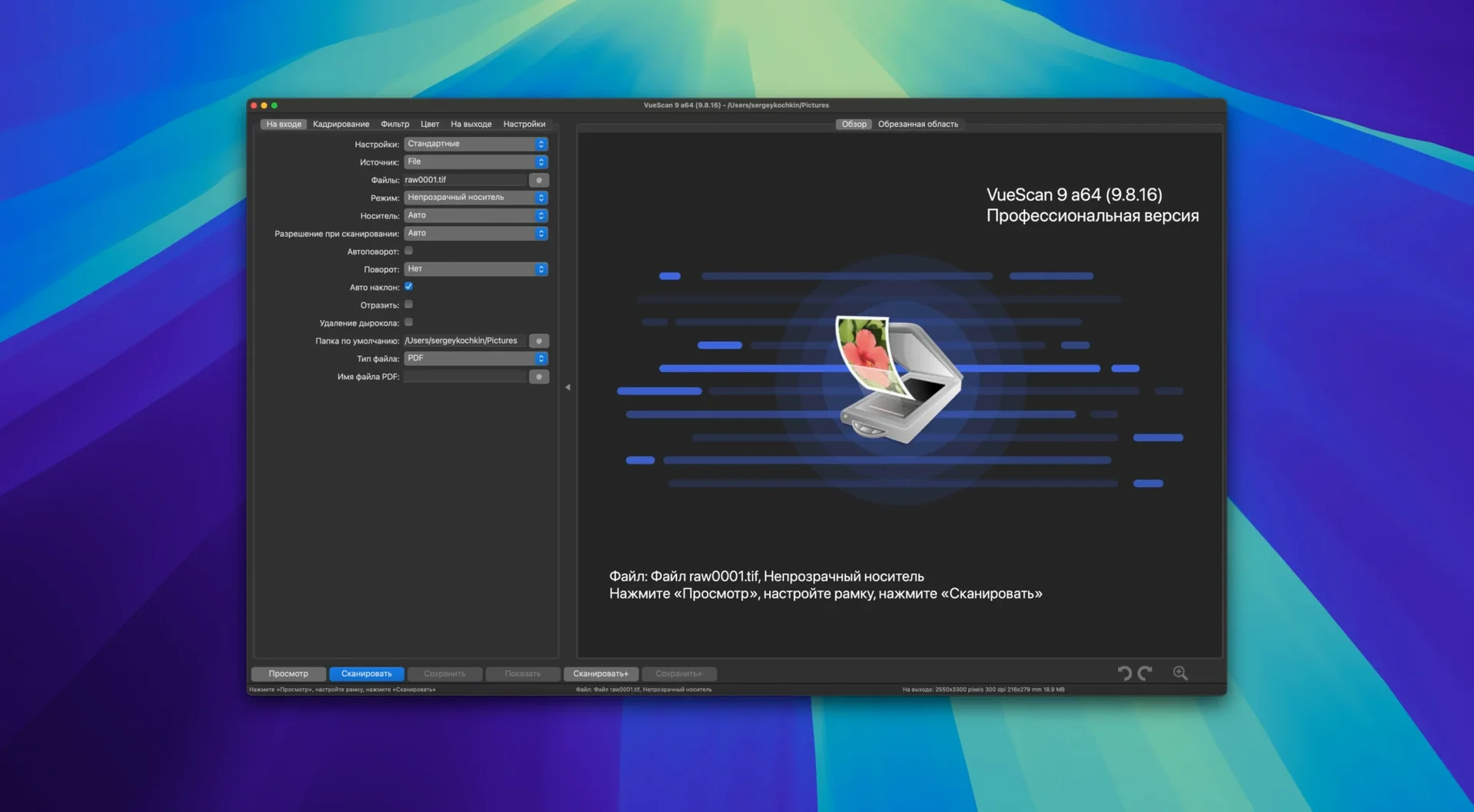
If you have ever opened Image Capture on a Mac and found your scanner missing, you know the problem. Hamrick Software’s VueScan Pro steps in where Apple’s built-in tool stops—it supplies its own drivers for more than 6,000 scanner models, old and new.
A control panel for scanners that lost theirs
VueScan Pro does not rely on the manufacturer’s driver. It talks to the scanner directly. That makes it useful for hardware that never got a macOS update. Once connected, you control everything: exposure, white balance, colour correction, and maximum bit depth. The app can work with the scanner’s internal colour depth instead of compressing the signal early. For precision work, you get independent manual adjustment of dynamic range and tonal response across red, green, and blue channels. Batch scanning is built in, and raw scanner data can be saved to a file for later processing—even with the device switched off.
Calibrated output for photographers, archivists, and labs
The audience is narrow but clear. It fits photographers, archivists, and labs who need repeatable, calibrated output. The current version improves AI-assisted touch-up quality and adds batch processing for colourise and super-resolution. Folder naming now supports date and time substitutions, which keeps large batch jobs organised. If your scanner still turns on but the software is long dead, VueScan Pro gives it a second life with more control than it had new.
Where ExactScan, SilverFast, and Image Capture fit your checklist
Three names keep coming up when people look for a vuescan pro download alternative: ExactScan, SilverFast, and Apple’s own Image Capture. Each fits a different spot on the checklist.
ExactScan supports roughly 200 scanner models—solid if your device is on the list, dead end if it is not. The interface is simpler, but it lacks per-channel tonal control and raw file saving. Good for quick office scans; not for archival work.
SilverFast targets photographers with per-scanner editions. Its colour correction and dust removal are excellent, and it supports IT8 calibration. The trade-off: it only works with a short list of high-end scanners, and you need a separate version for each model you own. No cross-brand flexibility.
VueScan Pro sits in the middle-ground that neither of them fills. It covers 6,000+ models, gives you SilverFast-level manual control over dynamic range and colour channels, and adds batch features neither competitor offers in a single package—batch colourise and super-resolution processing arrived in version 9.8.57. If you maintain a mixed fleet of scanners, or you need a vuescan mac torrent fallback when a manufacturer drops support, it is the only tool that does not force you to change your hardware.
Workflow: archiving a box of old Kodachrome slides
A typical half-day job: 200 mounted slides, an old Nikon Coolscan that macOS no longer recognises, and a deadline for a family history project. Here is the checklist run.
- Connect the scanner, launch VueScan Pro. It detects the Coolscan without the Nikon driver.
- Load the first slide. Set Input | Media to “Slide” and Input | Bits per pixel to “48-bit RGB” to preserve the scanner’s internal colour depth.
- Switch to the Color tab. Set Color balance to “Manual”. Adjust the red channel curve to lift shadow detail without blowing highlights—Kodachrome hides density in the blacks.
- Enable Filter | Infrared clean to use the scanner’s IR channel for dust removal. Light setting; heavy can soften grain structure on this film stock.
- Test-scan one frame. Apply a tiny amount of Filter | Grain reduction and check focus at 100%.
- Once the settings look right, save them as a profile: File | Save settings. Name it “Kodachrome_archive_2026”.
- Set Output | Printed size to “Scan size” and file format to 16-bit TIFF. Tick Output | Raw file to save the unprocessed scan data alongside the finished file—future reprocessing without the scanner.
- Go to Input | Batch scan. Enable multi-page batch. Feed the stack of slides, and let the app run through all 200 while you make tea.
- Post-scan: select the batch in the file list, run Batch | Colorize to normalise colour across frames that have aged differently.
The result: consistent, dust-cleaned 48-bit TIFFs, with raw backups stored for later. The scanner can now go back on the shelf.
Digitising family prints on an unsupported Epson flatbed
Tuesday morning. You have a stack of old family prints to digitise before a weekend gathering. The flatbed scanner is an Epson Perfection model that last had a proper Mac driver under Snow Leopard. You open VueScan Pro—version 9.8.57, ARM build, macOS Sequoia. The scanner wakes up immediately; the app found it on USB without any driver hunt. No vuescan crack mac workaround needed because it supplies its own backend.
You place four 6×4 prints on the glass. In the Input tab, you set Mode to “Flatbed” and Media to “Color photo”. You switch Crop to “Multi crop” and watch VueScan draw four separate bounding boxes around each print—correctly rotated, no manual adjustment. You set Bits per pixel to “24-bit RGB” for these; they will go into a shared
Version 9.8.59 delivers the developer’s most recent maintenance work to hold scanner behaviour steady.
- macOS 10.15 or later
- Apple Silicon native
Questions the team asks
It supports more than 6,000 scanner models from many manufacturers, including recent additions for Epson and Brother devices.









Comments 0
Sign in or create an account to add a comment.
No comments yet. They go up after moderation.