
DxO FilmPack 8 — Mac download
Download (1.5 GB) Earlier builds
Ticked
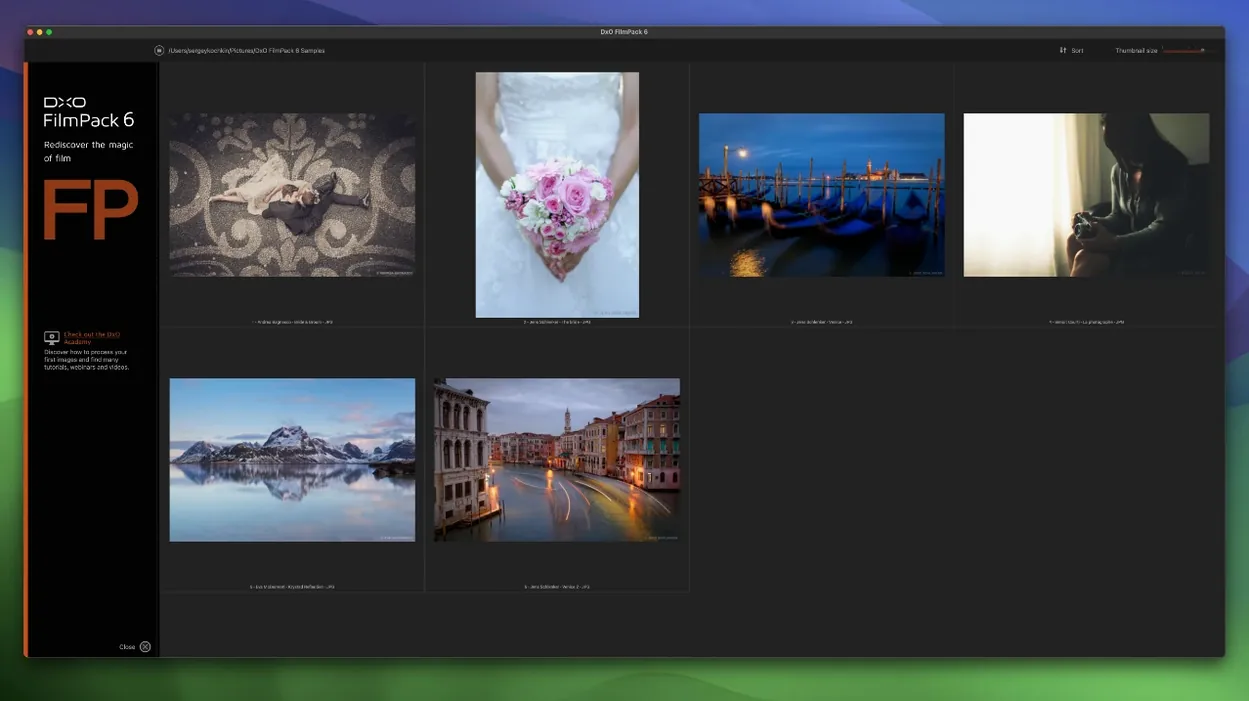
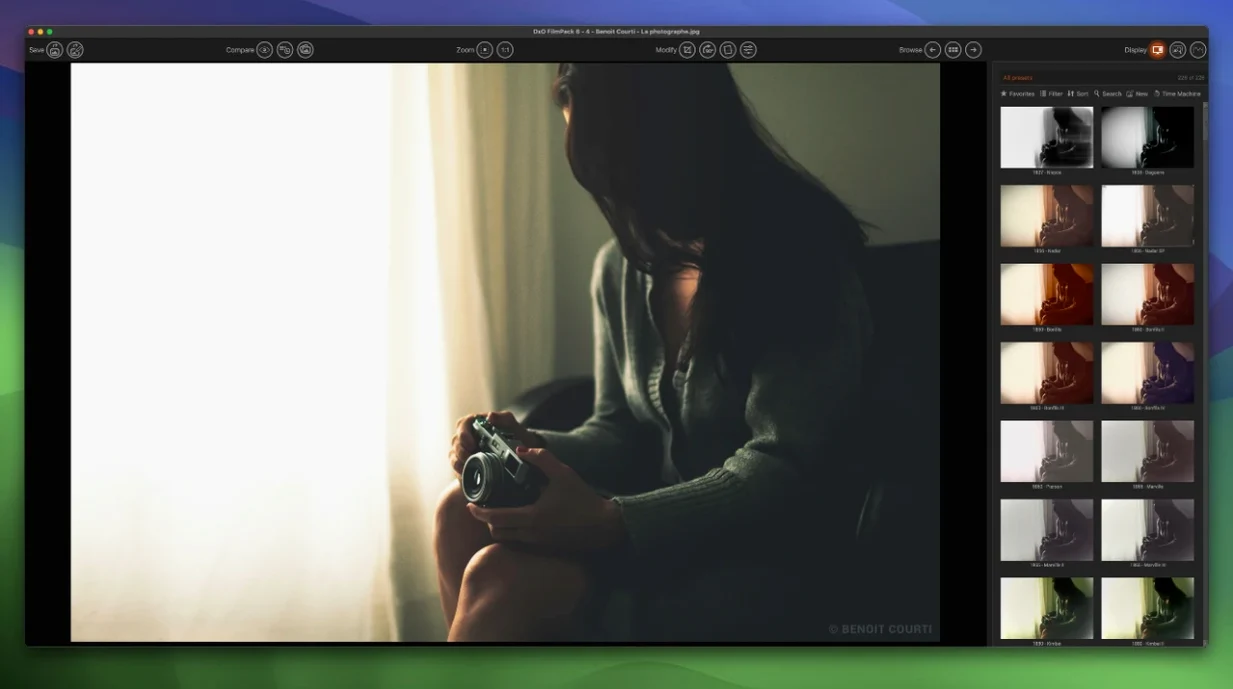
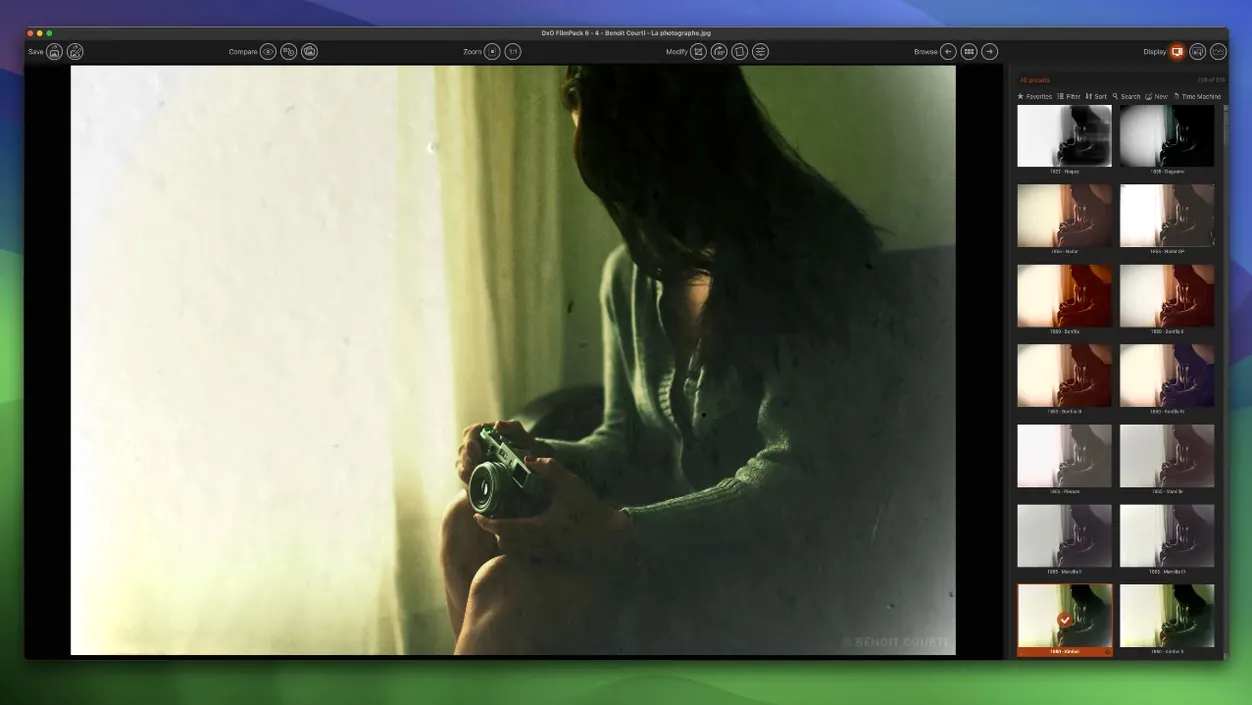
Runs natively on Apple Silicon and Intel Macs from Catalina onward
DxO FilmPack 8 runs on any Mac with macOS 10.15 Catalina or newer. It is a universal binary, so it works natively on both Apple Silicon (M1, M2, M3) and Intel processors.
Browse 153 film stocks inside Lightroom or Photoshop
- Browsing 153 film renderings to find a look fast.
- Processing RAW files without leaving the analog aesthetic.
- Correcting vignetting and chromatic aberration automatically.
- Working inside Lightroom Classic or Photoshop as a palette.
- Cleaning up scanned negatives with the Scanned Film Optimization tool.
RAW files unlock the full adjustment range
- JPEG processing is supported but RAW files give more latitude for adjustments.
- Time Warp mode lets you preview how a rendering affects your image over time in a single view.
- Learning the dedicated Photoshop palette layout takes a few sessions.
Three apps that cover film emulation on a Mac
Three apps cover most film emulation needs on a Mac. Here is where DxO FilmPack 8 sits.
VS Exposure
Exposure packs more preset looks and a full non-destructive layer editor. FilmPack stays tighter on science — every rendering is calibrated against camera sensor data. For quick, accurate film matching without building complex edits, FilmPack is faster. Exposure wins when you need grain control per layer or custom borders.
VS RNI All Films
RNI All Films runs inside Lightroom as profiles. No standalone app. FilmPack gives you a standalone workspace plus the Photoshop palette. RNI profiles feel softer in contrast; FilmPack renderings carry more bite in the highlights. If you only edit inside Lightroom and want minimal UI, RNI fits. If you bounce between apps, FilmPack covers more ground.
VS Dehancer
Dehancer leans into cinematic colour grading with halation, bloom and gate weave. FilmPack keeps to still photography with a cleaner toolset. For cinema-style artefacts, Dehancer is the tool. For matching a Portra 400 contact sheet on screen, FilmPack gets there with fewer sliders.
Time Warp shows every rendering across a single timeline
The jump from FilmPack 7 to version 8 brought four shifts that alter daily editing. Many users grabbing a DxO FilmPack 8 torrent will find these detailed in the changelog.
- Time Warp mode. Instead of clicking through presets one by one, you see how a single rendering evolves across different time periods on one image. Picking a starting point for further tweaks now takes seconds.
- Photoshop palette integration. The palette opens inside Photoshop, not as a floating window. Adjustments stay editable between sessions. For compositing work, this removes the round-trip to the standalone app.
- 15 new film emulations. The library moved from 138 to 153 renderings. The additions include cinema print stocks and more slide film options — useful if you print or prepare images for projection.
- Scanned Film Optimization. Load a negative scan and the tool detects film stock, then cleans dust artefacts and colour cast automatically. Scanning workflows that previously needed a separate cleaning pass in Photoshop now finish in one step.
Some editors getting a DxO FilmPack 8 crack want to test the Photoshop palette speed before committing. The palette responsiveness on Apple Silicon is snappy, even on 50-megapixel TIFFs. No lag on slider drags inside Photoshop — a weak point in FilmPack 7.
- Time Warp mode added for visualising renderings.
- Full integration with Adobe Photoshop as a palette.
- 15 new film emulations, bringing the total to 153.
- Scanned Film Optimization tool for digitised negatives.
- macOS 10.15 Catalina or later
- Apple Silicon or Intel processor
Questions the team asks
Version 8 offers 153 film renderings, which includes 15 new emulations added in this release.
Yes, version 8 adds full integration with Adobe Photoshop, working as a dedicated palette inside the application.
It is a new tool in version 8 that helps clean up and enhance images digitised from film negatives.







Comments 0
Sign in or create an account to add a comment.
No comments yet. They go up after moderation.