

DxO PhotoLab — Mac download
Download (2.3 GB) Earlier builds
Ticked
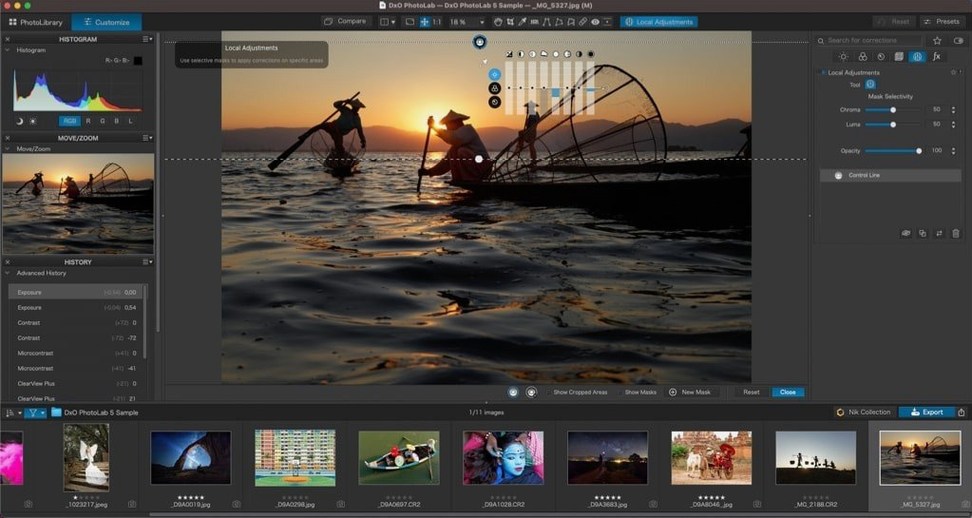
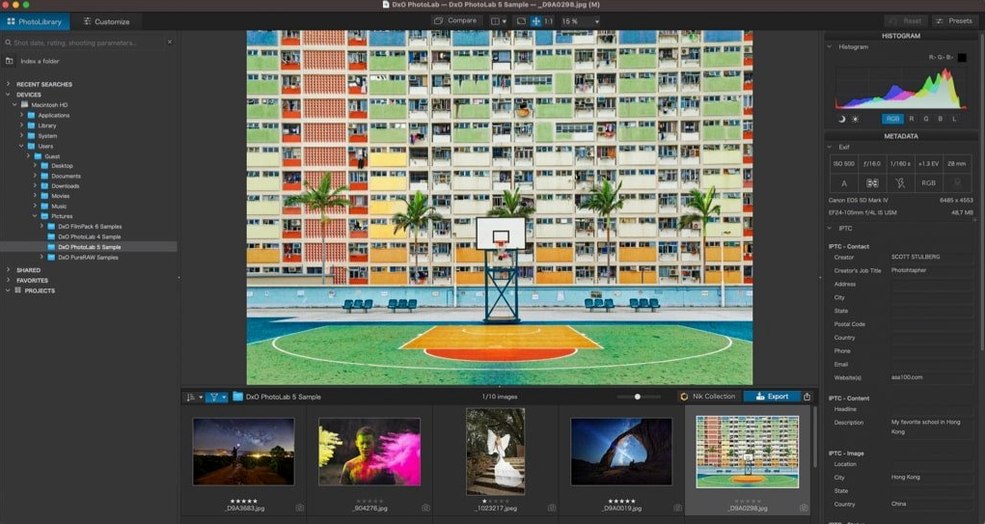
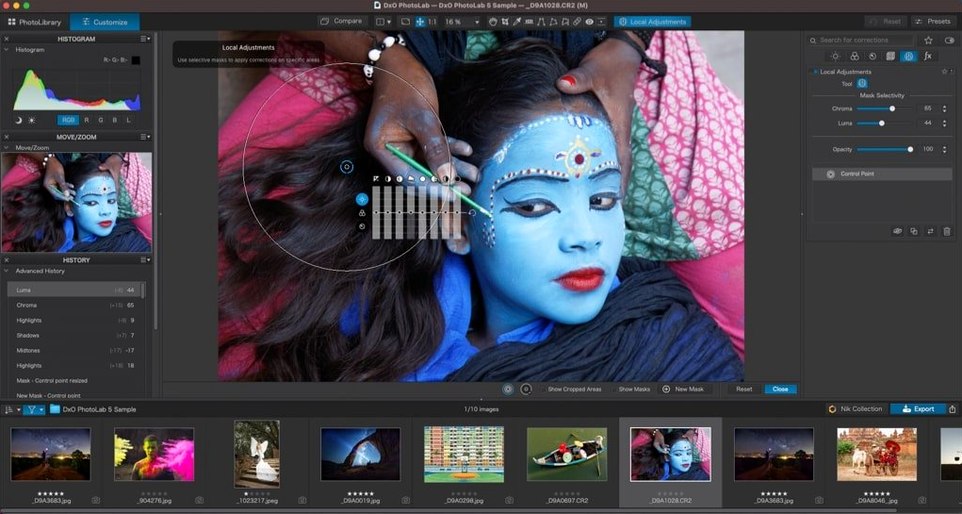
DeepPRIME is where you start. Open a noisy RAW file, head to the noise reduction panel, and switch it on. The difference is immediate — detail stays put while grain dissolves. That single step shows you why this engine matters.
Auto corrections you can actually trust — and when to override them
- RAW shooters who want automatic optical corrections from DxO Modules — measured per camera and lens, no guesswork.
- Portrait and wildlife photographers. AI Masks find skies, people, animals and backgrounds in a click, then let you tweak what the mask covers via Subject Types.
- Precise local edits without layers. U Point uses control points to target colour and tone. Copy those adjustments across a batch and sync edits fast.
- Pulling clean images from high-ISO files. DeepPRIME AI noise reduction handles luminance noise without smudging fine texture.
When DeepPRIME spins up your fans and eats disk space
- Manual override is always available, but you will spend early sessions learning which auto corrections to trust. Optical corrections are safe; lighting adjustments may need dialling back.
- DeepPRIME processing leans on your Mac's graphics hardware — expect fan activity on Intel machines during batch exports.
- U Point takes practice. The logic of control points is straightforward once you learn it, but the first few masks will feel slower than AI-based alternatives.
No cloud required, but a multi-gigabyte install awaits
DeepPRIME does not require an internet connection once installed. The AI models sit locally; no uploads, no cloud processing. That also means the installer is large — plan for several gigabytes.
Yes, it reads your existing folder structure. No catalog imports, no library lock-in. Point it at a folder of RAW files and start editing. This matters if you already organise shoots in Finder.
HEIC and ProRAW support is built in — iPhone photographers can feed files straight into optical corrections and DeepPRIME without converting first. The DxO Modules database recognises recent iPhone models as cameras.
GPU demands are real. DeepPRIME XD3 for X-Trans sensors will push older Intel Macs hard. Apple Silicon handles it better, but batch processing still warms the chassis. Close other GPU-heavy apps before a large export queue.
One drag to apply DeepPRIME and corrections to a whole batch
- Drag a preset onto a batch of thumbnails in the image browser. No dialogue, no confirmation — the corrections apply instantly. Combine with a custom preset that includes DeepPRIME and optical corrections for a one-step import routine.
- Hold Option while dragging a U Point control point to see a greyscale mask overlay. It shows exactly what the point is affecting before you commit to the adjustment. Saves the back-and-forth of guessing radius values.
- Copy a local adjustment from one image, select twenty others, and paste. The sync respects Subject Types — if you masked a sky, it re-detects the sky in each target image rather than pasting a fixed geometric mask. Works across different compositions from the same shoot.
- Double-click any slider handle to reset it to default. Faster than hunting for a reset button, especially useful when Smart Lighting overcorrects a backlit scene.
- Pin frequently used DxO Modules in the correction panel so they stay visible. If you shoot with two camera bodies and three lenses, pin those modules and skip the dropdown next time.
- macOS 14.7 or later
- Intel or Apple Silicon Mac








Comments 0
Sign in or create an account to add a comment.
No comments yet. They go up after moderation.